All new iOS 26.1 features for iPhone and iPad
Apple is currently testing the beta version of iOS 26.1, the first major update for the iOS 26 operating system. It won’t bring the new version of Siri we’ve been waiting for, but it does include useful new features and UI changes. We’ve summarized all the new features in iOS 26.1.
Alarms and Timers
Alarms and timers you set in the Clock app now have a swipe gesture instead of a tap gesture on the lock screen. You can snooze an alarm by tapping, but you can turn it off completely by using a swipe gesture.
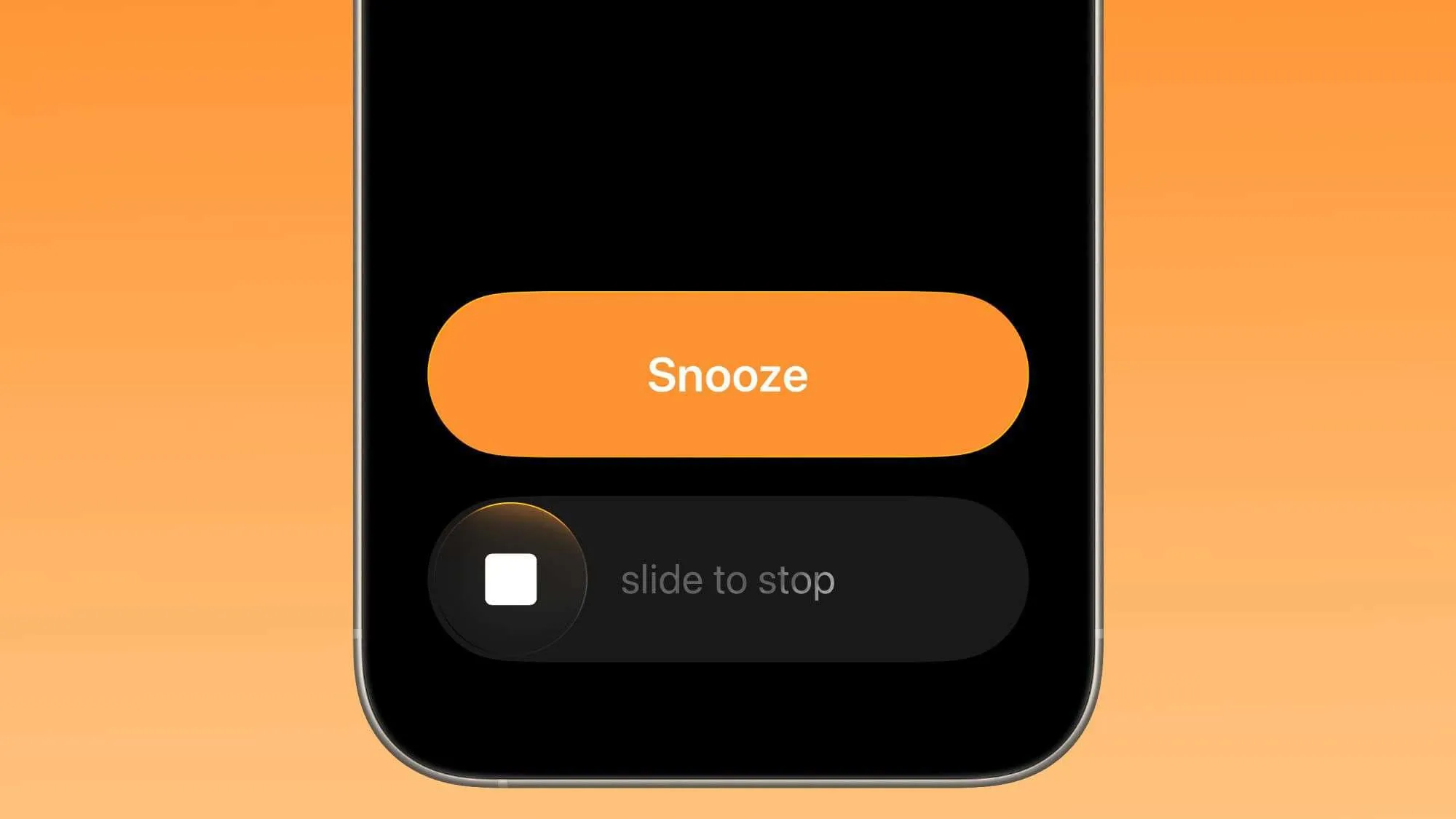
The change makes it much more difficult to snooze an alarm when trying to tap the snooze button.
New Apple Intelligence Languages
Apple Intelligence is now available in Danish, Dutch, Norwegian, Portuguese (Portugal), Swedish, Turkish, Chinese (Traditional), and Vietnamese.
AirPods Live Translation Languages
Live Translation on the Apple AirPods works with additional languages in iOS 26.1, including Japanese, Korean, Italian, and Chinese (both Traditional and Simplified Mandarin).
Apple Music
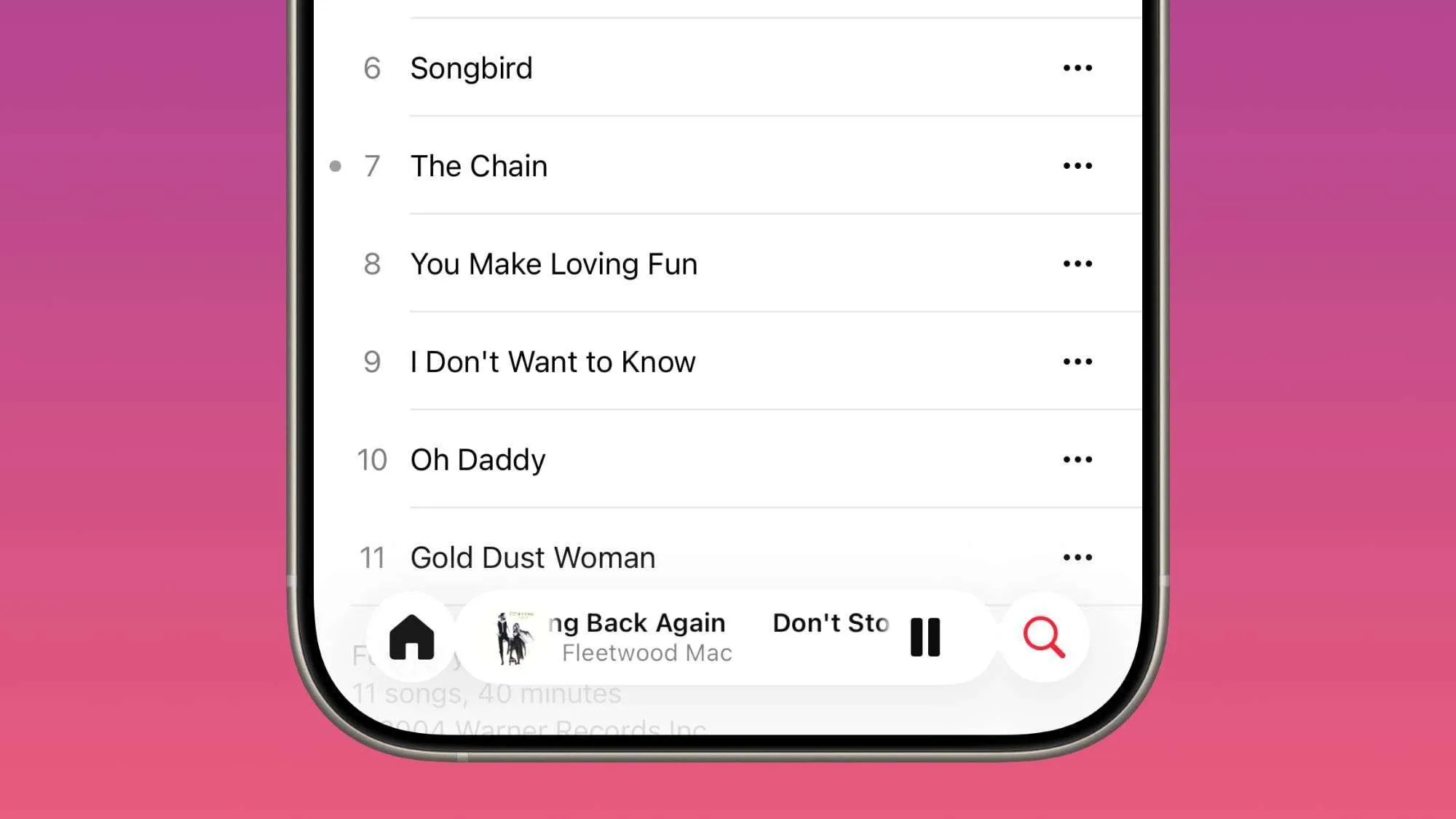
You can now swipe to switch between songs in the Apple Music player. Simply swipe your finger over the song title to go to the next song or back to the previous one.
Fitness app
You can create custom workouts in the Fitness app on iPhone. There are options for selecting the workout type, estimated active calories, effort, duration, and start time.
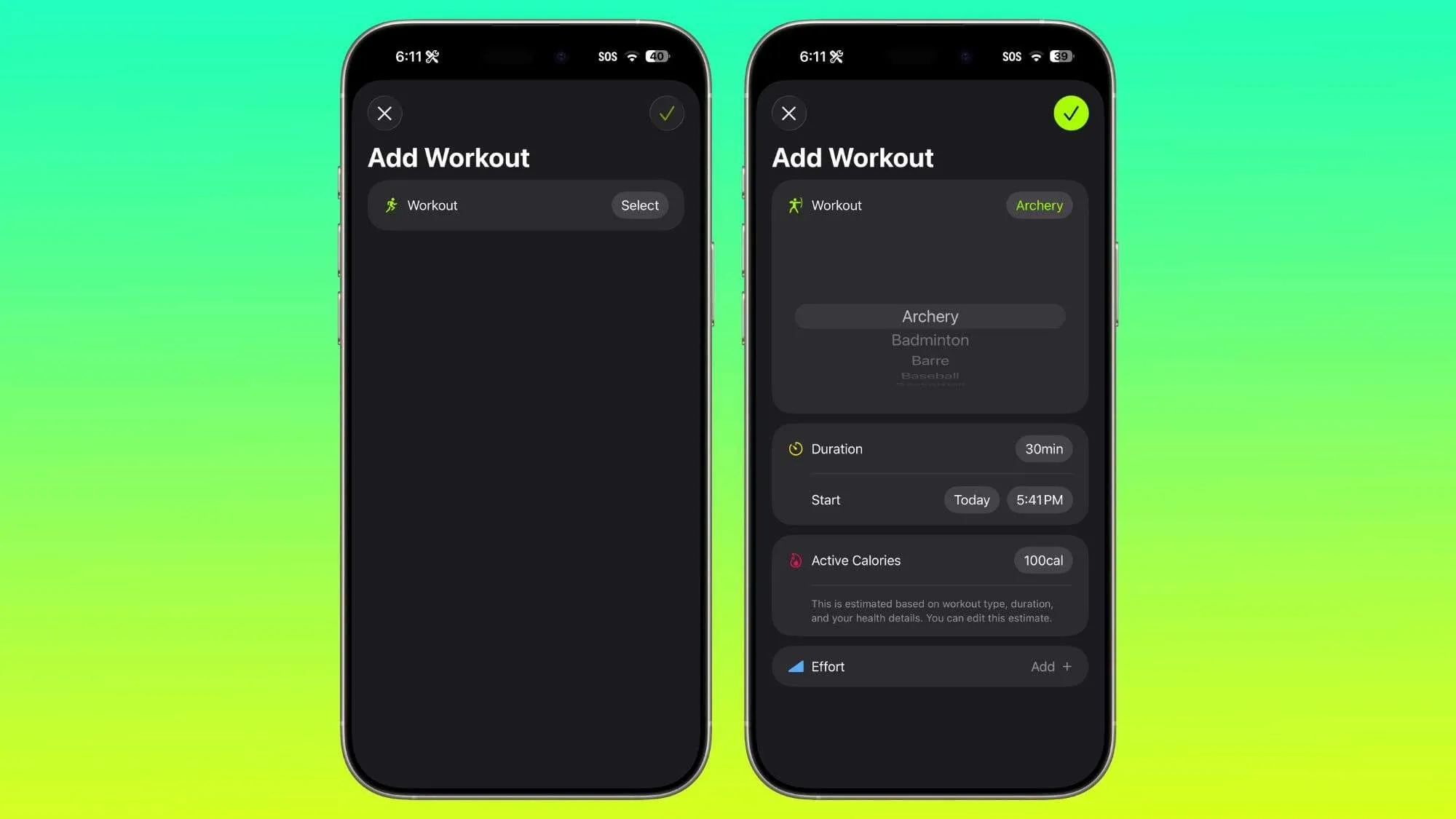
While workout creation options existed before, they were more structured than the open, custom creation options in iOS 26.1.
Settings app in iOS 26.1
Apple has changed the alignment of icons and text in the Settings app. All settings with headings containing text are now left-aligned instead of centered. A small change that makes a big visual difference.
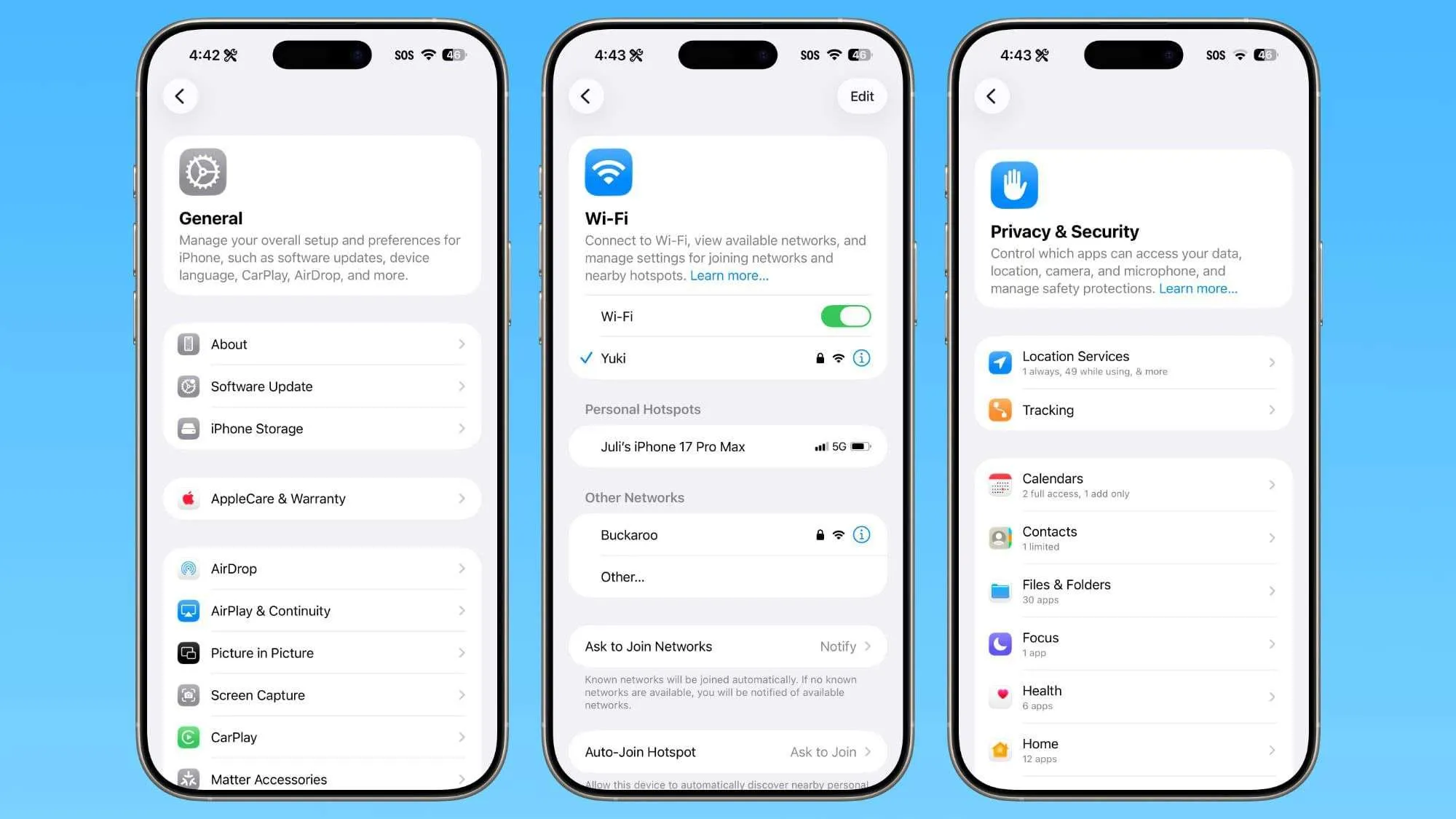
These include “General,” “Bluetooth,” “Wi-Fi,” “Cellular,” “Personal Hotspot,” “Accessibility,” and more.
Home screen folder
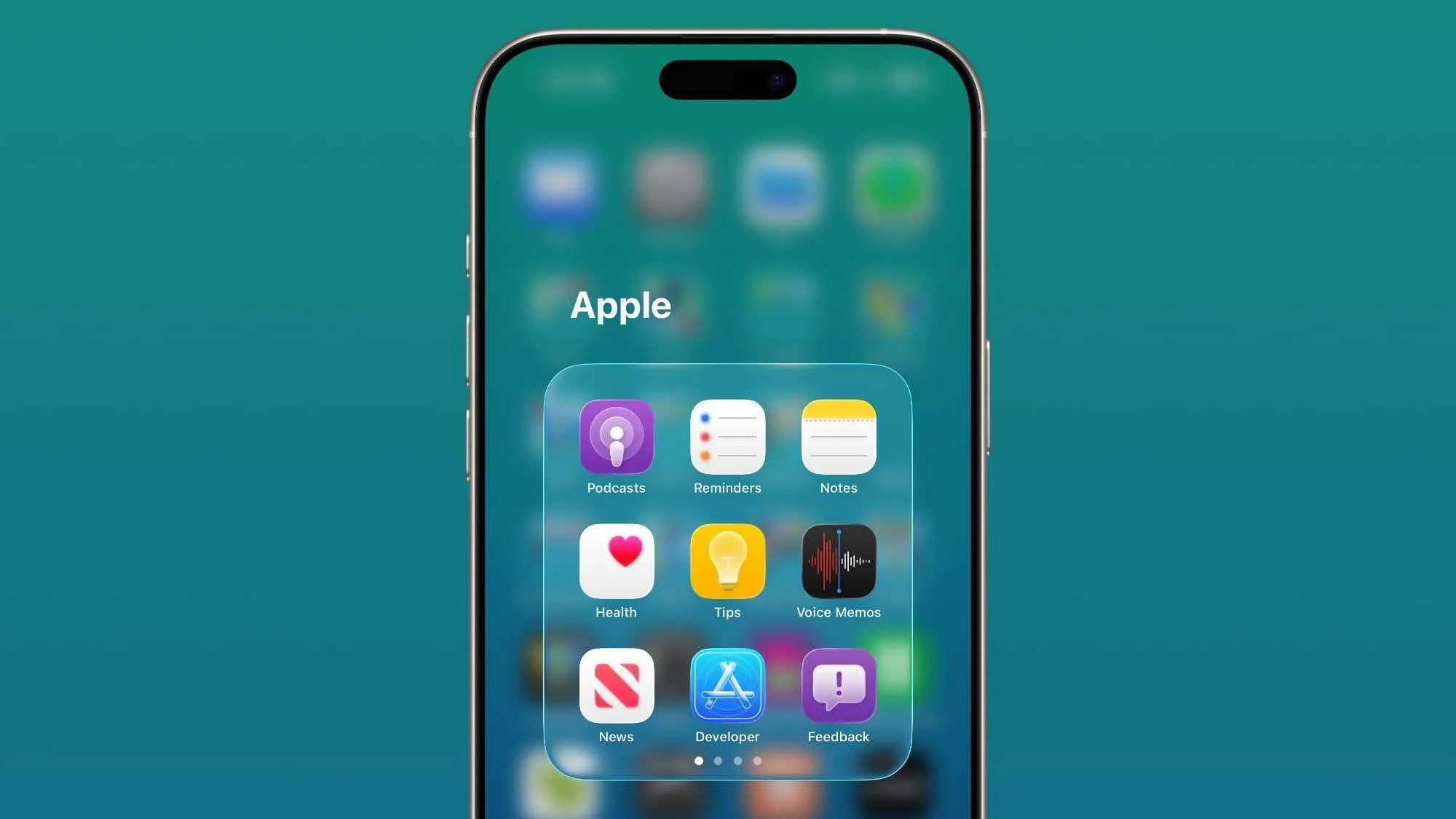
When you tap a folder on the Home Screen, the folder name is aligned to the top left instead of centered, which corresponds to the changes made in the Settings app.
Phone app
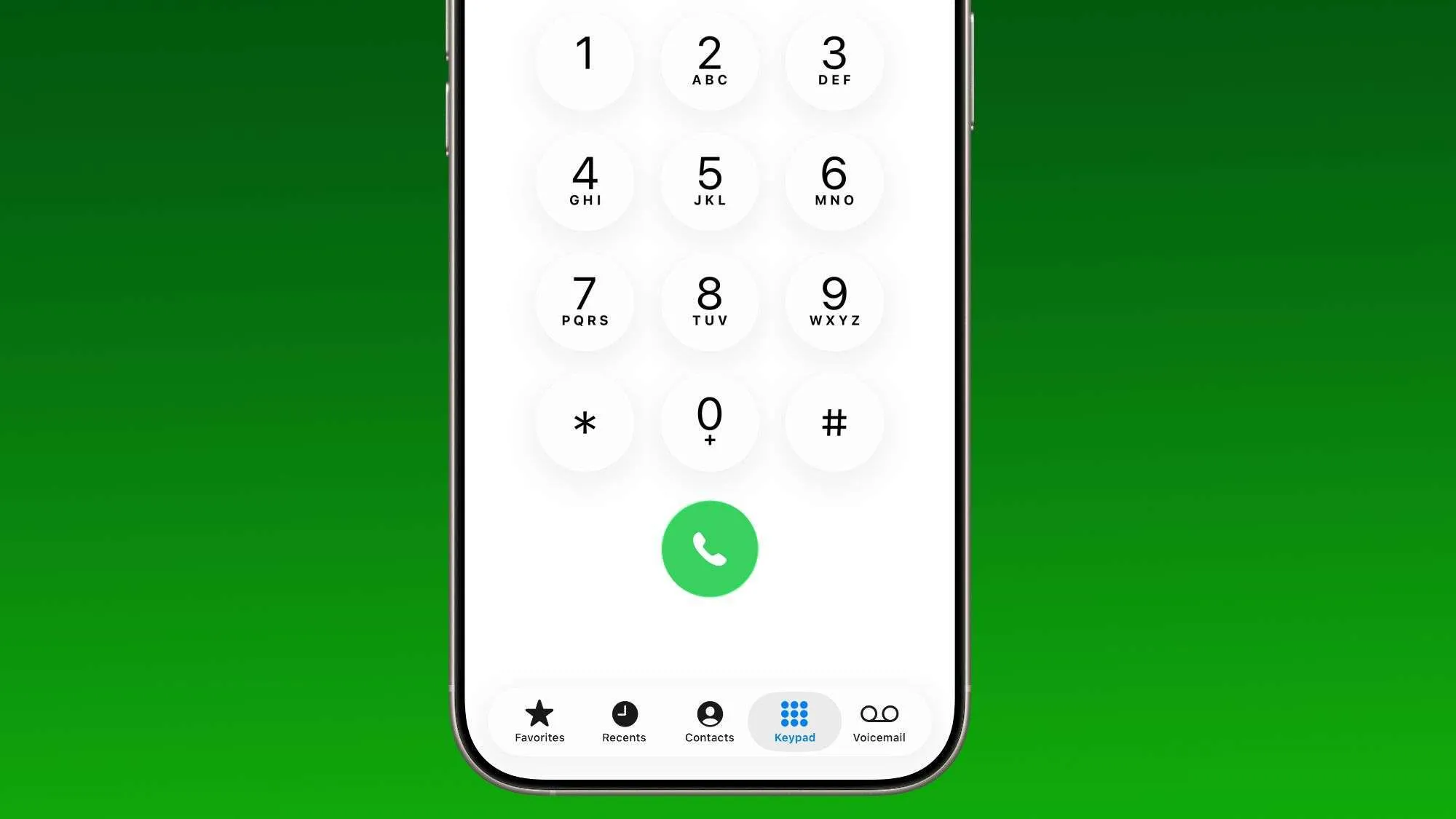
The phone keypad now uses Liquid Glass for the numbers.
Photos
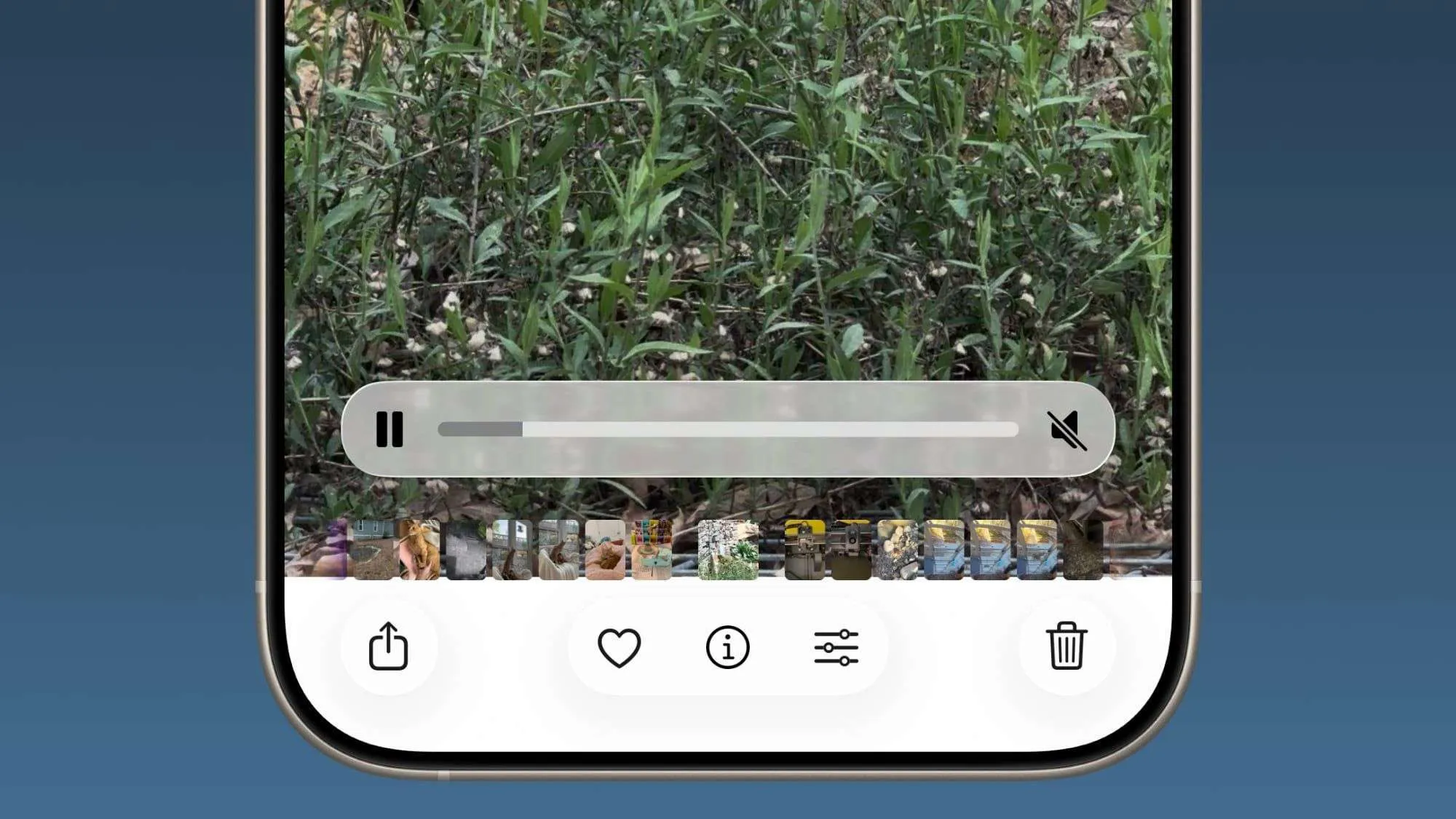
The slider for browsing videos in the Photos app has been updated. The navigation bar also has a slightly more matte finish, making it easier to see on light backgrounds.
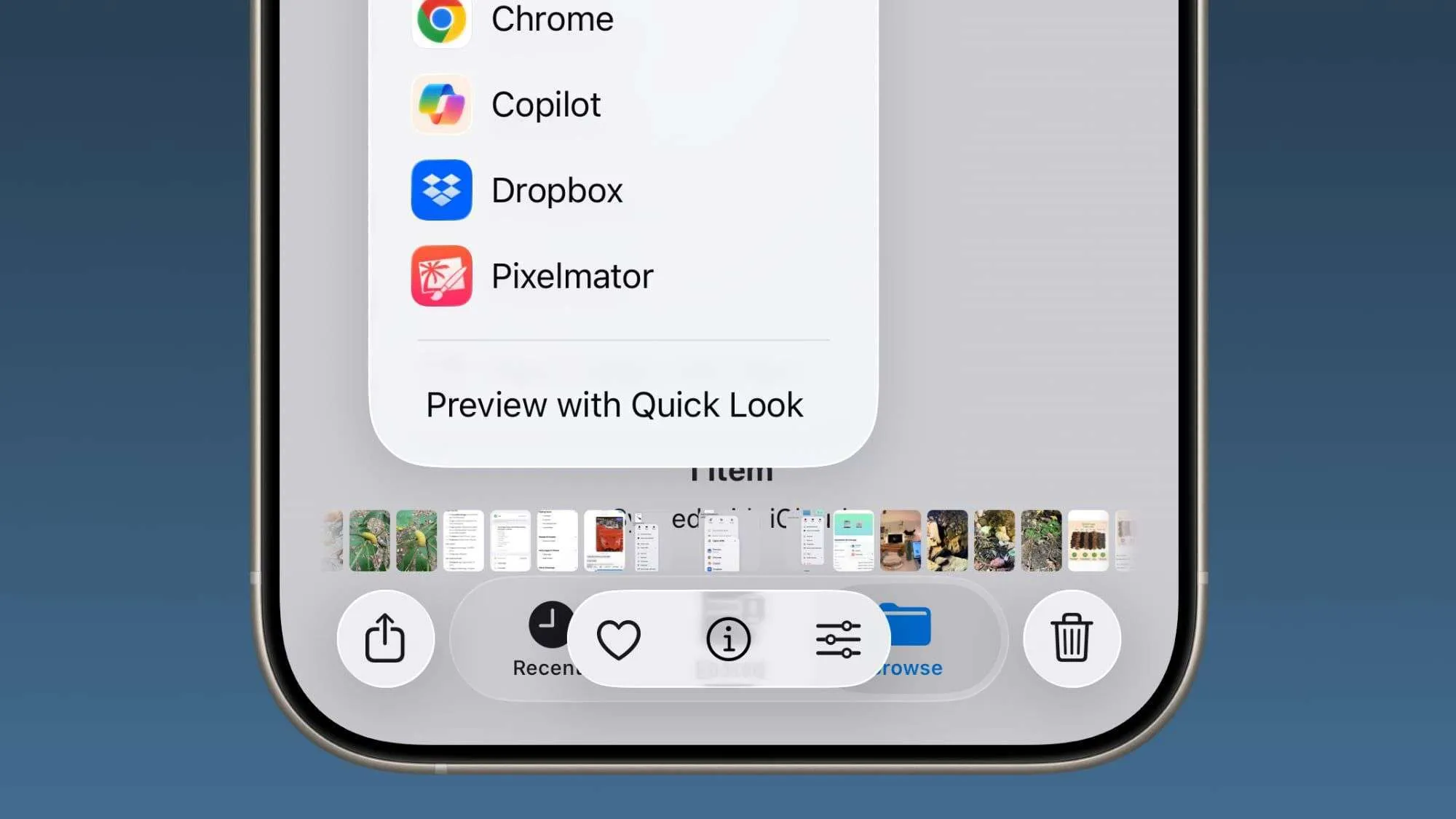
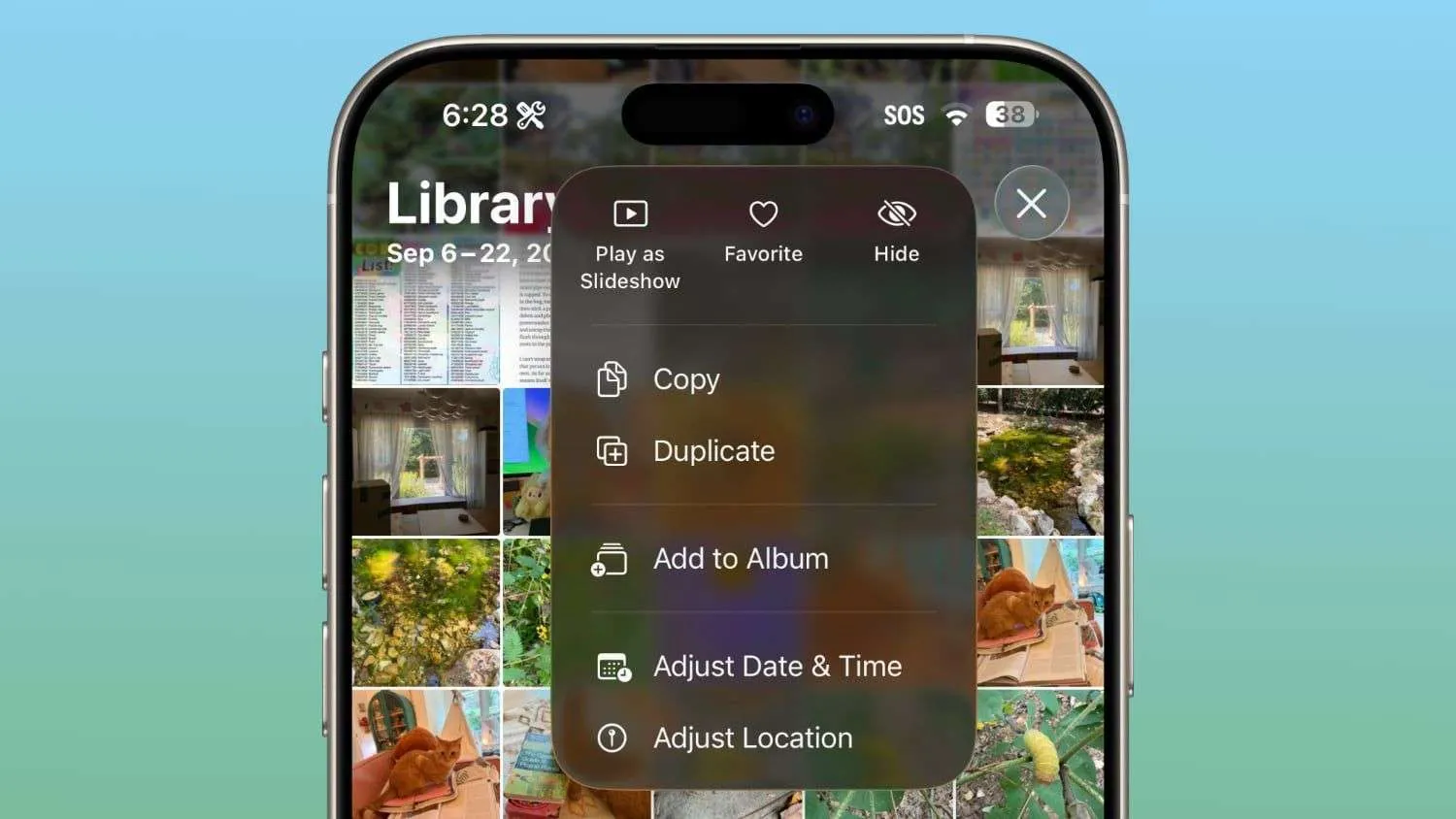
The user interface for managing multiple selected photos has been slightly optimized. The “Play as Slideshow,” “Favorite,” and “Hide” options are now located at the top of the menu.
Safari
The tab bar in Safari is wider and has less space at the edges. In “Reduce Transparency” mode, however, there is slightly more space.
Security in iOS 26.1
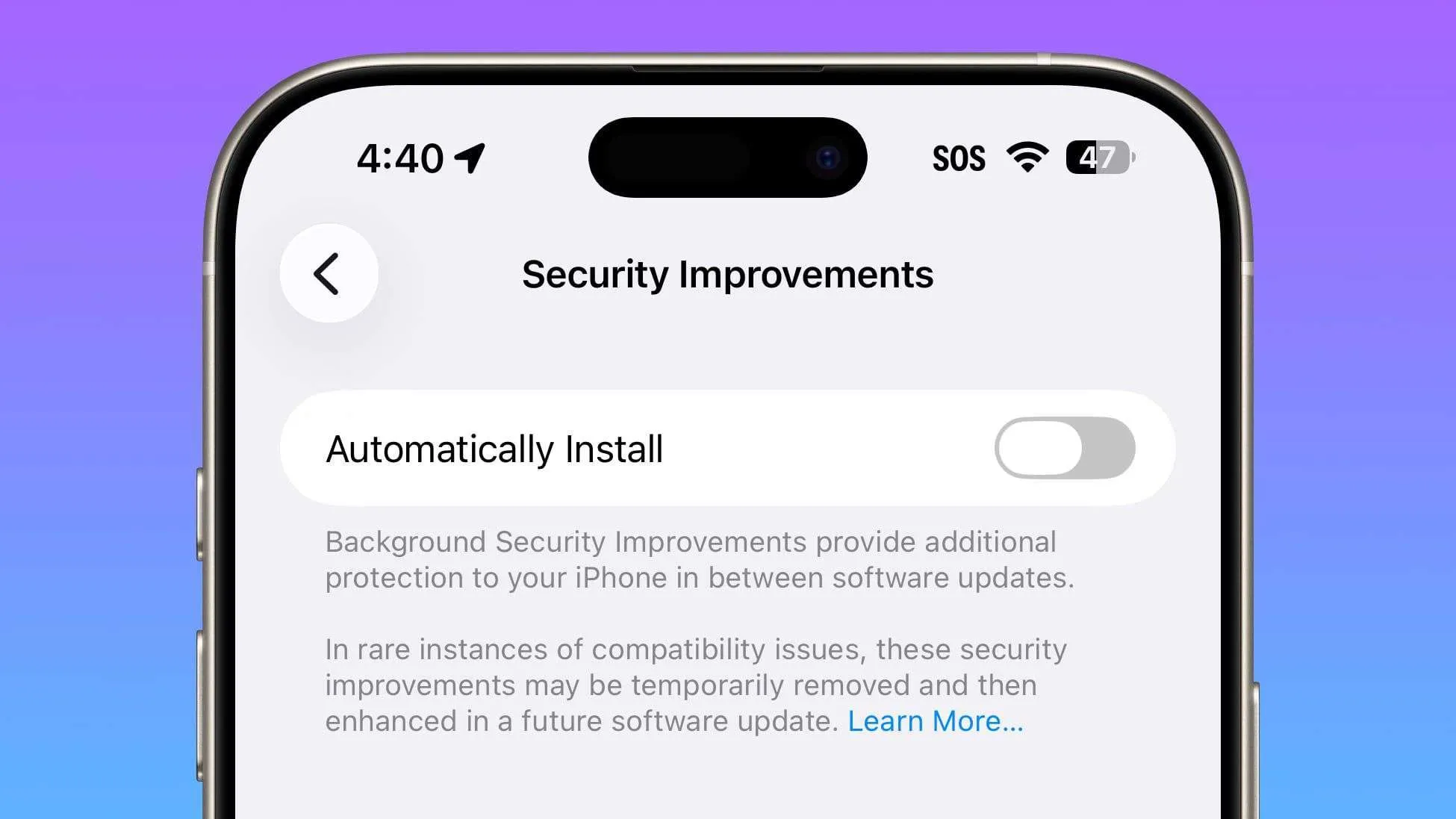
The Privacy & Security section of the Settings app now has a toggle to automatically download and install security improvements. This is a redesign of the previous Quick Security Responses feature.
Display Settings
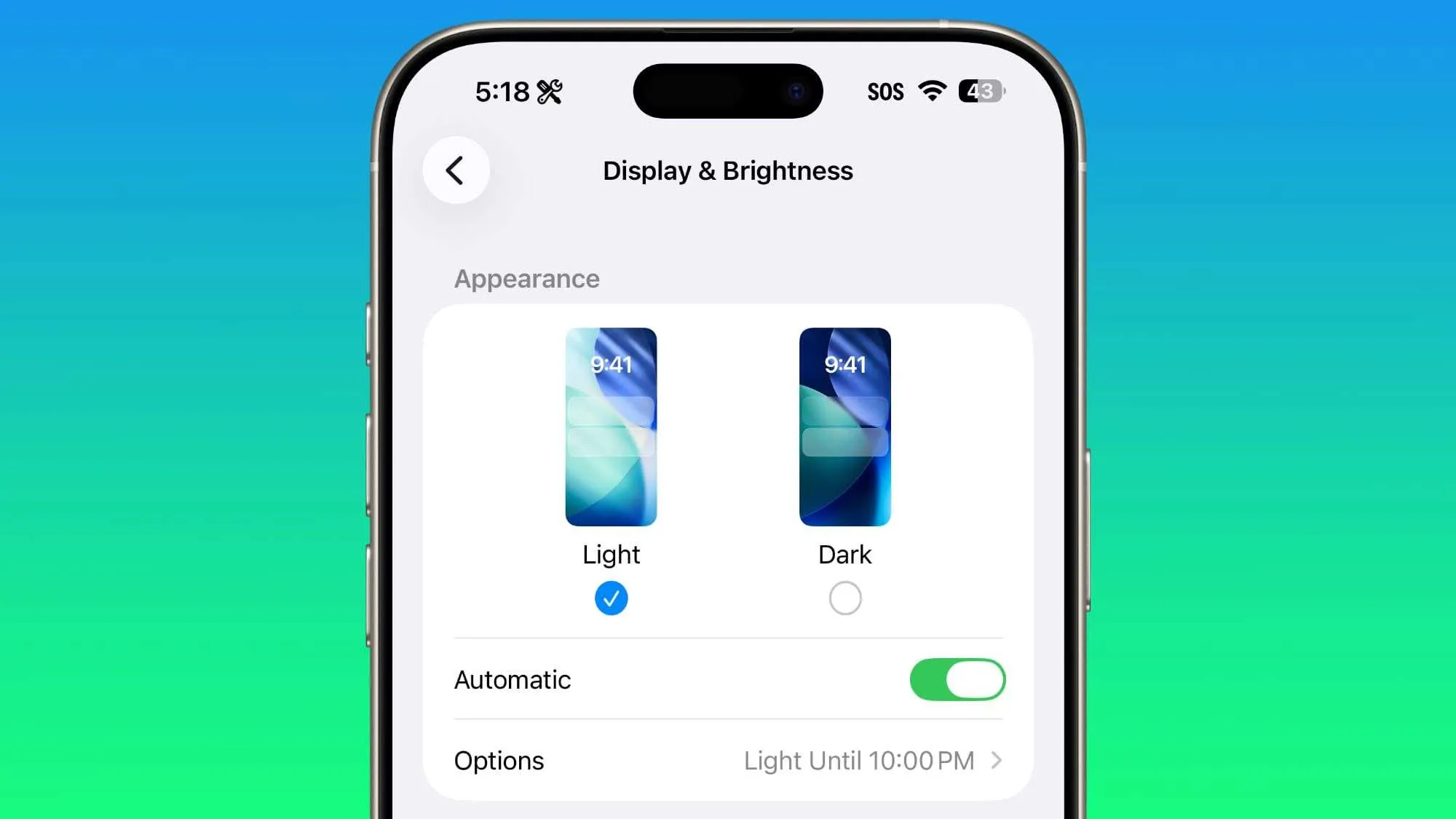
The Display section of the Settings app now has an iOS 26-style wallpaper instead of an iOS 18 wallpaper.
Liquid Glass
The light refraction effect around apps is now more subtle, with darker icon and background colors.
Wallpaper
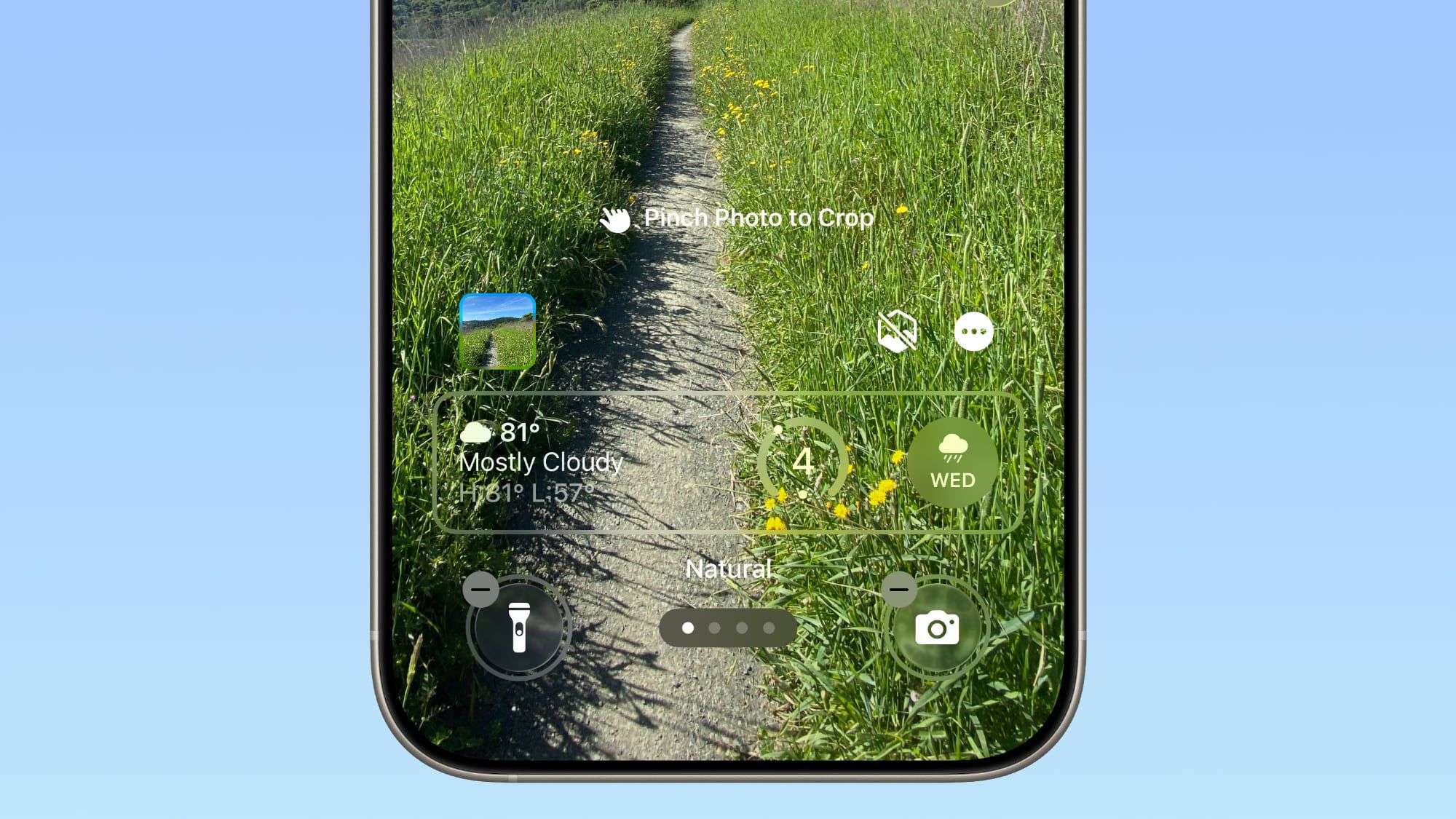
When setting a wallpaper on the lock screen, instructions like “To crop, use your fingers” appear briefly and then disappear instead of remaining permanently displayed.
Accessibility
In the “Display & Text Size” section of Accessibility, there’s a new “Display Borders” switch. This adds a border to all buttons, replacing the previous “Button Shapes” setting.
iPadOS 26.1
Many of the above changes are also included in iPadOS 26.1. There are also some changes to multitasking on the iPad.
Slide Over
With iPadOS 26.1, Apple is reintroducing Slide Over. Slide Over works alongside the window-based multitasking functionality in iPadOS 26.1, allowing you to have multiple windows open and still quickly access a Slide Over app with a swipe.
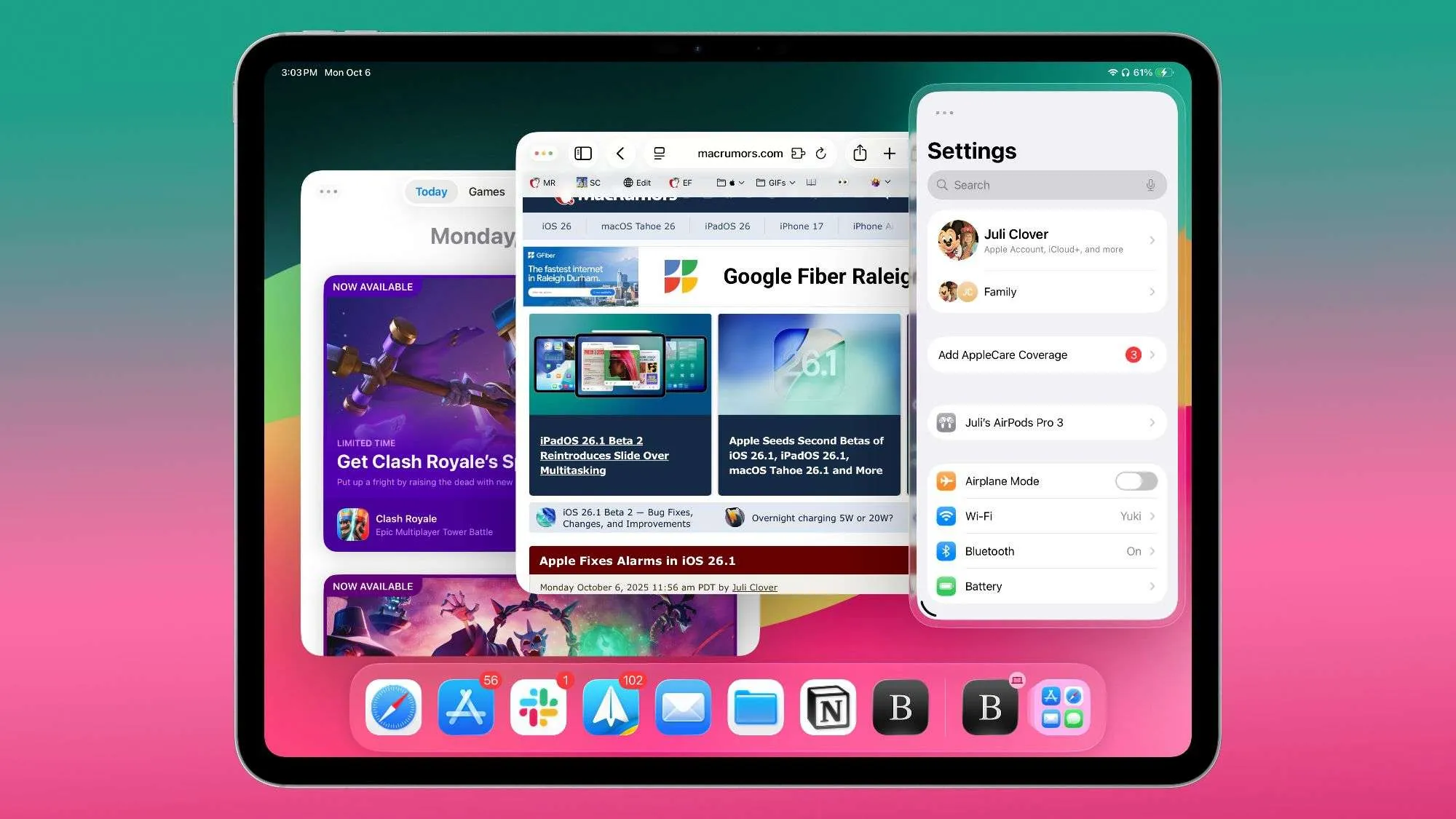
In iPadOS 26.1, you can only have one Slide Over app open at a time and use the feature by first tapping the green resize button and then tapping “Slide Over.”
External Microphones on iPad
There’s now an iPad option to adjust the input gain when using an external microphone.
iOS 26.1 Download
iOS 26.1 is available to both developers and public beta testers. Anyone interested in testing the new features can sign up for the public beta test on Apple’s beta website.
Compatibility
iOS 26.1 is available on all iPhones that also support iOS 26.
Release Date
Apple is likely to release iOS 26.1 around the end of October or early November.


