Apple iOS 26.4: All new features, CarPlay and changelog
Apple today released iOS 26.4 and iPadOS 26.4, the latest updates for the iOS 26 and iPadOS 26 operating systems. The new software arrives six weeks after the release of iOS 26.3 and iPadOS 26.3.
iOS 26.4 introduces a new Apple Music feature called Playlist Playground. This uses AI to create playlists based on text input. Users can also specify moods, feelings, occasions, and more. The update also includes new emojis, a convenient change to payment methods for family group purchases, and much more.
Apple iOS 26.4 with Playlist Playground
Apple Music has a new feature called Playlist Playground, which allows users to create a playlist using a text-based prompt.
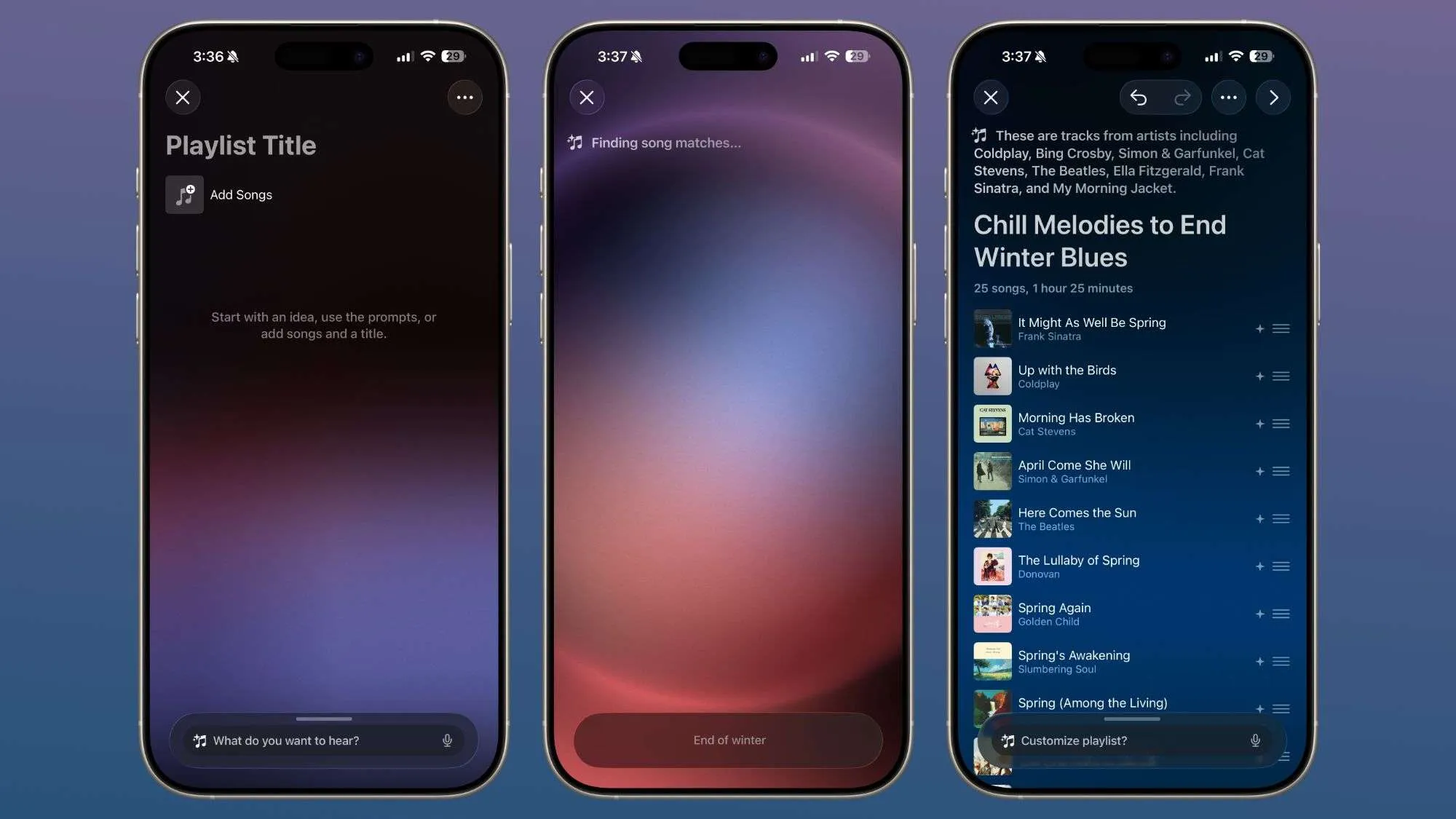
The Apple Music app lets you enter an idea and automatically receive song suggestions for a playlist. Apple offers some preset suggestions like “Music for Coffee,” “Hip-Hop Party Songs,” and “70s Disco Hits,” but you can enter any idea, mood, or feeling you like.
The “Playlist Playground” feature automatically creates a list of 25 songs with a custom title. The created playlists can be further customized with additional lyric suggestions; you can also select cover art and a description.
Playlist Playground is currently limited to the USA.
New Emoji
iOS 26.4 adds eight new emoji characters, including trombone, treasure chest, distorted face, hairy creature (Sasquatch), battle cloud, orca, landslide, and ballet dancer.
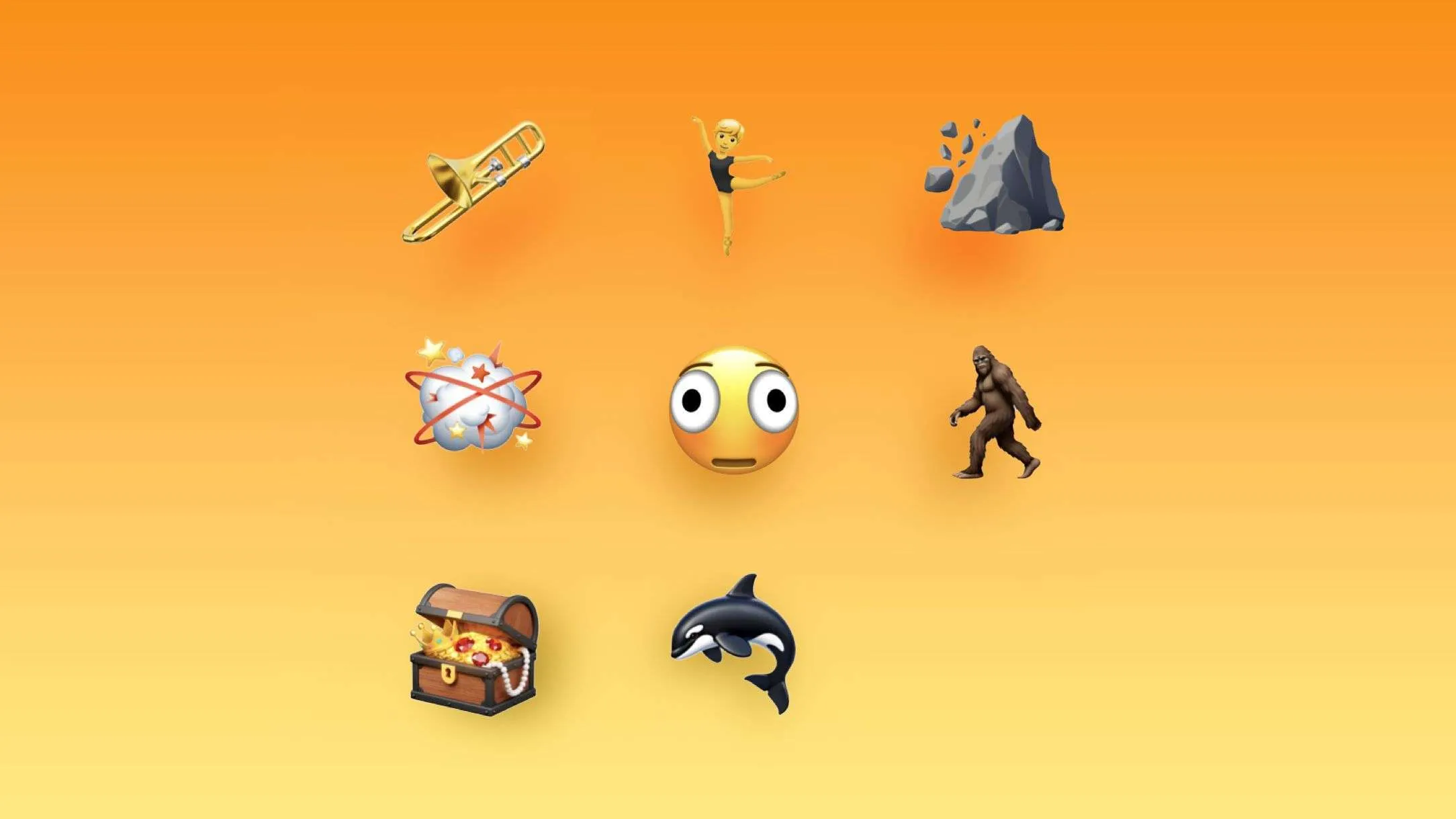
There are also new skin tone modifiers for wrestlers and dancers with bunny ears.
Apple Music
Apple Music in iOS 26.4 offers the “Nearby Concerts” feature, which lets you find concerts in your area and tour dates for your favorite artists. Apple works with companies like Ticketmaster to provide you with local concert information.
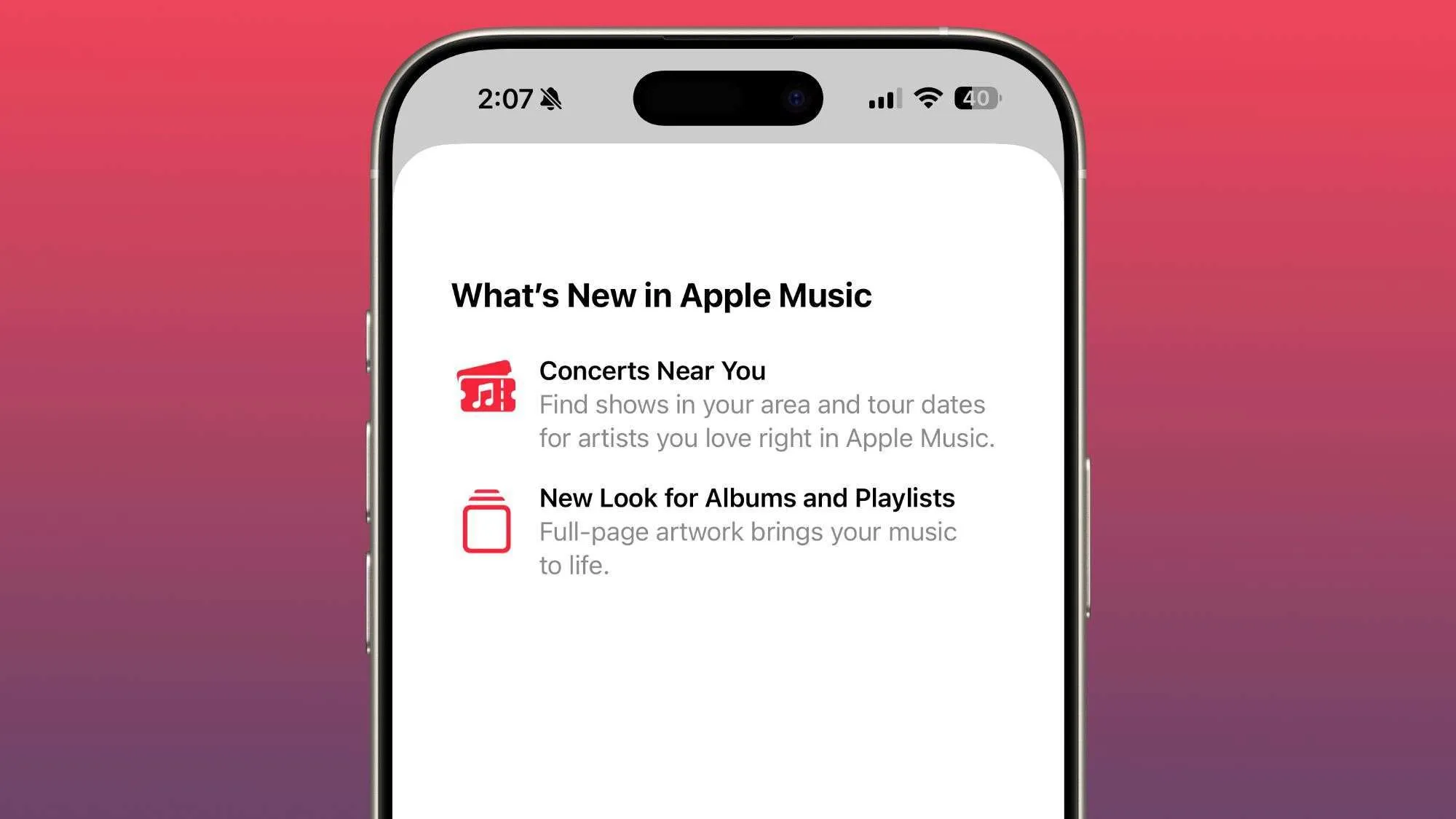
Apple has redesigned albums and playlists and added full-page cover art.
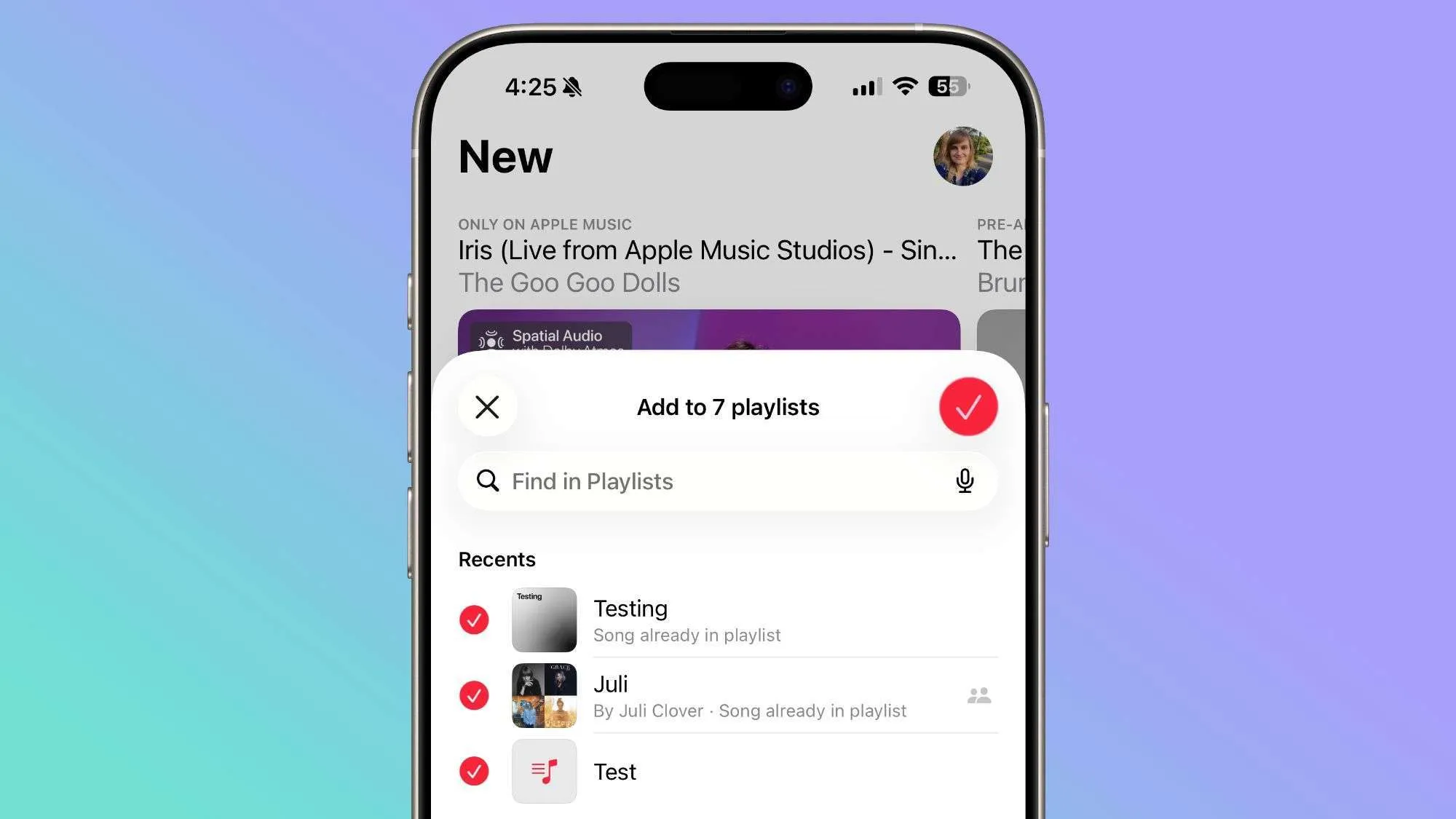
In the Apple Music app, you can add a song to multiple playlists at once. In the playlist add interface, you’ll find a “List” button. Tap it to select multiple playlists simultaneously.
Offline music recognition
In the Control Center, the song recognition function can now identify songs even without an internet connection and delivers results as soon as you are back online.
Changes in the purchase split
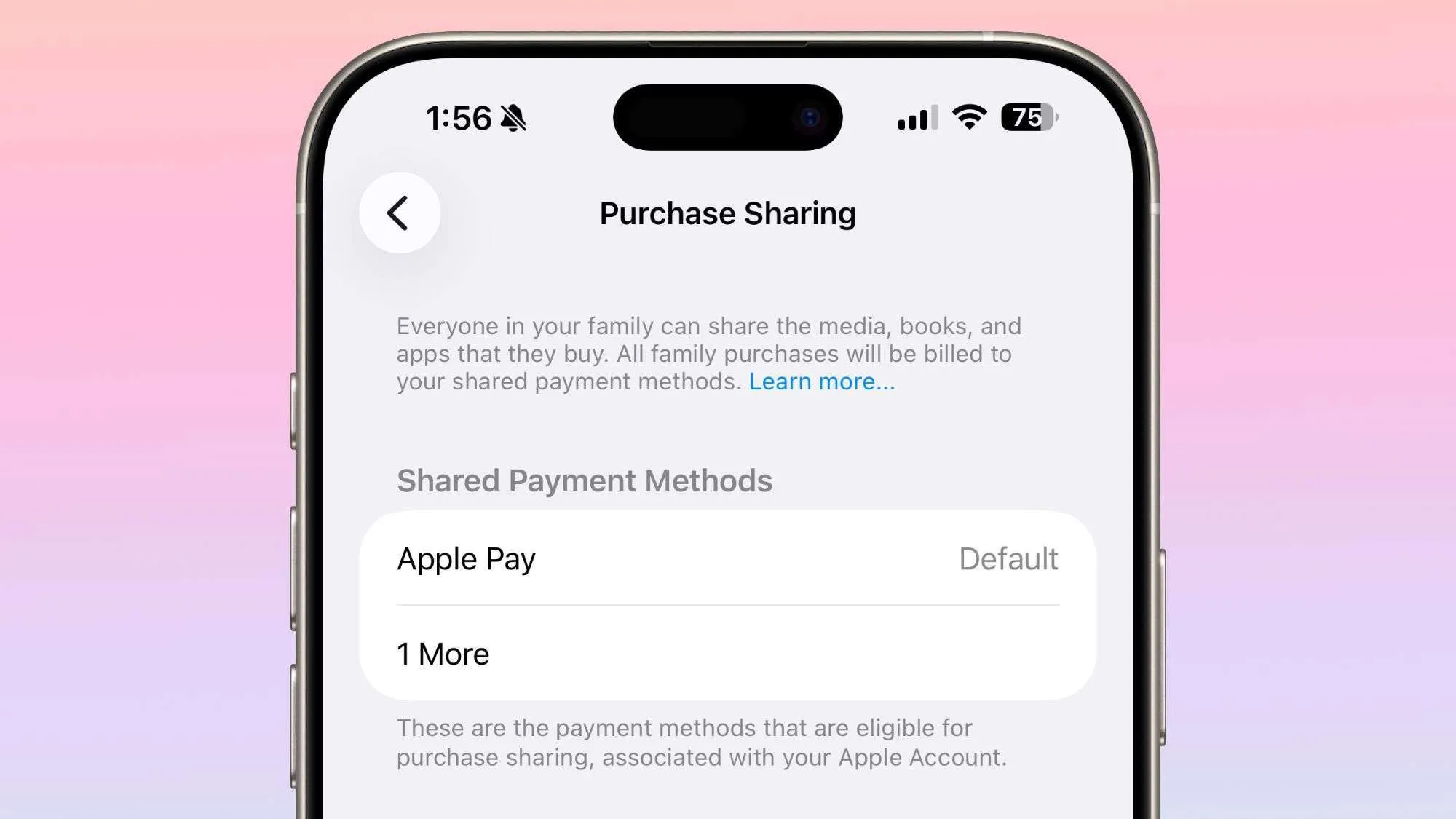
Adult members of a family sharing group can now use different payment methods for purchases, instead of having to share a single payment method.
Apple Podcasts
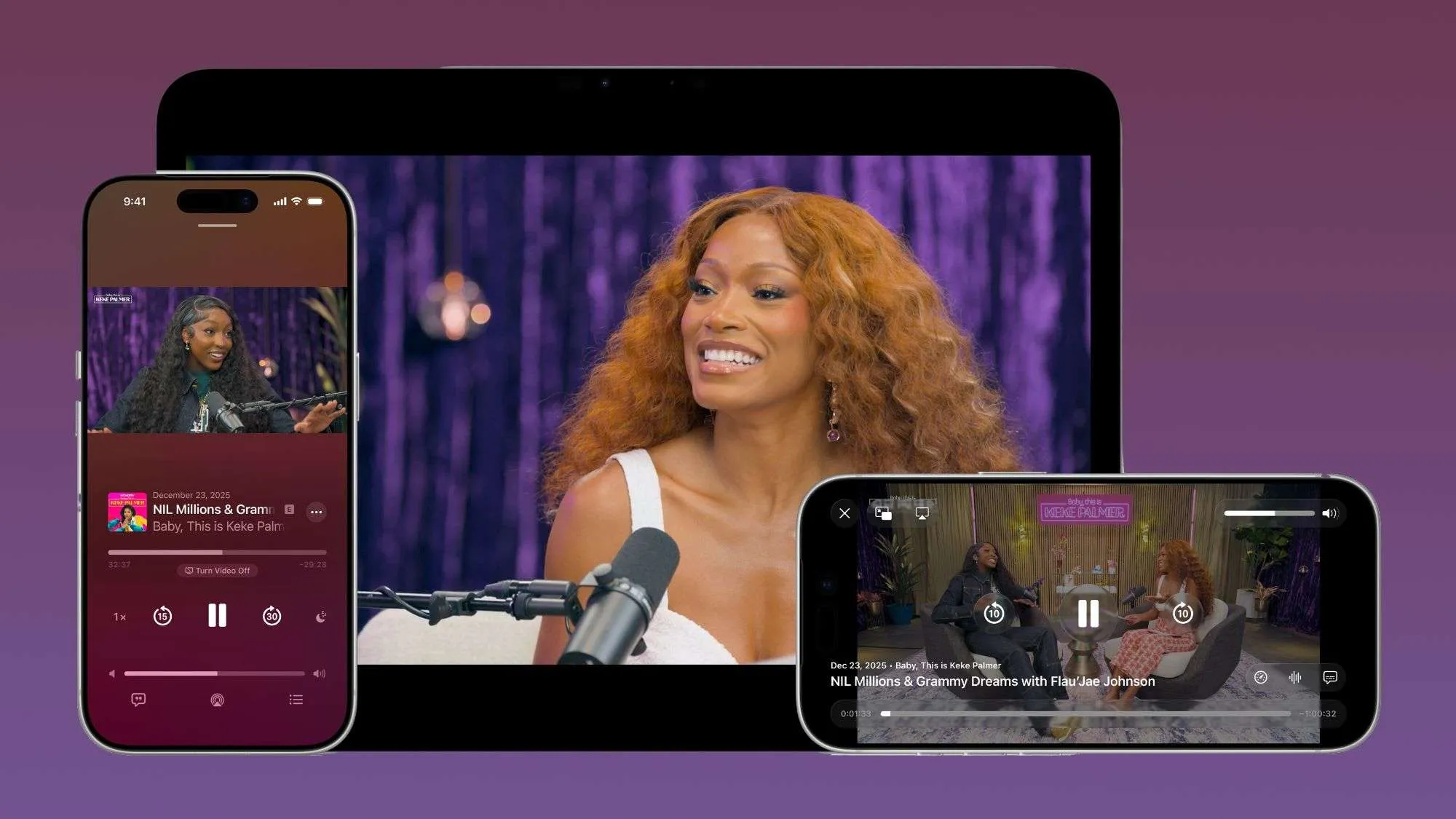
With iOS 26.4, Apple added video podcast capabilities to the Apple Podcasts app. This feature uses HTTP Live Streaming (HLS) to offer podcast creators unprecedented control and monetization options while ensuring a high-quality viewing experience.
The Podcasts app for iOS 26.4 allows users to switch between watching and listening to shows. Videos can also be downloaded for offline playback. High-speed streaming (HLS) ensures smooth playback regardless of network connection, so videos work over both Wi-Fi and cellular. Apple states that the new video episodes will be integrated into existing Apple Podcasts features, including personalized recommendations and editorial suggestions in the “New” and “Category” sections.
Protection against device theft
Theft protection is now enabled by default for all iPhone users with iOS 26.4 and is no longer optional.
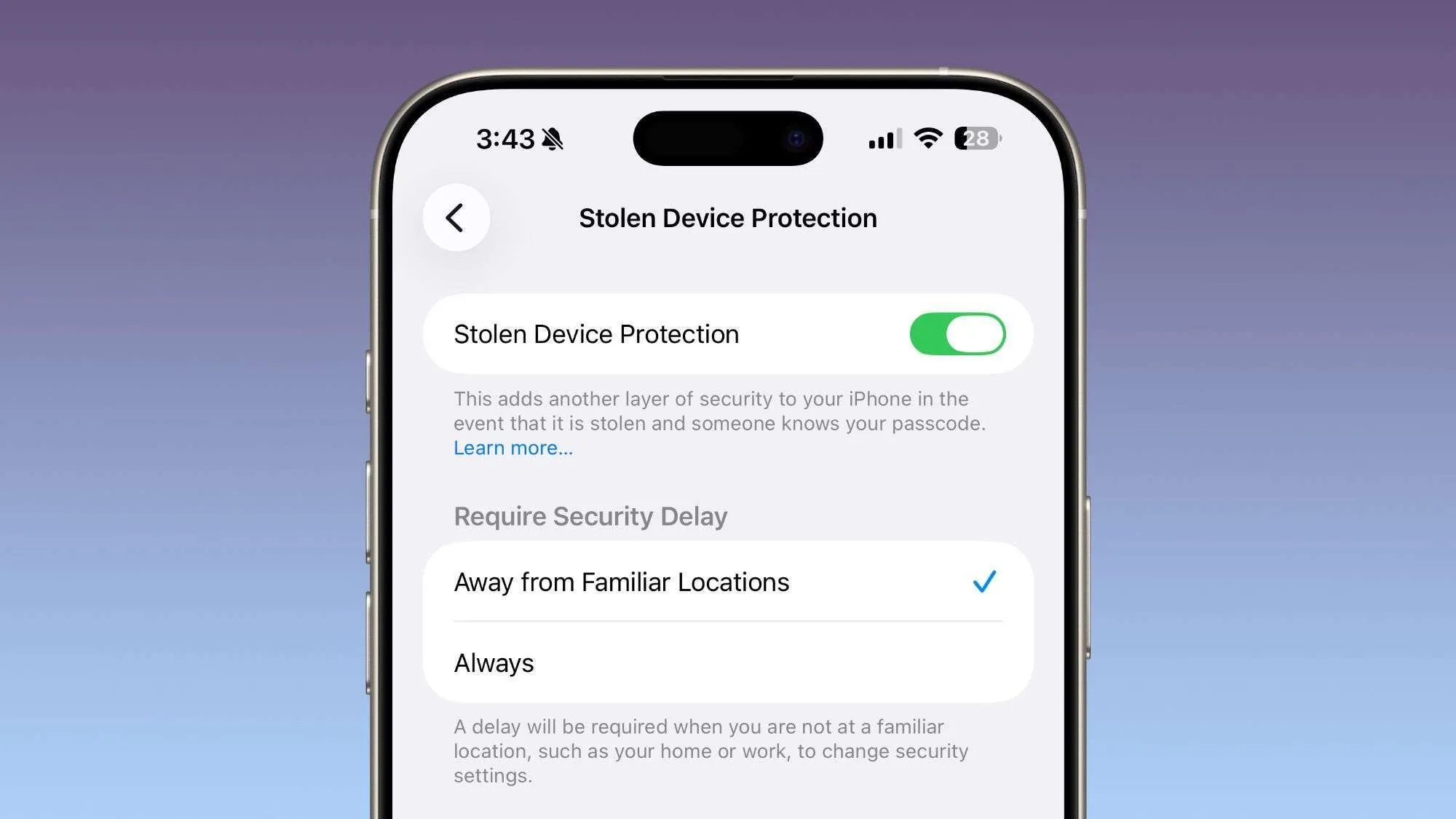
Following reports of a new method for stealing iPhones, Apple introduced protection against device theft in iOS 17.3. Thieves spied on their potential victims to learn their passcodes and then steal their iPhones. With the passcode, criminals could empty bank accounts, retrieve passwords, and disable “Find My iPhone.”
Theft protection requires additional authentication via Face ID or Touch ID to access certain iPhone features, such as the Passwords app, Lost Mode in Find My, Safari purchases, and more. Some features are completely disabled without authentication, while others have a one-hour security delay.
Messages app
The iOS 26.4 Messages app includes new animations for actions such as starting a new conversation.
Unified design for Apple accounts
The App Store, Apple Music, and other apps with user settings now feature a new, unified Apple Account Hub, replacing the previous profile function.
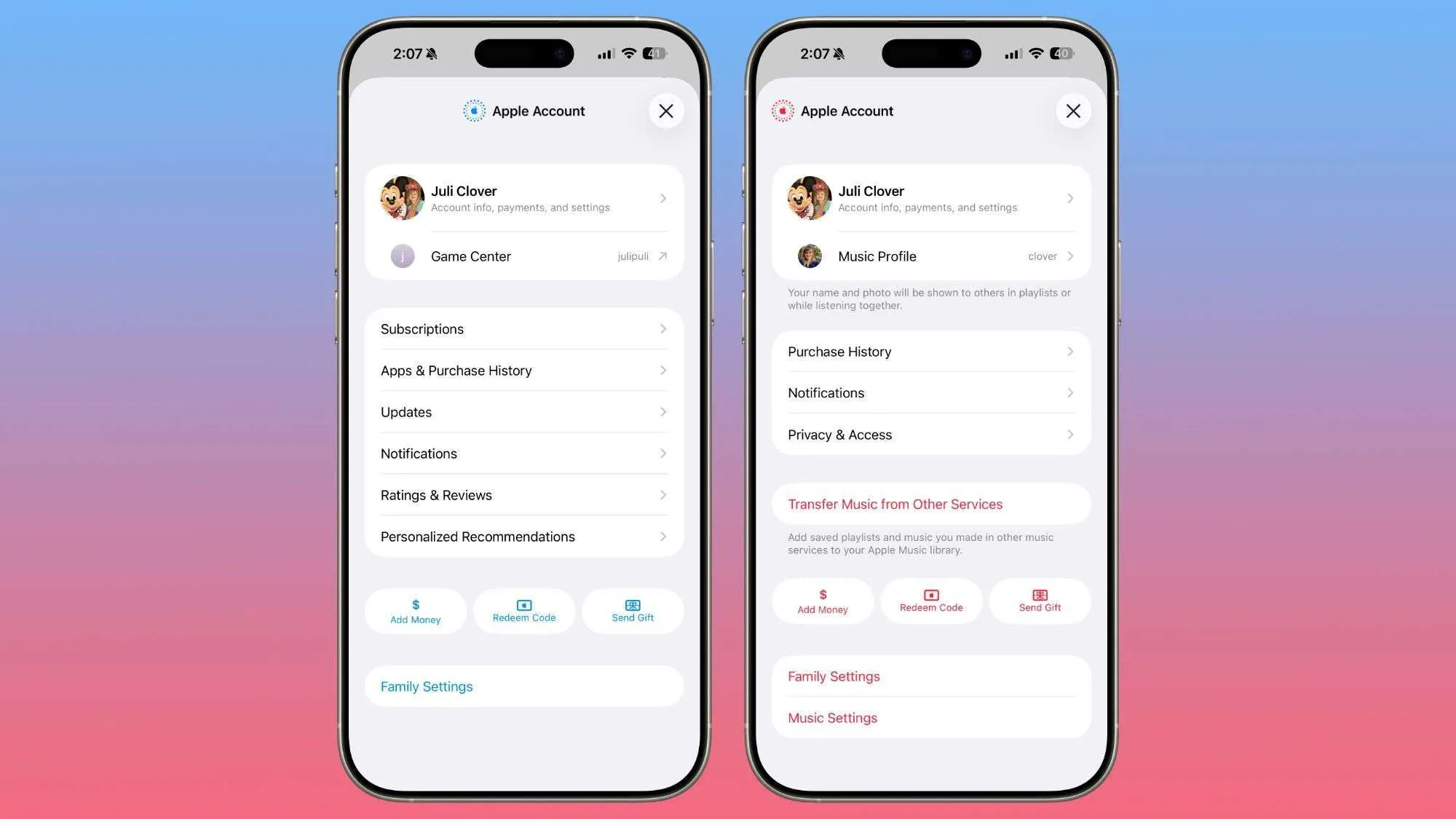
It offers essentially the same functionality as the previous profile settings for each app, but with a new, unified design.
The App Store combines apps and purchase history and offers a dedicated section for app updates. These are now accessible with two clicks, instead of being displayed at the bottom of the profile page as before. The App Store navigation bar no longer has a separate search button, and the search bar itself now appears at the top when tapped, rather than at the bottom.
Ambient Music Widget
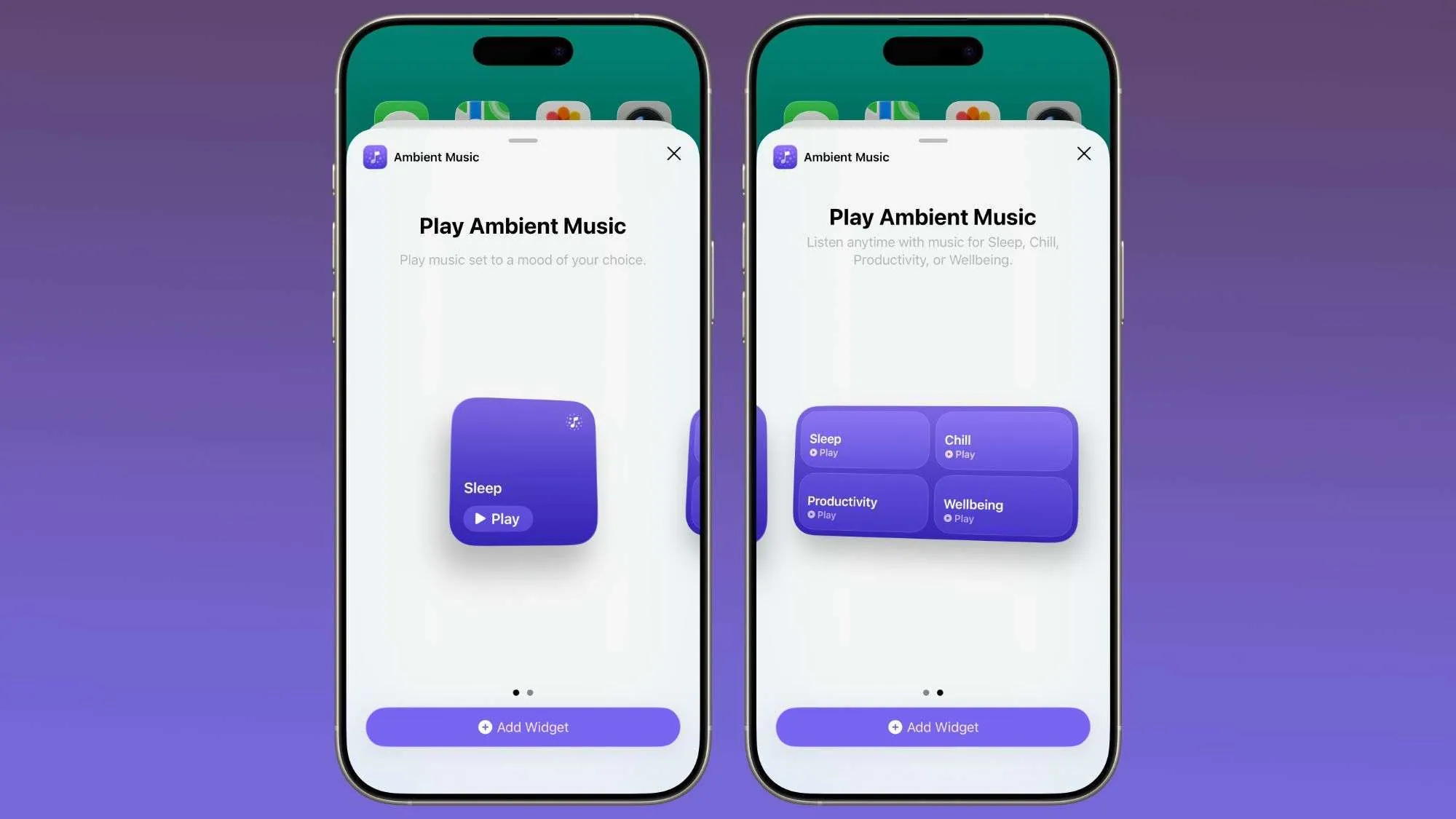
There is a new ambient music widget for the home and lock screens of iOS 26.4. It supports the playback of various built-in ambient music options for better sleep, increased productivity, greater well-being, and more.
Background image and clock face gallery
The wallpaper gallery has an updated design that allows you to download wallpapers from any category, such as weather, astronomy, emoji, colors, and more to your iPhone.
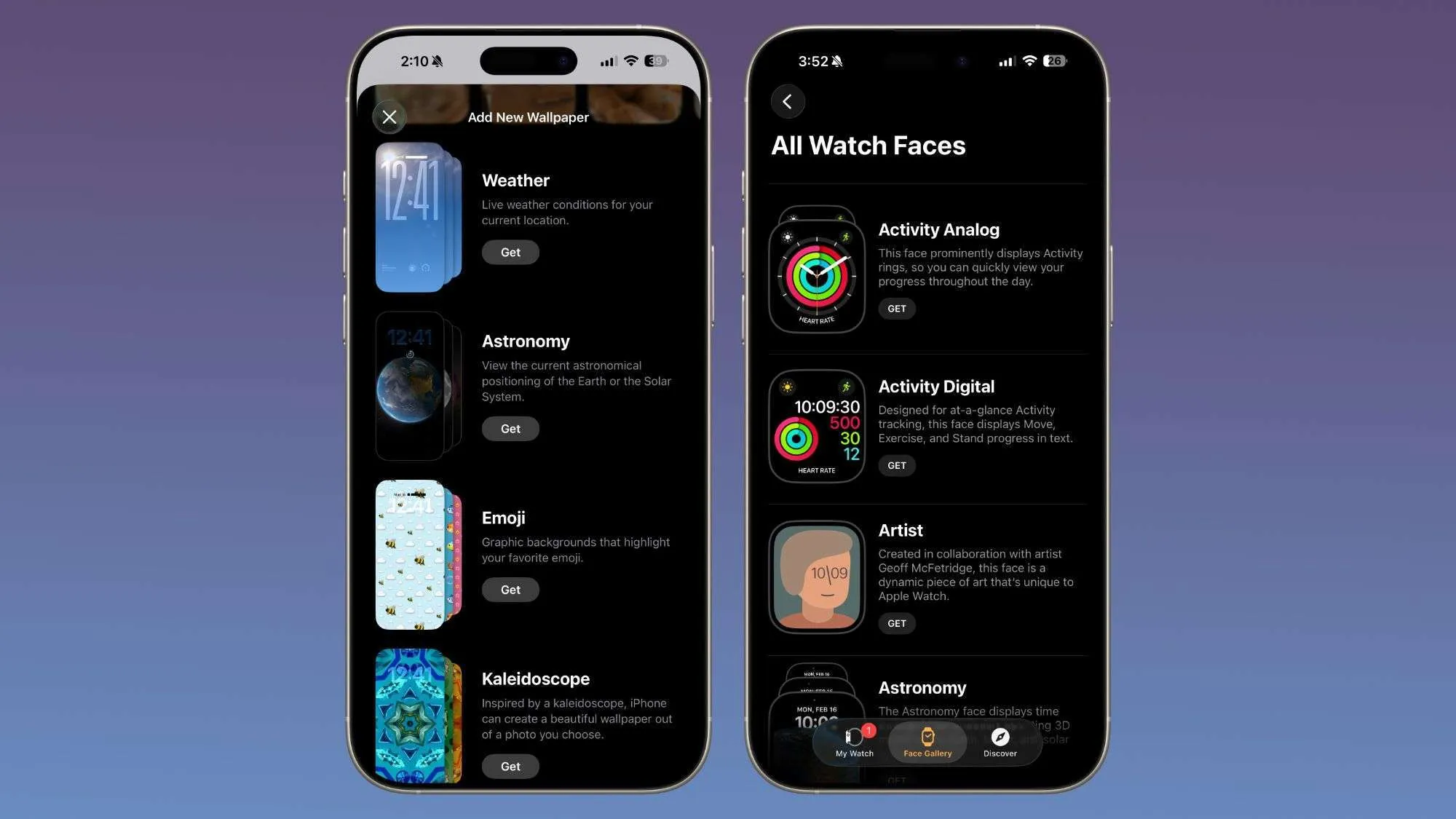
The watch face gallery in the Apple Watch app also features the same design change.
Subtitles
In iOS 26.4, the settings for customizing subtitles and captions are available via the subtitle icon when viewing media, making them easier to access and change.
Freeform Creator Studio
Freeform Creator Studio is now available in iOS 26.4, giving subscribers access to new Freeform features. Creator Studio for Freeform offers a dedicated Content Hub with Freeform form options.
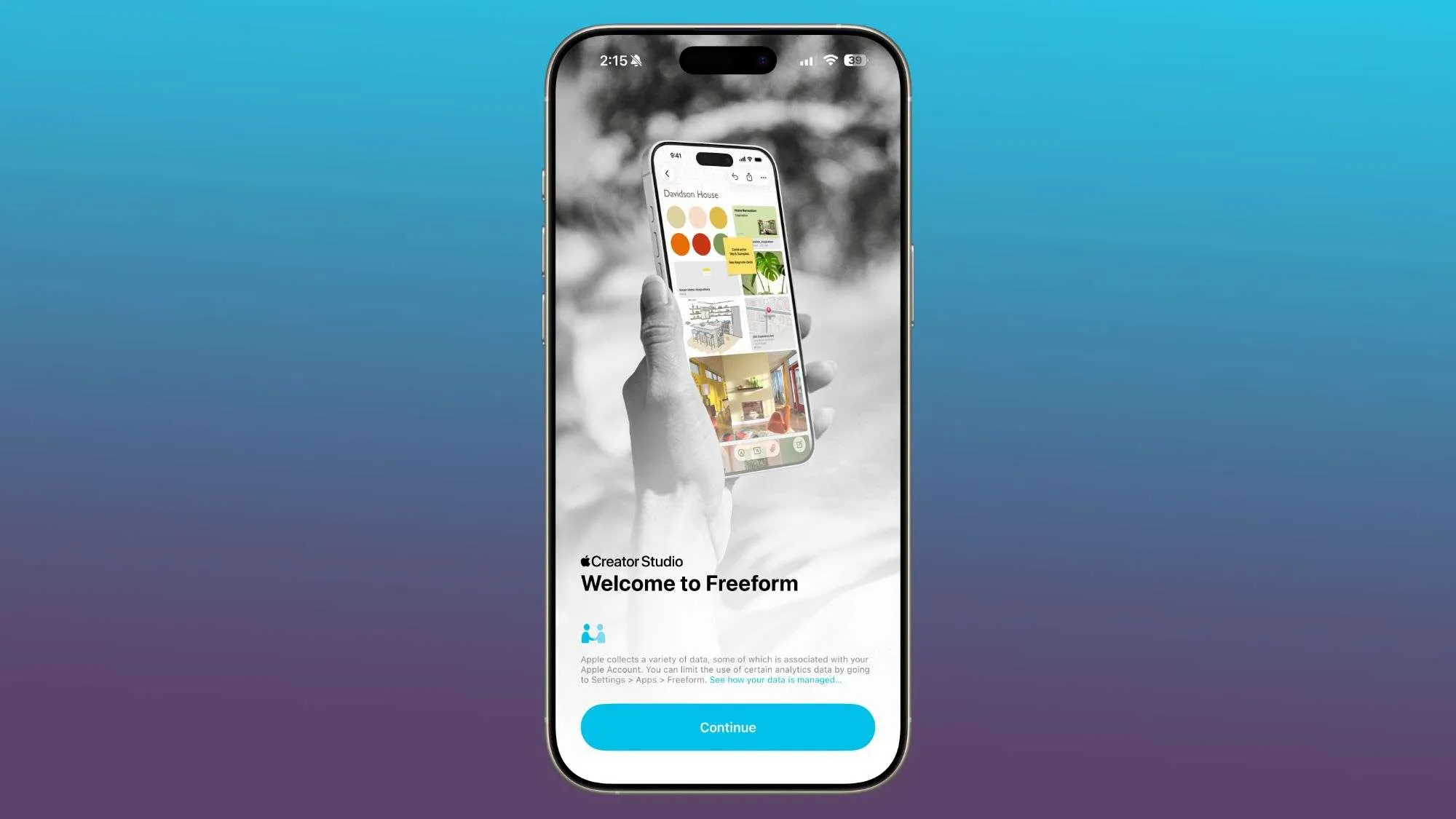
Creator Studio users gain access to free, high-quality content such as graphics, photos, and illustrations that are unavailable to non-subscribers. AI features are also available for creating and editing images.
At the launch of Creator Studio, Apple announced that Freeform’s premium content and features would be available later this year as part of the Apple Creator Studio subscription. Freeform also has a new icon.
Memories
The Reminders app in iOS 26.4 has a new section called “Urgent.” This section displays reminders that had the “Urgent” option enabled when they were created. Thanks to the “Urgent” option, an alarm is added to each reminder, ensuring you’re notified well before the due date.
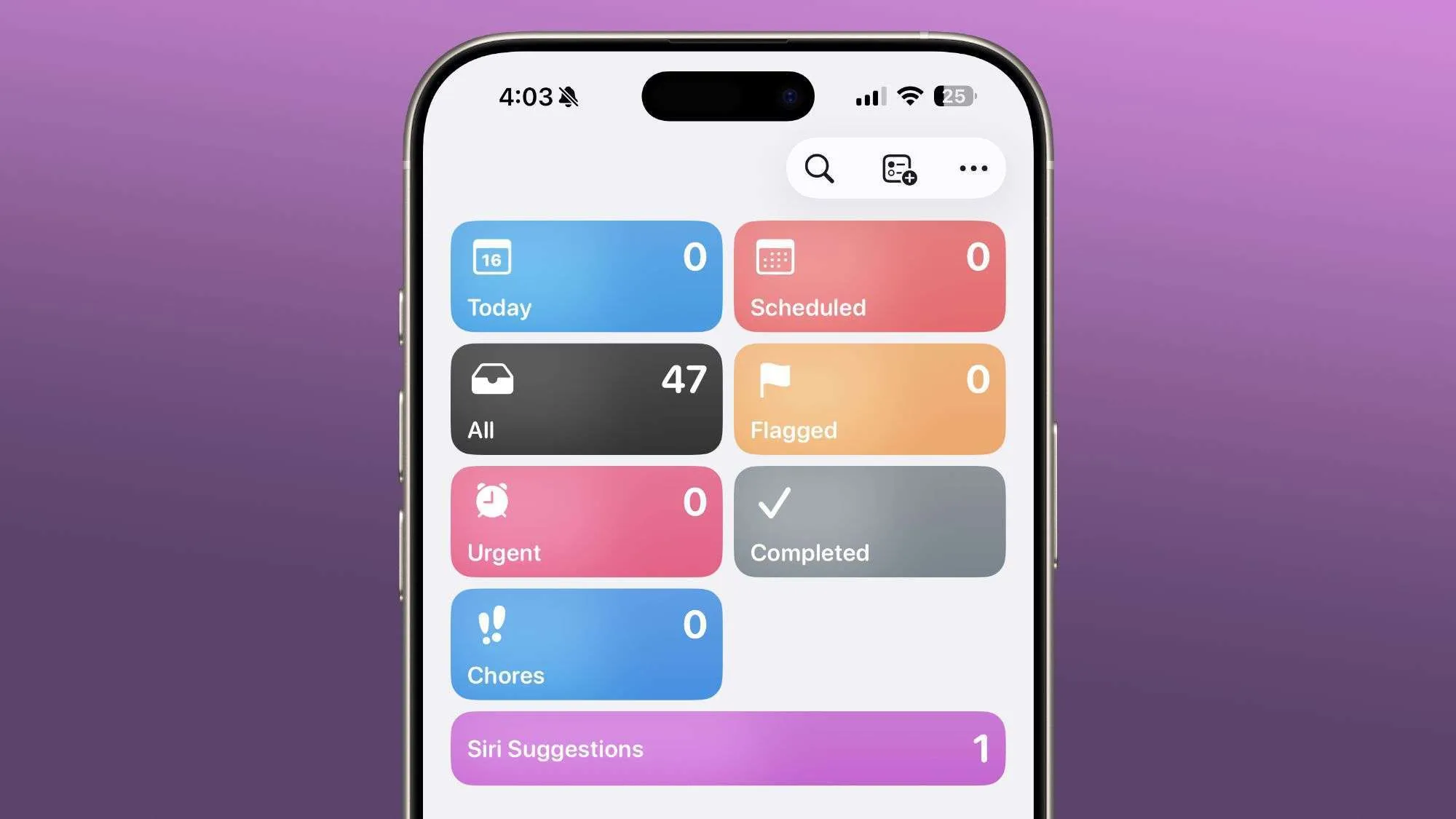
Reminders can also be marked as urgent via the quick access bar or by long-pressing.
iCloud web settings
The iCloud settings in the app now include the option “iCloud.com” at the very bottom. This replaces the previous simple toggle “Access iCloud data on the web”.
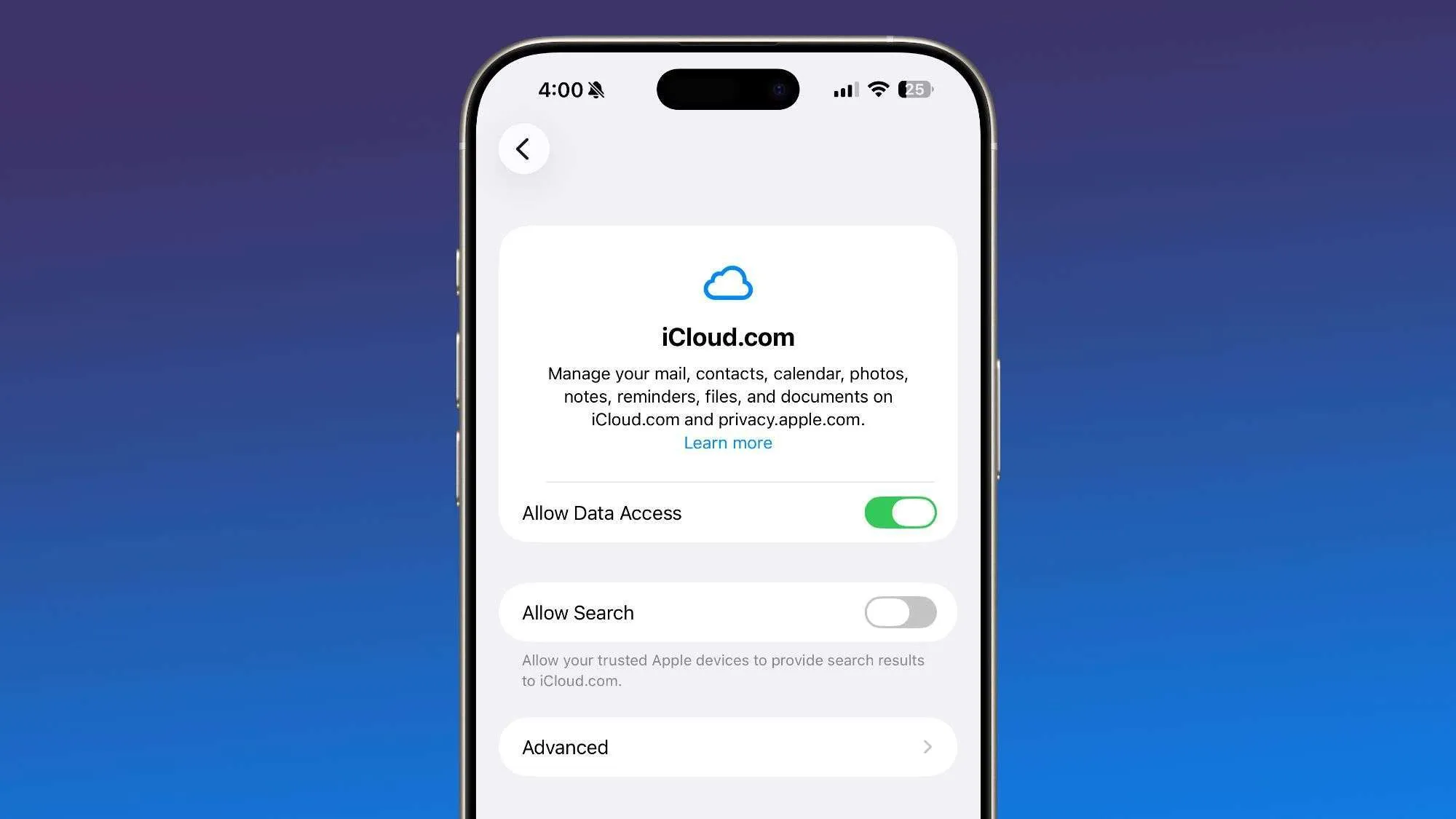
The setting includes a new option called “Allow Search,” which allows trusted Apple devices to send search results to iCloud.com.
Health app
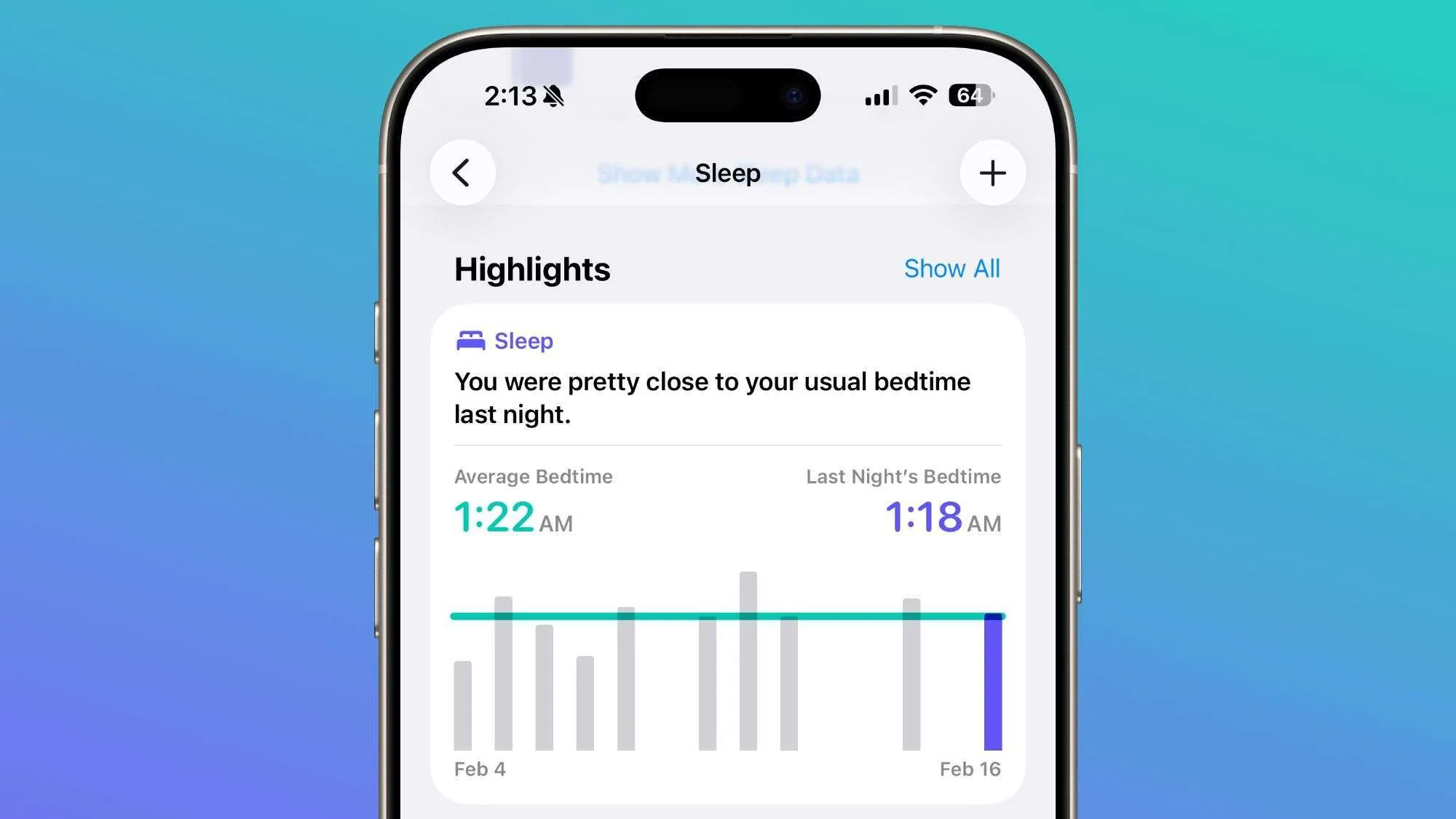
iOS 26.4 includes a new metric called “Average Bedtime” for the sleep section of the Health app, which provides a better overview of how bedtime can affect sleep quality.
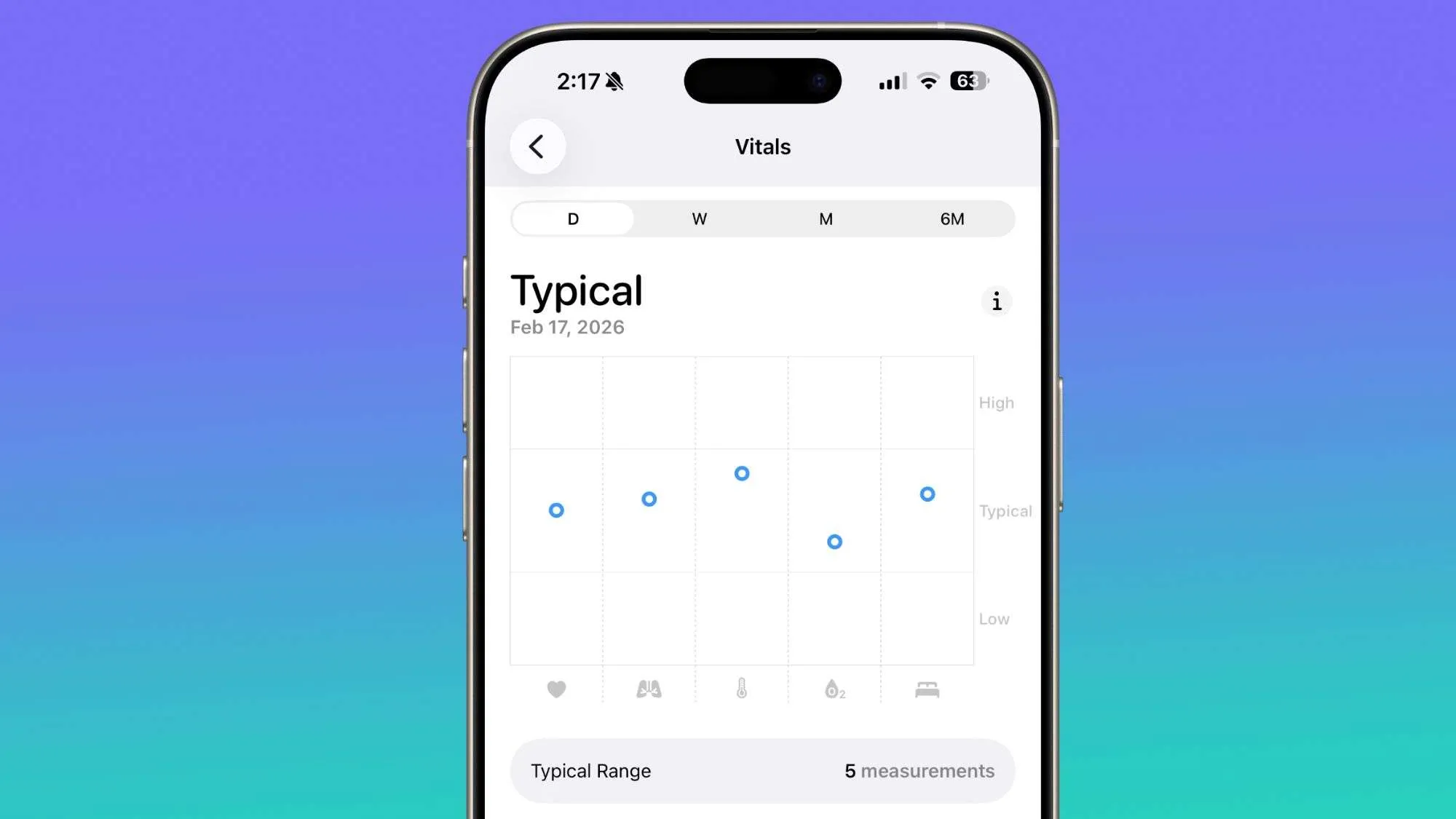
Apple has also updated the “Vitals” section of the Health app in the US, now displaying blood oxygen levels in the daily line graph overview. While iOS 26.3 and earlier versions of iOS 26 had a section for blood oxygen levels, the graph did not include any readings.
Reduce motion and brightness effects
iOS 26.4 includes a new option to reduce bright effects, minimizing bright flashes when tapping interface elements like buttons. The “Reduce Motion” setting also more reliably reduces Liquid Glass animations for those who prefer less movement.
camera
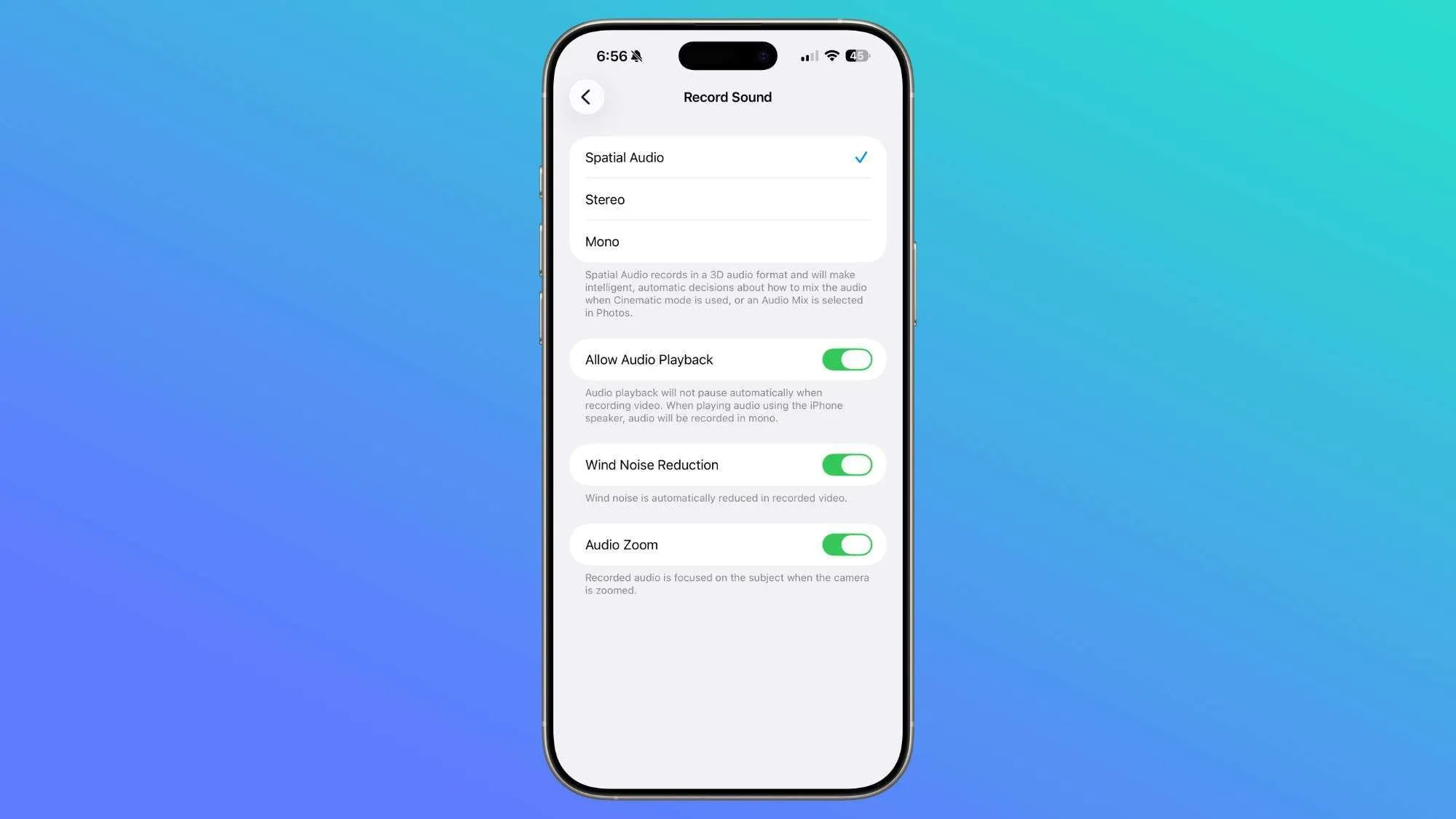
In the camera app settings, there’s a new option called “Audio Zoom.” This feature ensures that the recorded audio is focused on the subject when zooming during video recording. It can be enabled or disabled depending on your audio settings.
CarPlay
Apple is also introducing two new CarPlay features with iOS 26.4. This includes the Ambient Music widget mentioned above.
Ambient Music Widget
CarPlay has supported widgets since iOS 26. To view them, swipe right on the CarPlay interface until you reach the dashboard screen. Starting with iOS 26.4, both the iPhone and CarPlay have an option for an ambient music widget.
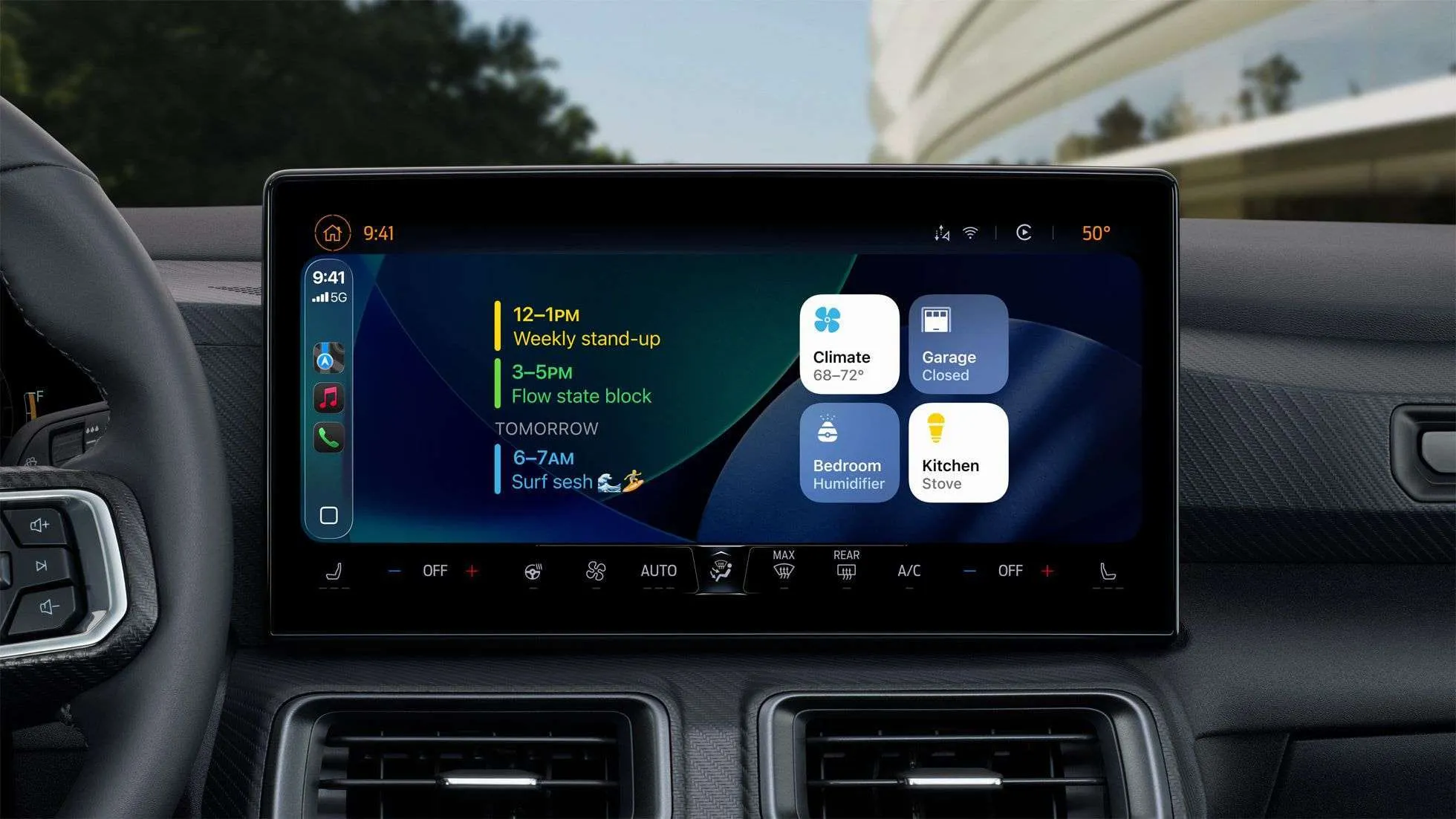
Apple introduced the Ambient Music feature last year with iOS 18.4. It offers curated playlists based on themes such as sleep, relaxation, productivity, and well-being, and no Apple Music subscription is required to listen to the songs.
To add the Ambient Music widget to a CarPlay widget stack, open the Settings app on your iPhone and tap General → CarPlay → Vehicle → Widgets → Add Widget, select the Ambient Music option and tap the Add Widget button.
Chatbot apps
Starting with iOS 26.4, CarPlay supports voice-based dialogue apps, according to Apple’s CarPlay Developer Guide. This means that chatbots like ChatGPT by OpenAI, Gemini by Google and Claude from Anthropic can extend their iPhone apps for CarPlay to enable voice conversations, if they wish.

Apple’s own voice assistant, Siri, remains available via CarPlay without the need to open a separate app. It was recently reported that Apple is testing a new Siri app for iOS 27 with chatbot-like features and conversation history. It remains to be seen whether this Siri app will also be available as a voice-only version via CarPlay later this year.
Hotspot data
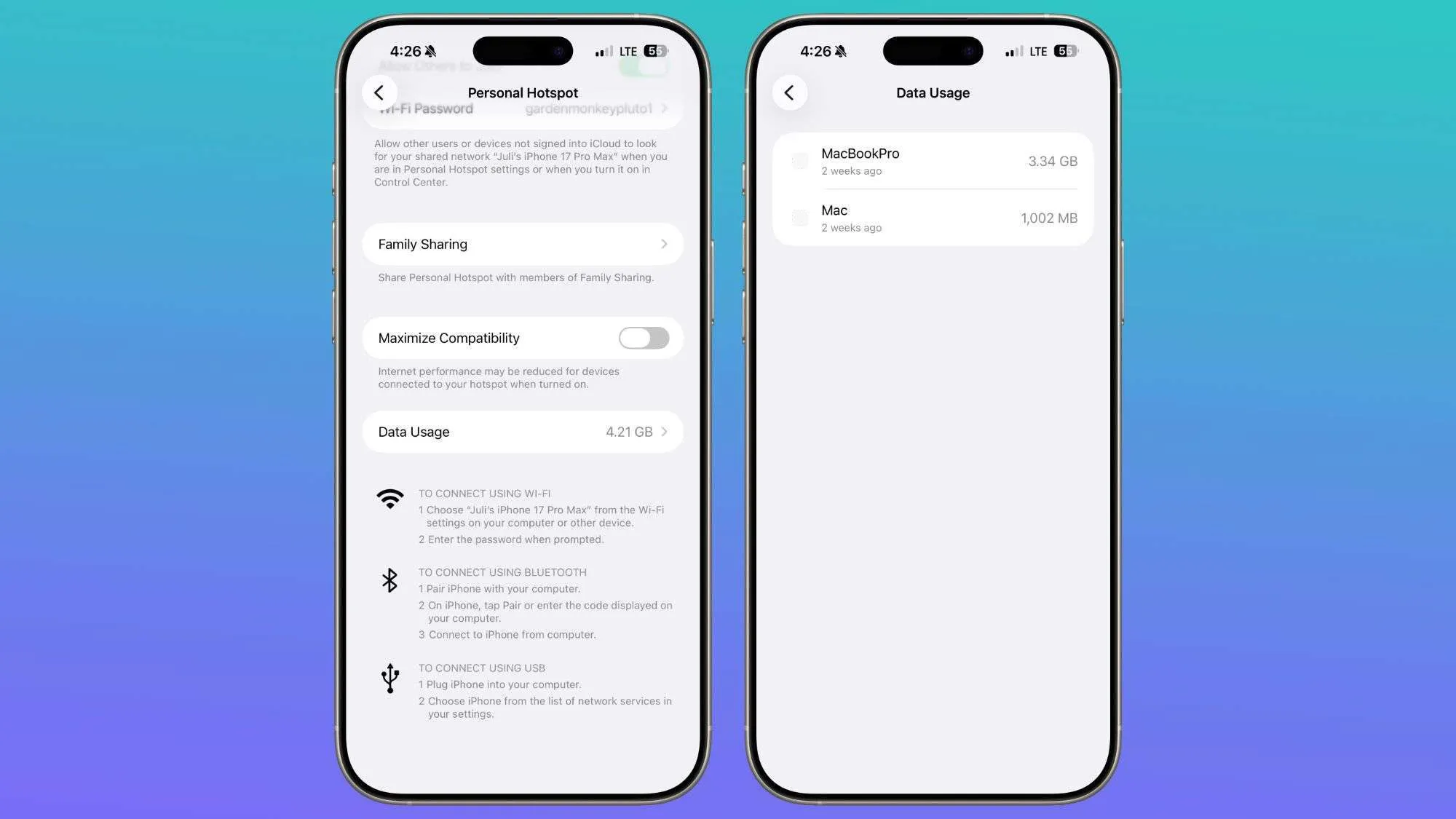
Apple has moved the display of hotspot data usage in iOS 26.4. Instead of hiding the usage statistics under “Cellular,” you can now see how much data you have used directly in the “Personal Hotspot” section.
Live subtitles
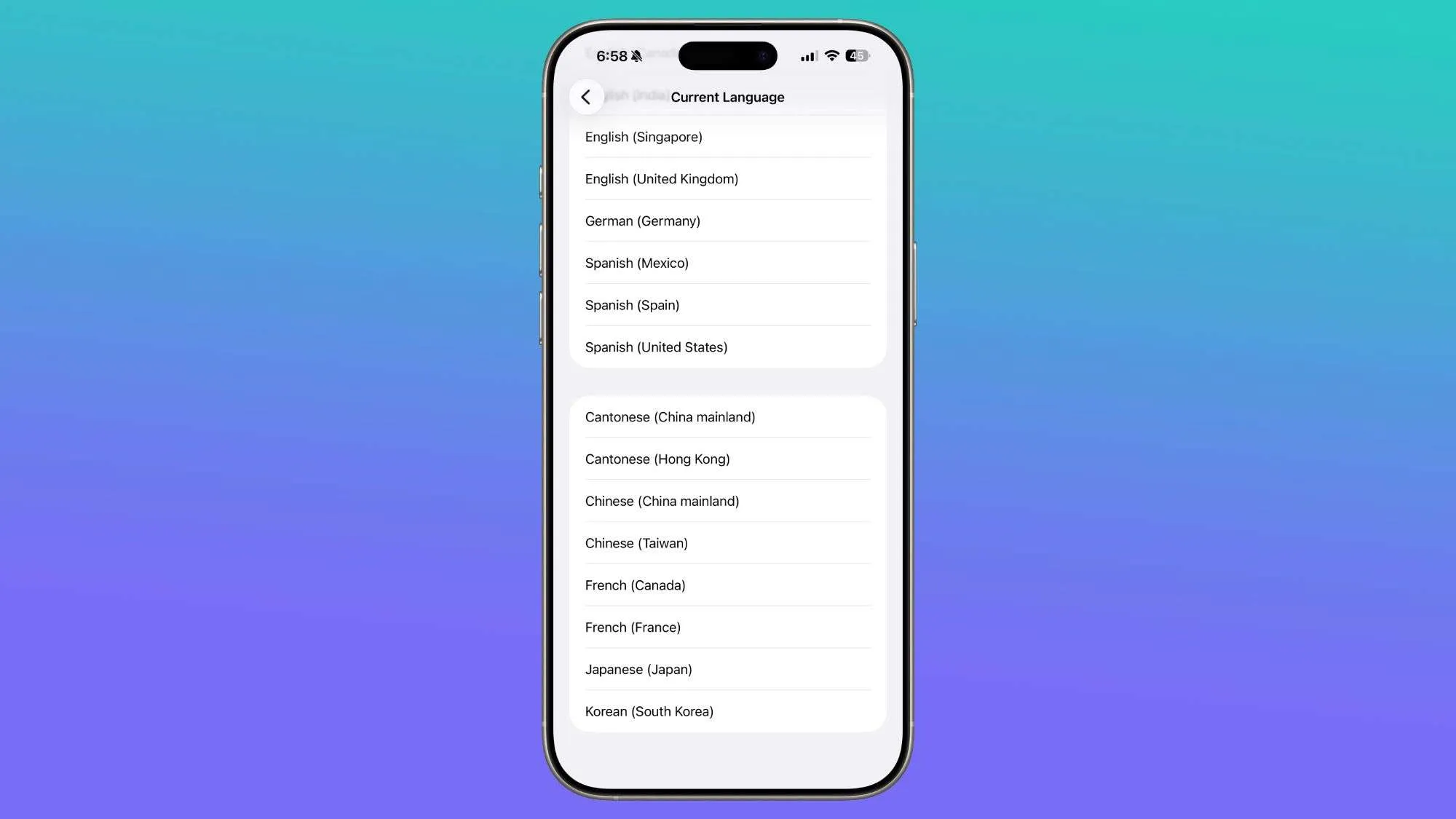
Chinese (Taiwan) is a new language option for live subtitles in the accessibility area.
Passcode settings
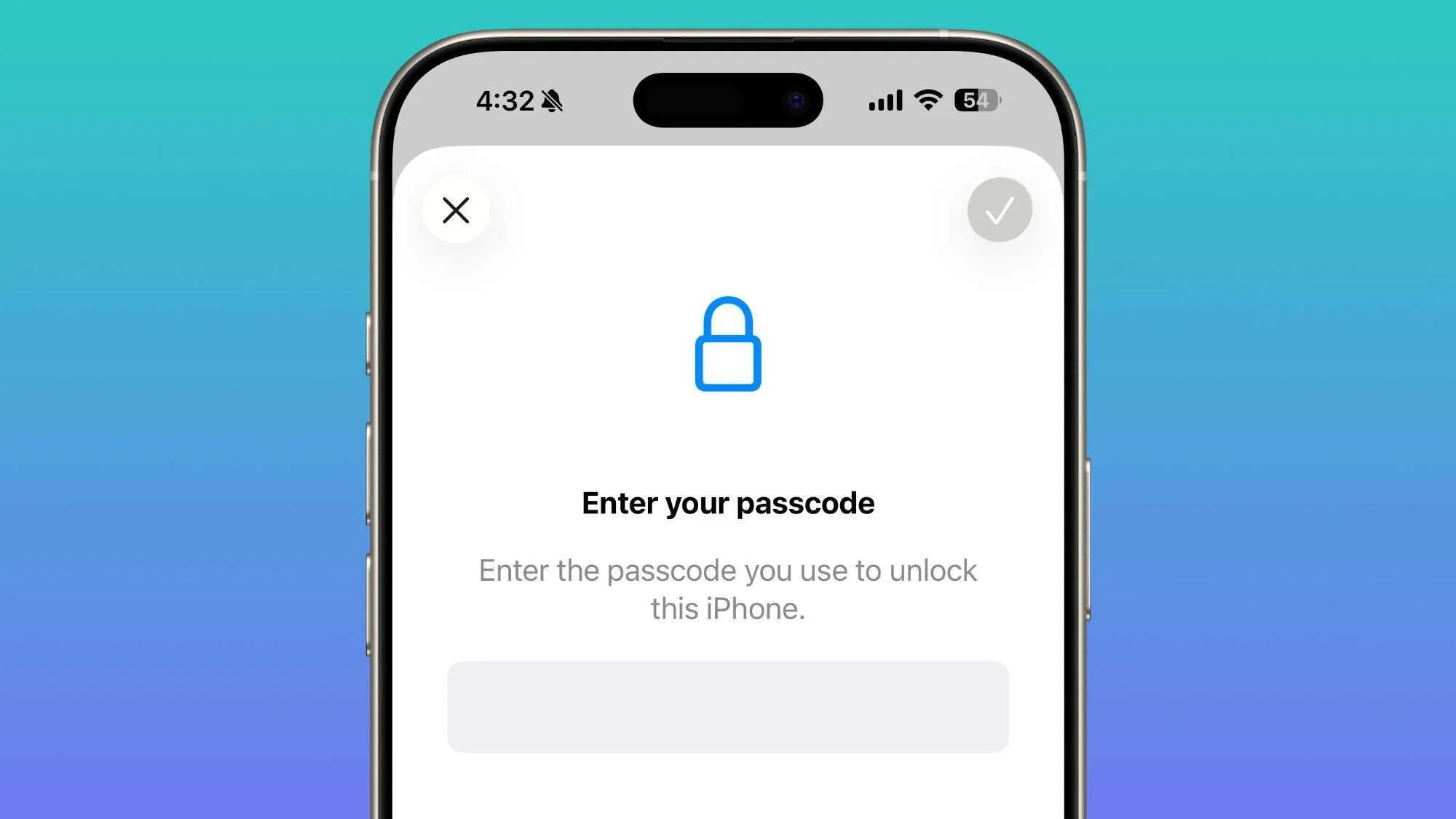
In the “Face ID and Passcode” section of the Settings app, the text is now centered instead of left-aligned when you enter a passcode to access your options.
Shortcuts
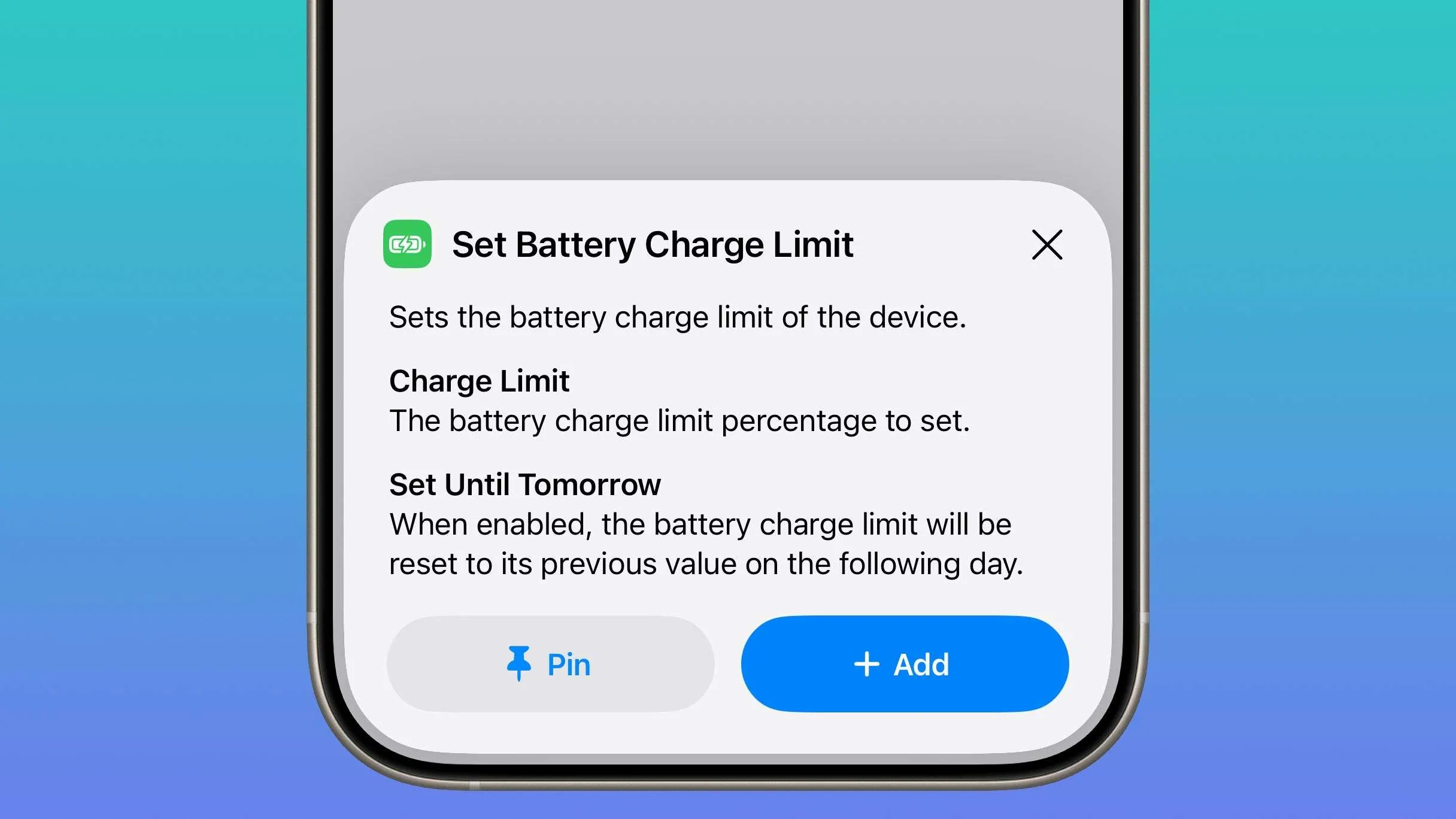
Apple has added the “Set Charge Limit” action to the Shortcuts app. This allows you to set a maximum battery charge limit for your iPhone.
Keyboard troubleshooting
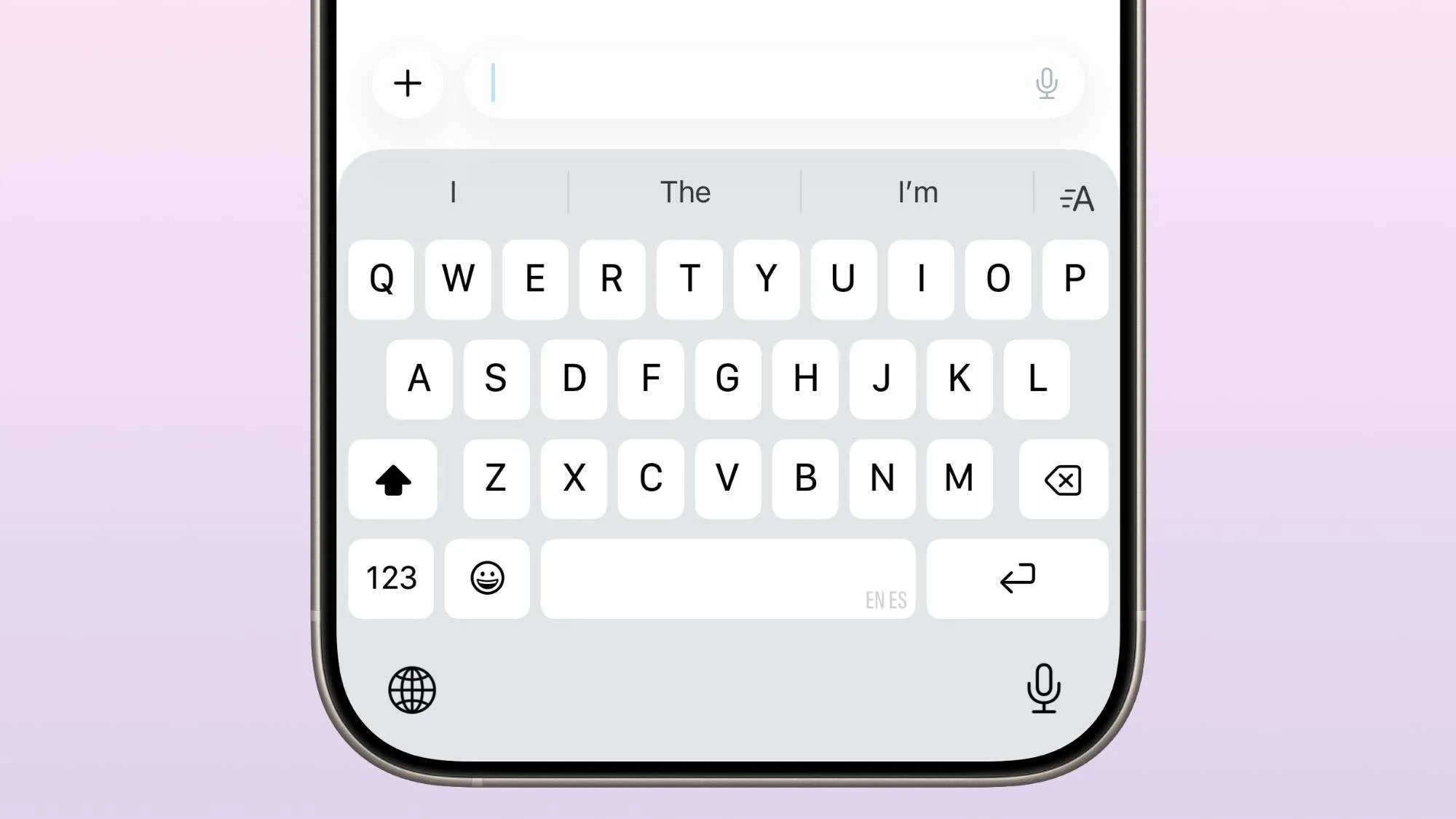
iOS 26.4 offers improved keyboard accuracy for fast typing and fixes a bug that caused some characters to be missed during rapid typing. These missing characters could interfere with autocorrect, preventing the feature from predicting what the user intended to type.
Provider updates
The iOS 26.4 beta offers Telus iPhone users the “Voice over New Radio” (VoNR) feature. This feature allows compatible devices to remain on the 5G standalone network instead of the 4G LTE network during voice calls.
Security updates
iOS 26.4 fixes more than 35 security vulnerabilities affecting everything from Safari to Messages and several underlying services. No actively exploited vulnerabilities have been identified, but it’s still advisable to update to iOS 26.4 to get the latest patches. Now that Apple has publicly disclosed these vulnerabilities, they could potentially be exploited by attackers.
iOS 26.4 download
You can install iOS 26.4 by opening the Settings app, tapping on the General section, and navigating to Software Update.
compatibility
iOS 26.4 runs on all iPhones that support iOS 26, including the iPhone 11 and newer models.
Changelog
Apple’s update instructions can be found here.
Apple Music
- Playlist Playground (Beta) creates playlists based on your description, including title, description and tracklist.
- Concerts helps you discover concerts by artists from your library in your area and recommends new artists based on your listening habits.
- The offline music recognition feature in the Control Center recognizes songs even without an internet connection and delivers the results automatically as soon as you are back online.
- The ambient music widget for sleep, relaxation, productivity and well-being brings curated playlists to the home screen.
- Full-screen backgrounds give album and playlist pages a more immersive experience.
Accessibility
- The “Reduce bright effects” setting minimizes bright flashes when tapping elements such as buttons.
- Subtitle and caption settings are available via the caption icon during media playback, making them easier to find, adjust, and preview.
- The “Reduce Motion” setting more reliably reduces Liquid Glass’s animations for users who are sensitive to screen movements.
This update also includes the following improvements:
- Eight new emojis, including an orca, a trombone, a landslide, a ballet dancer and a distorted face, are now available in the emoji keyboard.
- Freeform offers advanced image editing and creation tools, as well as a premium content library, and is now part of Apple Creator Studio.
- Reminders can be marked as urgent via the quick access bar or by long-pressing, and filtered for urgent reminders in smart lists.
- Mit der Kauffreigabe können erwachsene Mitglieder in Familienfreigabegruppen ihre eigene Zahlungsmethode verwenden, ohne auf den Familienorganisator angewiesen zu sein.
- Die Tastaturgenauigkeit beim schnellen Tippen wurde verbessert.
For information about the security content of Apple software updates, see: https://support.apple.com/100100
Some features may not be available in all regions or on all iPhone models. For more information, see: https://www.apple.com/ios/feature-availability/
Software updates like this one add new features and improvements that may affect performance and/or battery life. For more information, see: https://support.apple.com/125039
Next up are beta versions of iOS 26.5 and iPadOS 26.5, which could happen as early as this week.


