iOS 26: How the new Music Pins feature works
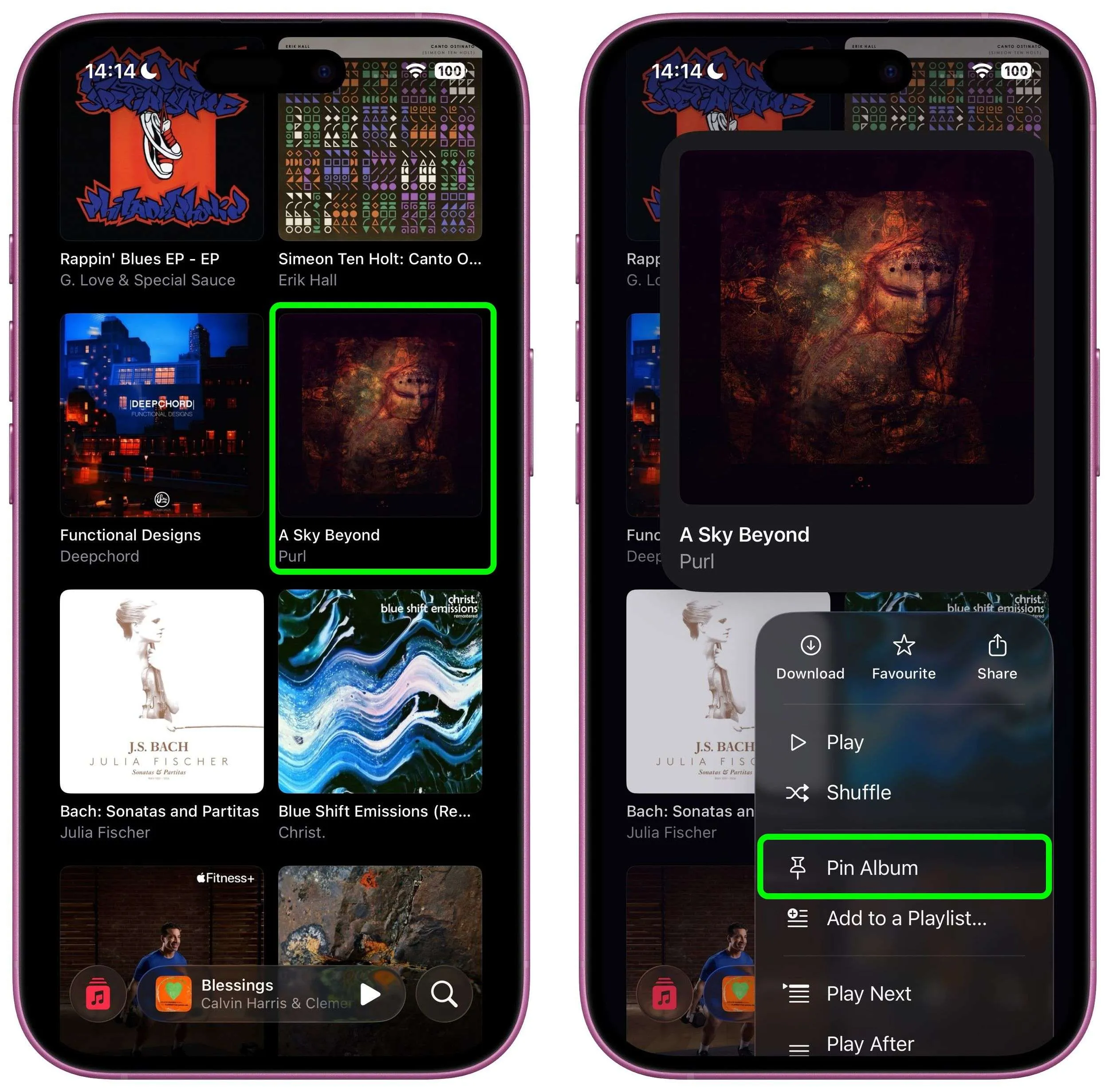
If you’ve ever endlessly scrolled through your iPhone’s music library to find that one album you play every morning or that workout playlist for sports, then you’ll probably find the new “Music Pins” feature in iOS 26 very useful.
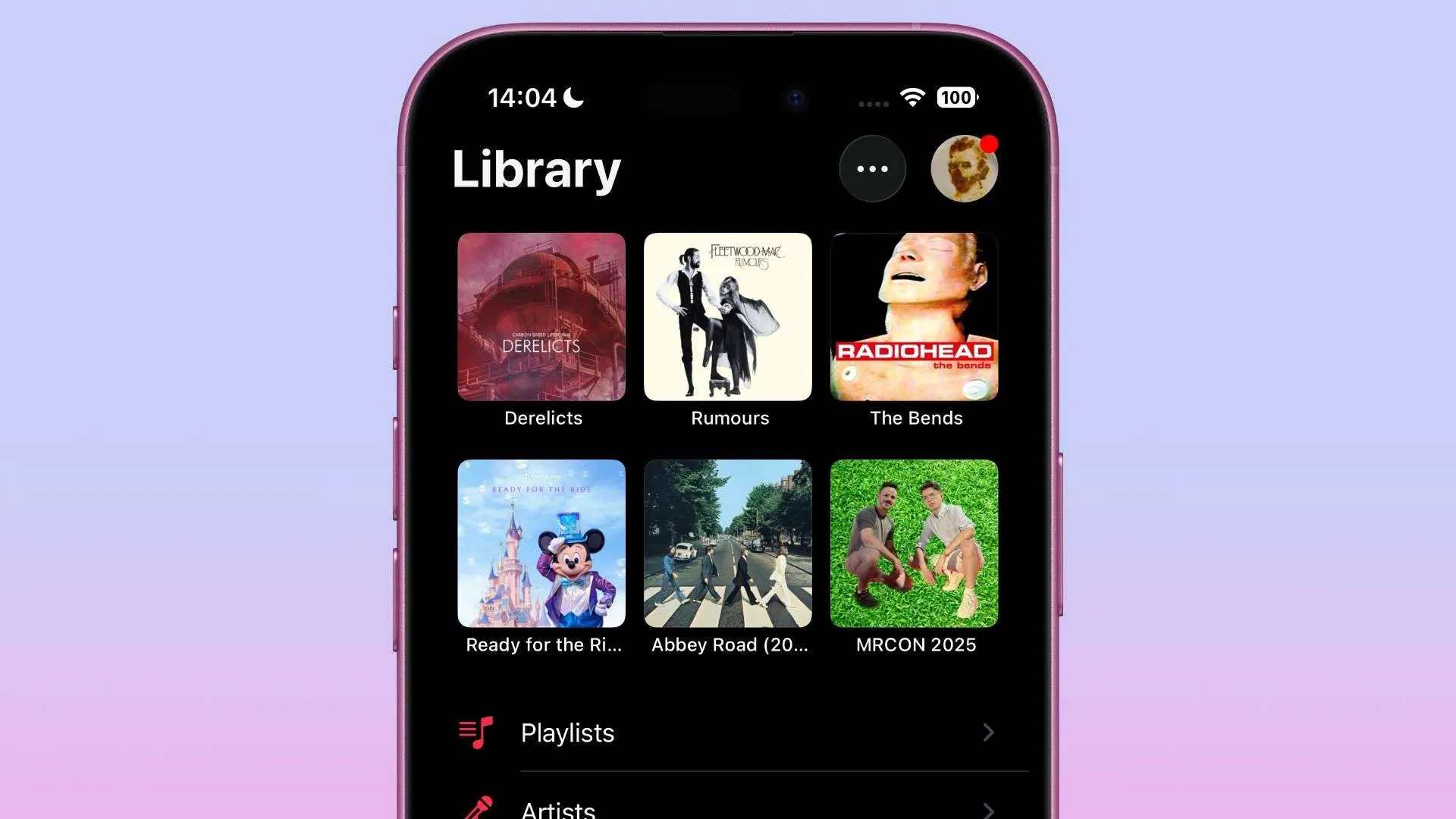
With Music Pins in Apple Music, you can pin your most-played songs, playlists, albums, and artists right at the top of the Library tab for a single tap.
The music pins keep your most important music tracks at your fingertips, and they’re incredibly easy to use. In the Music app, simply navigate to the song, album, artist, or playlist you want to pin, long-press it, and select Pin from the pop-up menu.
To unpin an item at the top of the library, follow essentially the same steps: Press and hold it and select Unpin from the pop-up menu.
Download Pinned Items
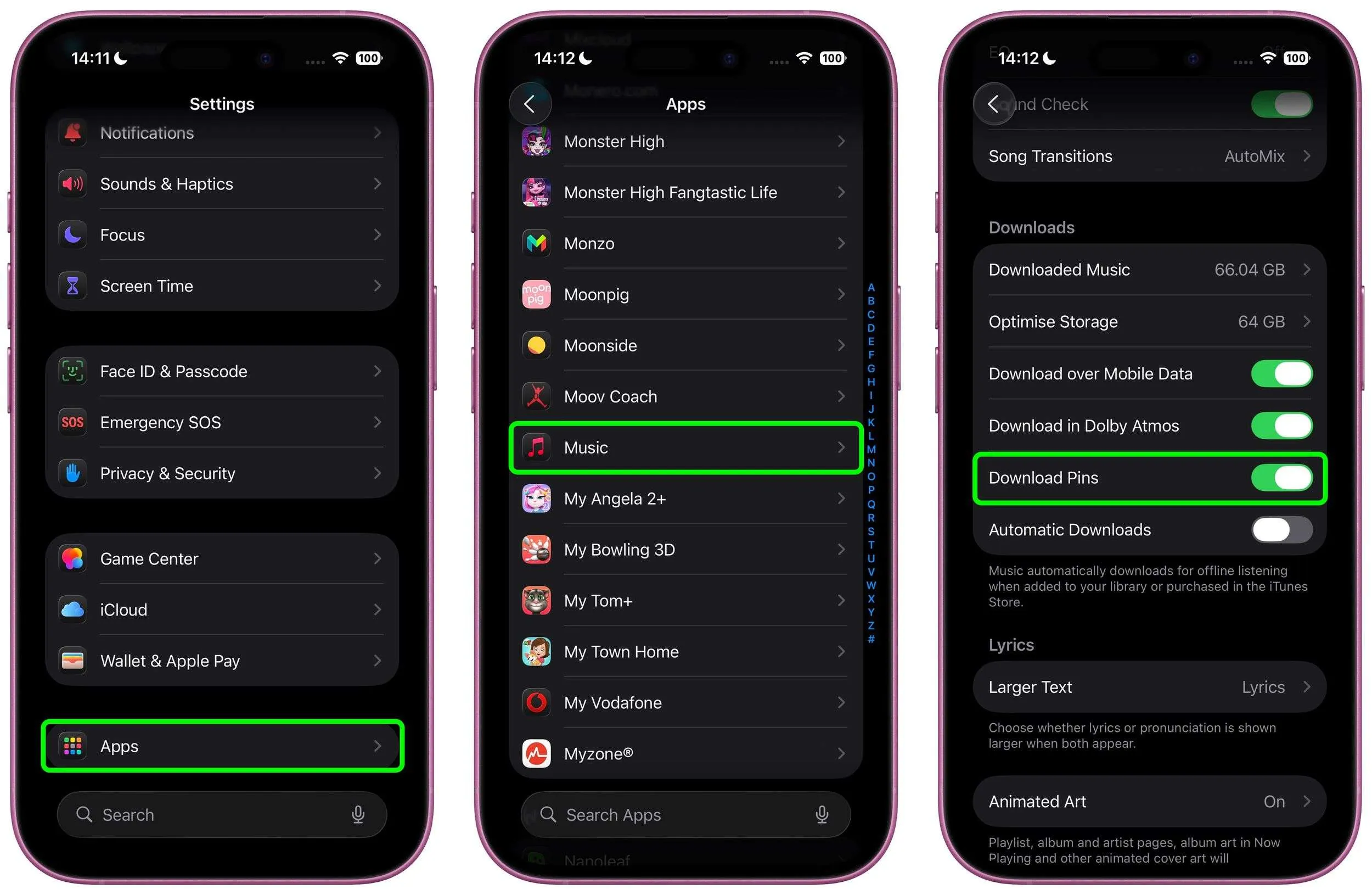
The first time you use Music Pins, iOS 26 will ask if you want to automatically download pinned items for offline listening. You can adjust this setting at any time by navigating to Settings > Apps > Music and enabling Download Pins.
Music Pins aren’t the only new music addition in iOS 26. The app now has an AutoMix feature for creating seamless, DJ-style transitions between songs. Lyrics are also translated and pronounced, making it easier to enjoy music from around the world. Please note that iOS 26 is currently in beta and will be released this fall.


