iOS 26.2: 10 new features for iPhone
Apple is currently testing iOS 26.2, a new version of iOS 26, which is expected to be released in mid-December. iOS 26.2 brings major changes for iPhone users in Japan, but some improvements are also available for all other users. We’ve summarized all the new features your iPhone will receive in iOS 26.2.
Reminders
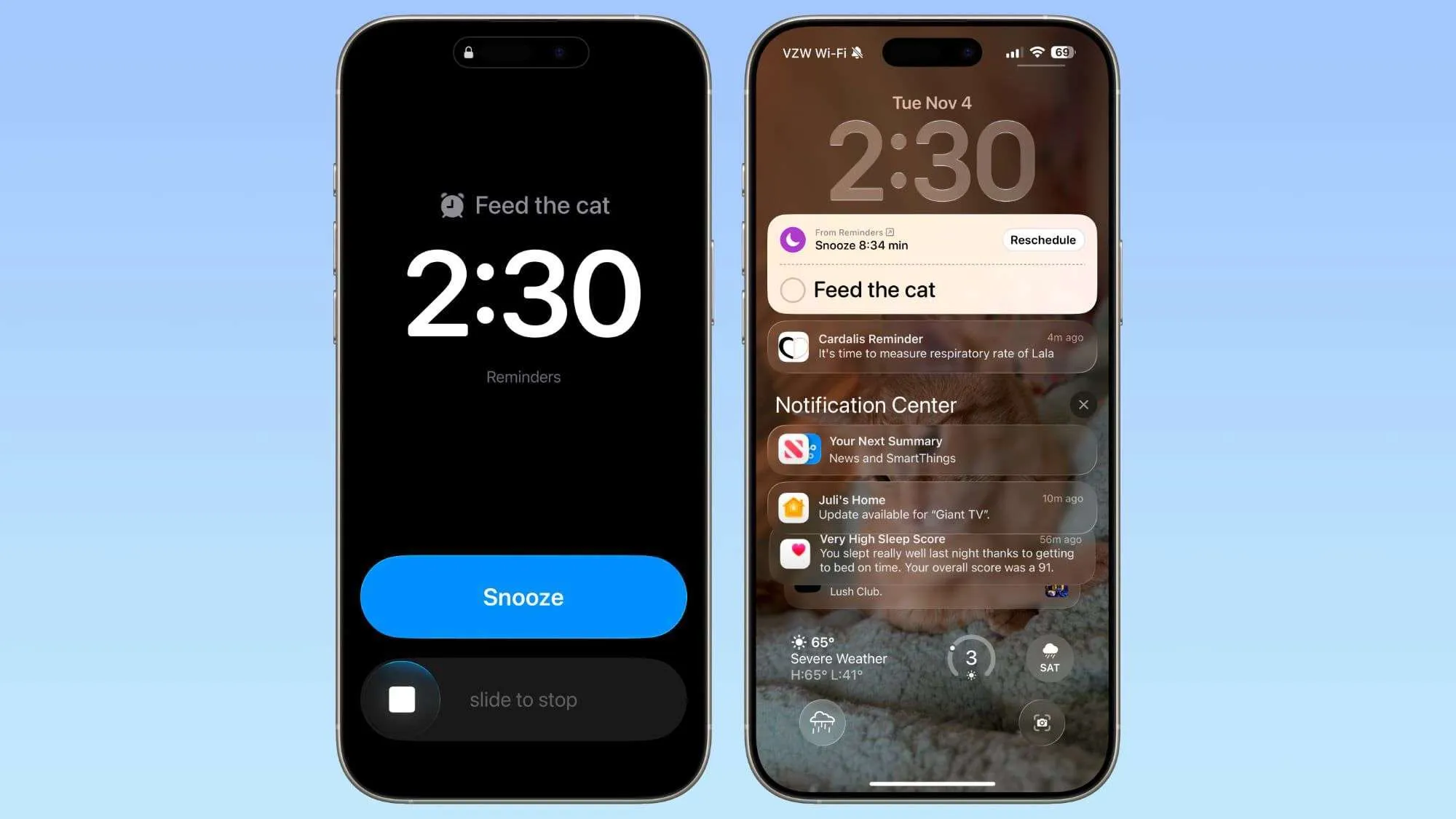
The Reminders app now has a new option that lets you set an alarm for when a reminder is due. This is possible by enabling the “Urgent” option when creating a reminder.
When a reminder alarm is triggered, a snooze option or a swipe-to-stop option appears. When snoozing, a countdown appears on the lock screen, giving you the option to complete the reminder or reschedule. Apple identifies reminder alarms with a new blue color.
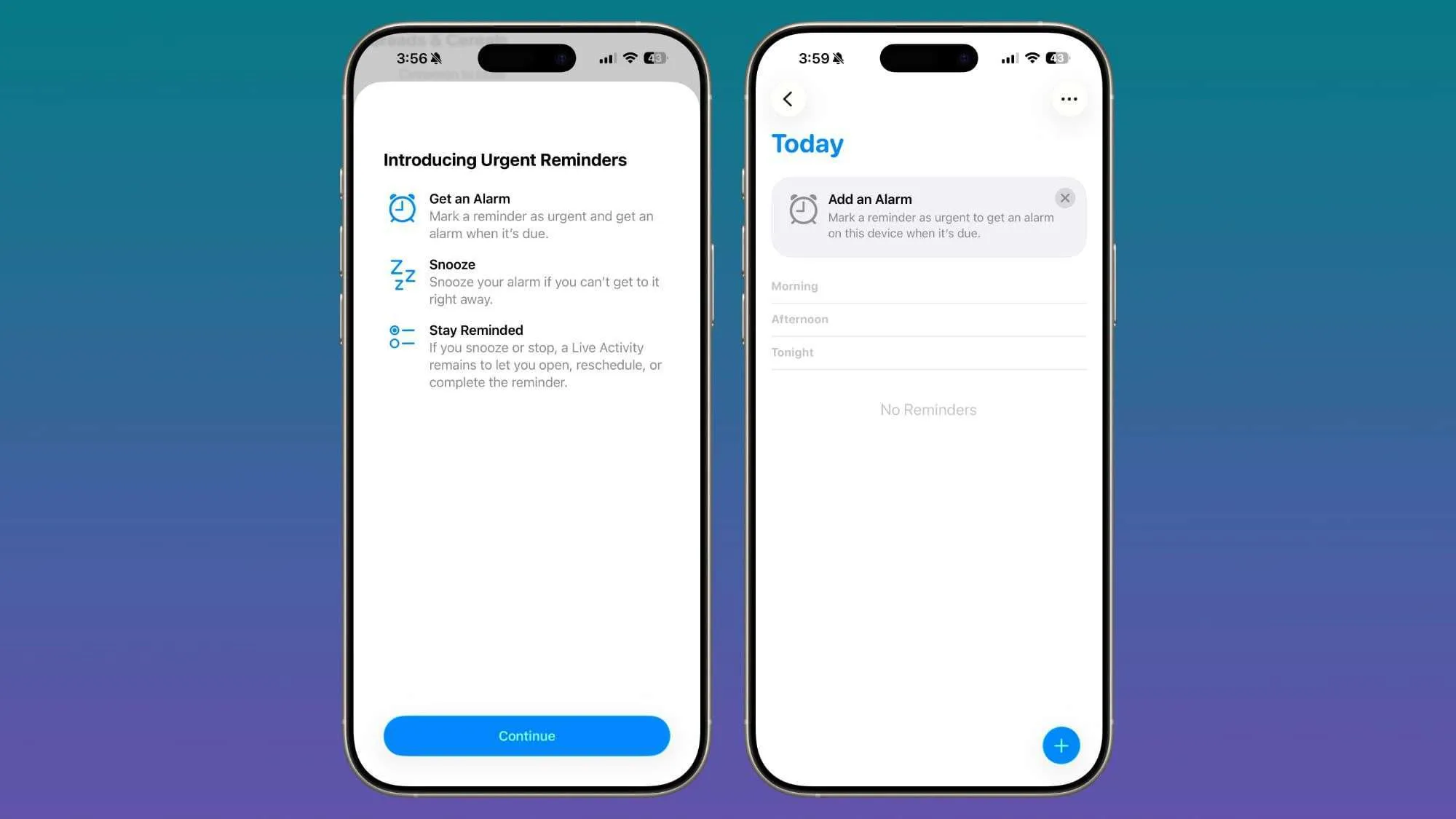
Apple provides a welcome screen to inform users about the feature, as well as a small banner that appears when attempting to add a new entry in the Reminders app after updating to iOS 26.2.
Lock Screen
On the lock screen, there is a Liquid Glass slider that allows you to customize the clock’s appearance. With the “Glass” option, you can use the slider to display the time either almost completely transparently or with a more frosted effect.
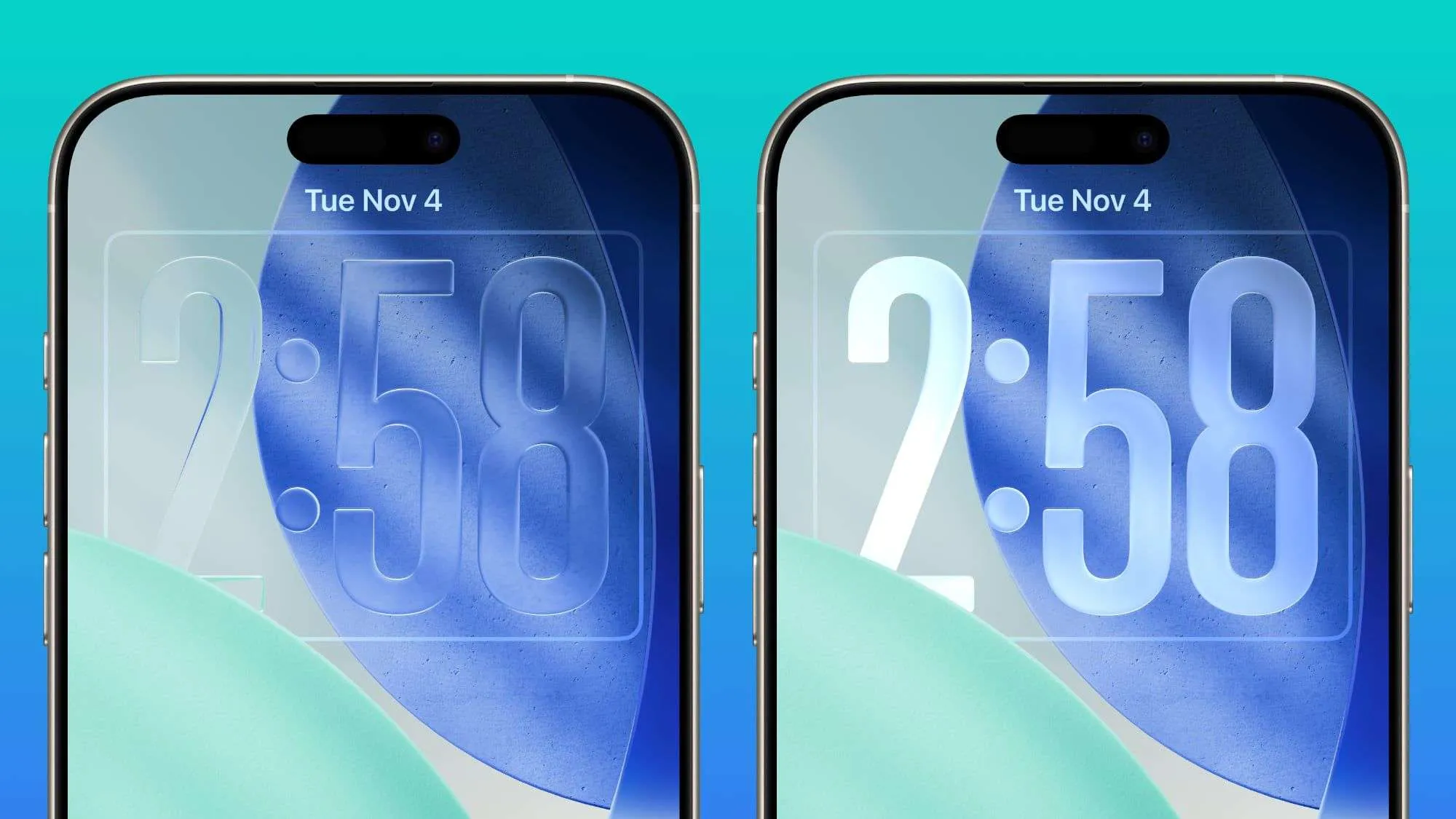
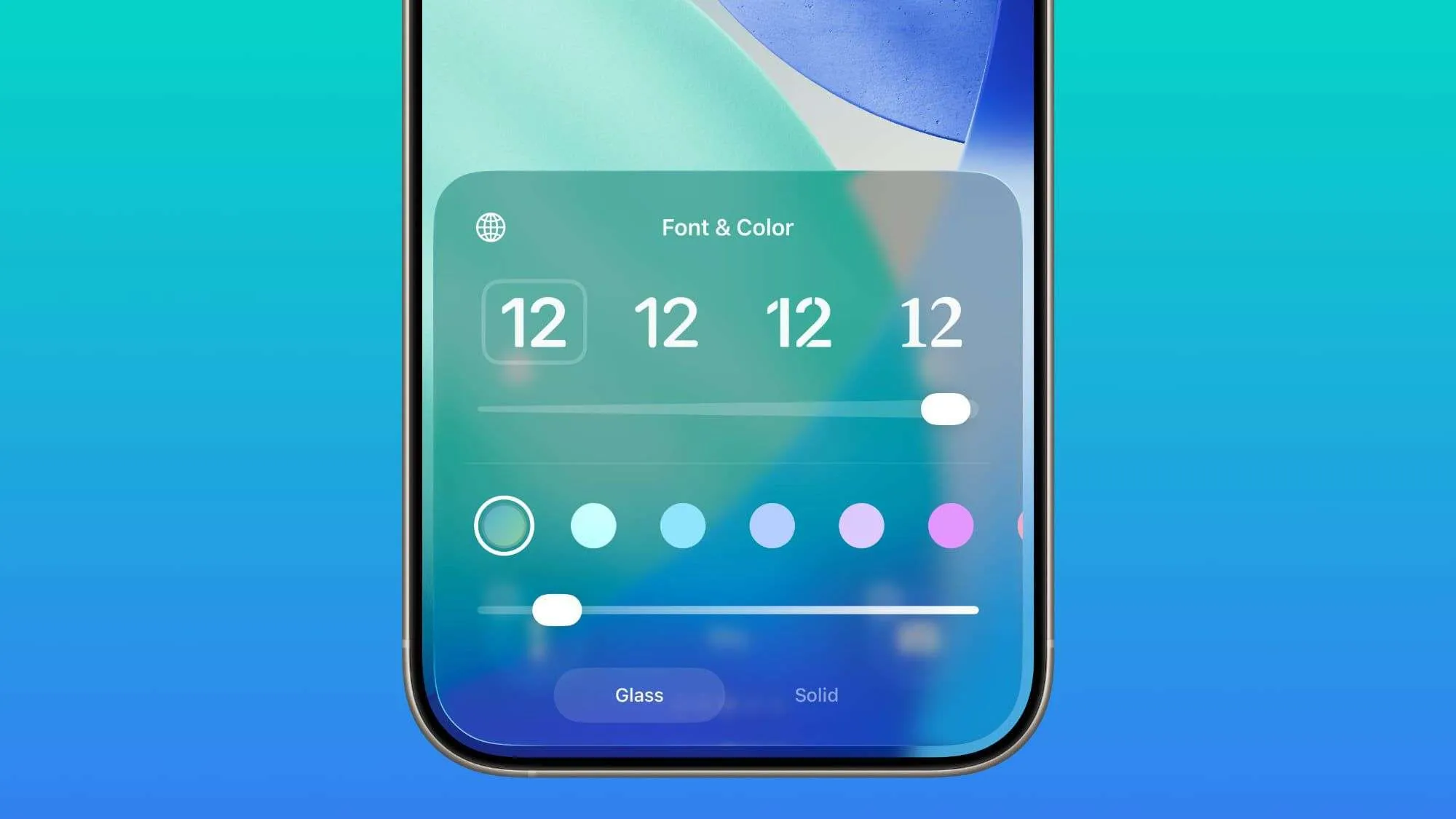
There is also a separate “Solid” switch that allows you to completely disable the Liquid Glass-style clock display if you prefer a significantly more opaque design. The color options for the watch remain available.
Liquid Glass Settings
When using the new “Tinted” Liquid Glass option, which reduces transparency, please note that the “Tinted” option cannot be used simultaneously with the “Reduce Transparency” and “Increase Contrast” accessibility settings.
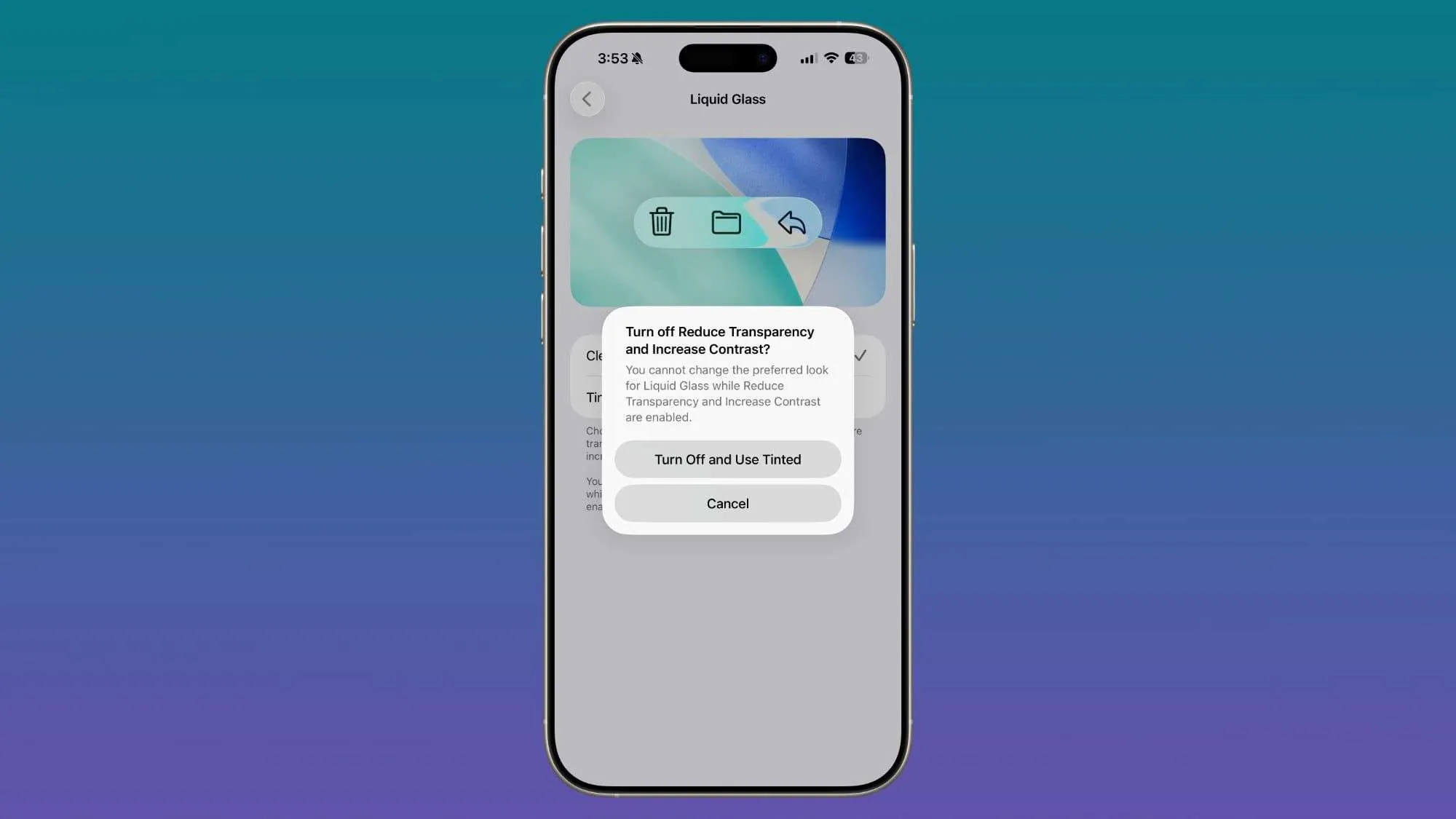
Activating the tinted mode automatically disables the “Reduce Transparency” and “Increase Contrast” features. In previous beta versions, there was no way to activate tinted mode without manually disabling these features.
AirDrop
Apple has added a new AirDrop feature that allows two people to temporarily share files without having to add each other as contacts.
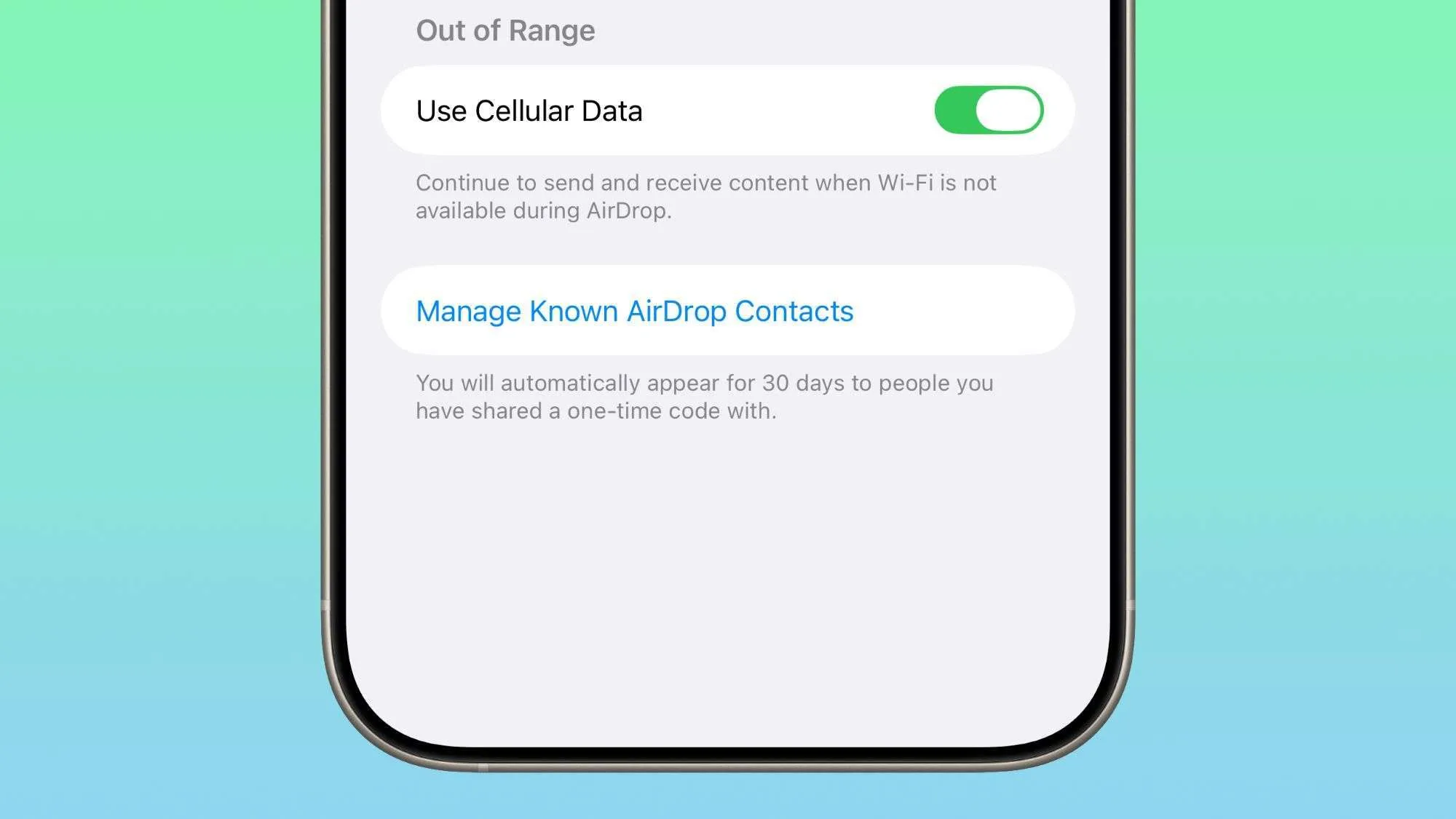
iOS 26.2 offers the ability to generate a one-time AirDrop code that can then be shared with people outside your contact list. This code allows you to share files via AirDrop for 30 days.
You can manage people with whom you’ve shared a one-time code by opening the Settings app, selecting General, selecting AirDrop, and tapping Manage Known AirDrop Contacts.
Apple Music
Apple Music now supports offline lyrics, so you can view song lyrics even when you’re not connected to Wi-Fi or cellular.
Sleep Rating
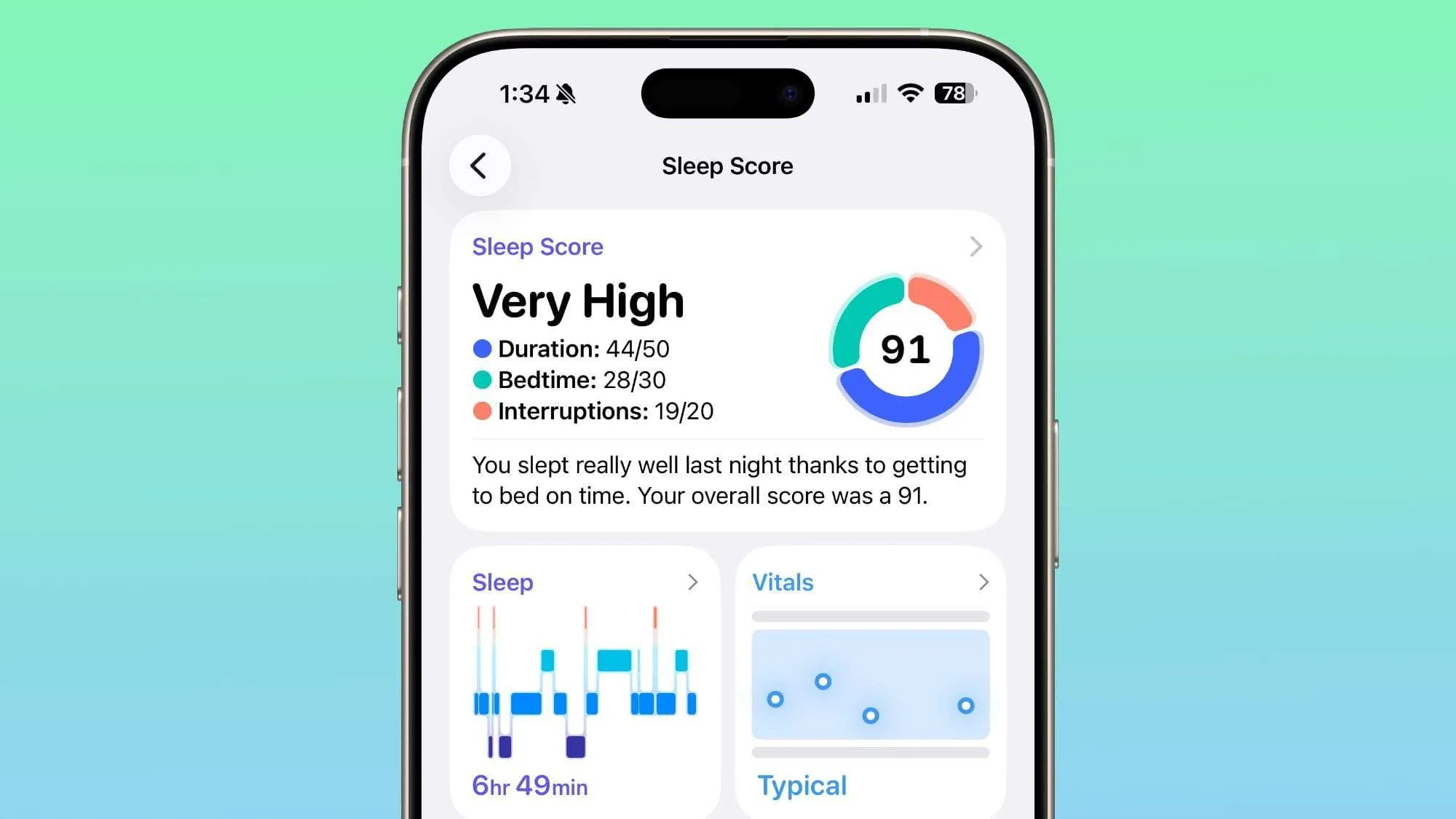
With iOS 26.2 and watchOS 26.2, Apple adjusted the ranges for the sleep rating, which was introduced earlier this year. The new values better reflect how people feel after a night’s sleep.
These are the new results:
- Very low – 0–40 (previously 0–29)
- Low – 41–60 (previously 30–49)
- OK – 61–80 (previously 50–69)
- High – 81–95 (previously 70–89)
- Very High – 96–100 (previously 90–100)
The “Very High” rating was previously called “Excellent,” but Apple changed the name to better align it with the other ratings.
The sleep score is available on all Apple Watch models running watchOS 26.2 and can be viewed in the Health app on iPhone. Apple developed the Sleep Score to provide an overview of sleep patterns, helping users identify habits that might be affecting their sleep.
The Sleep Score takes into account sleep duration, bedtime, and sleep interruptions to assign a nightly score that reflects sleep quality. Sleep duration counts as 50 points, bedtime as 30 points, and sleep interruptions (number of awakenings during the night) as 20 points, so a maximum of 100 points can be achieved per night.
Podcasts
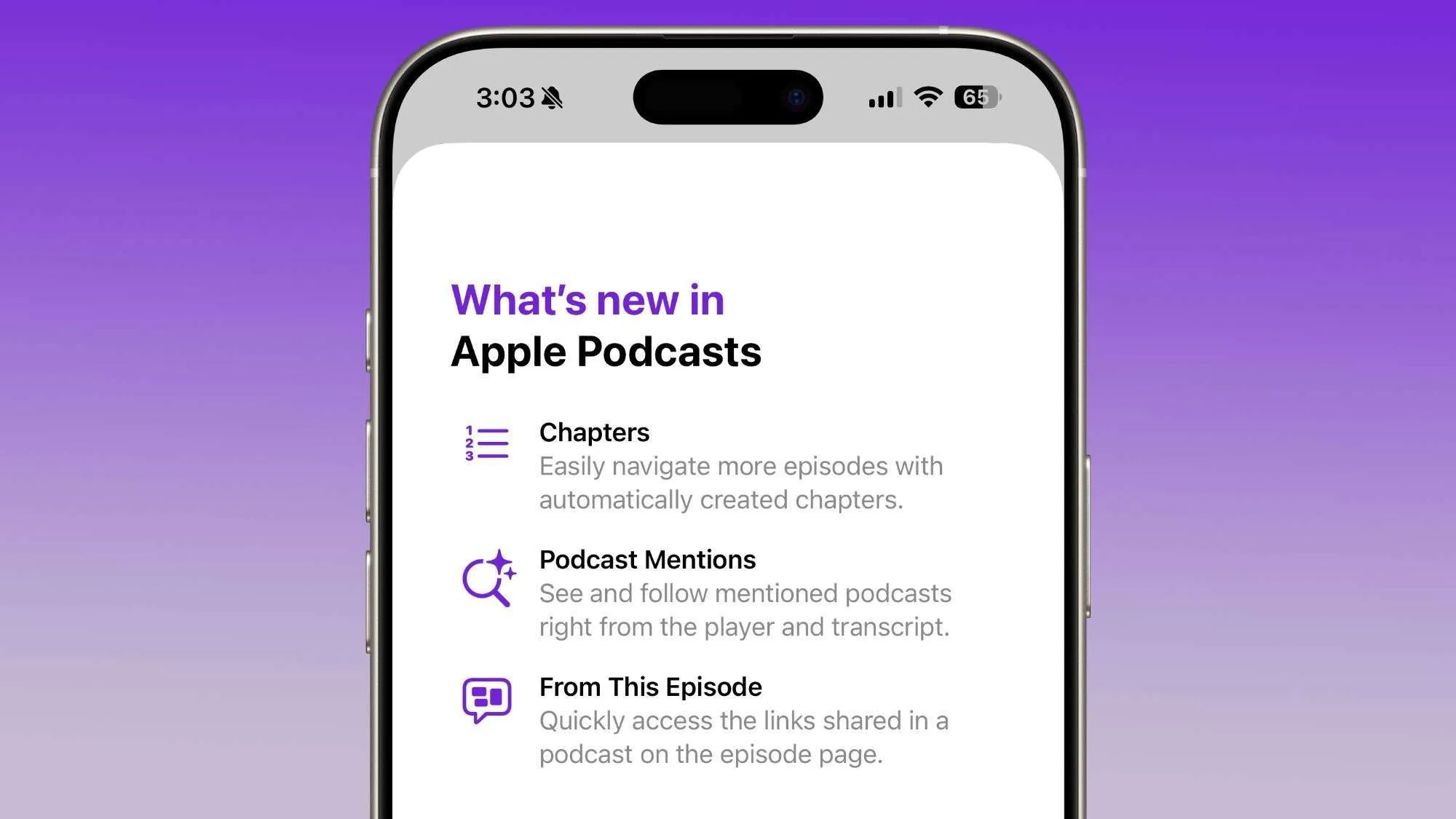
The Podcasts app offers support for three new features: automatically generated chapters, options to view mentions of other podcasts from the transcript and player, and access to links mentioned in a podcast on the episode page.
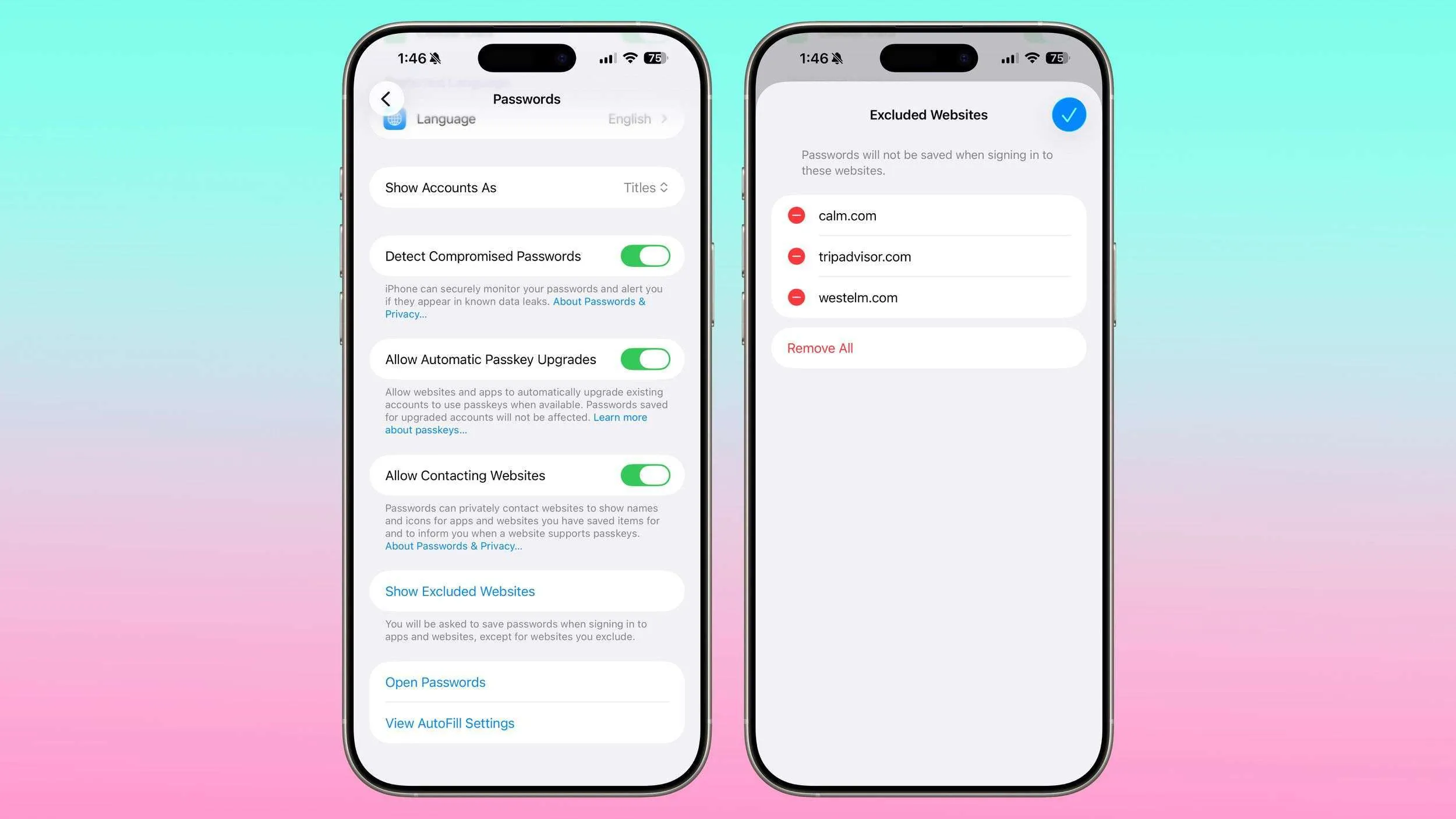
Passwords
In the Passwords app’s settings, there is an option to manage websites that do not save passwords upon login. will be.
AirPods Live Translation for the EU
iOS 26.2 extends AirPods Live Translation to the European Union. Apple had to delay the rollout of this feature in the EU to complete the necessary technical adjustments to comply with the French Digital Markets Act.
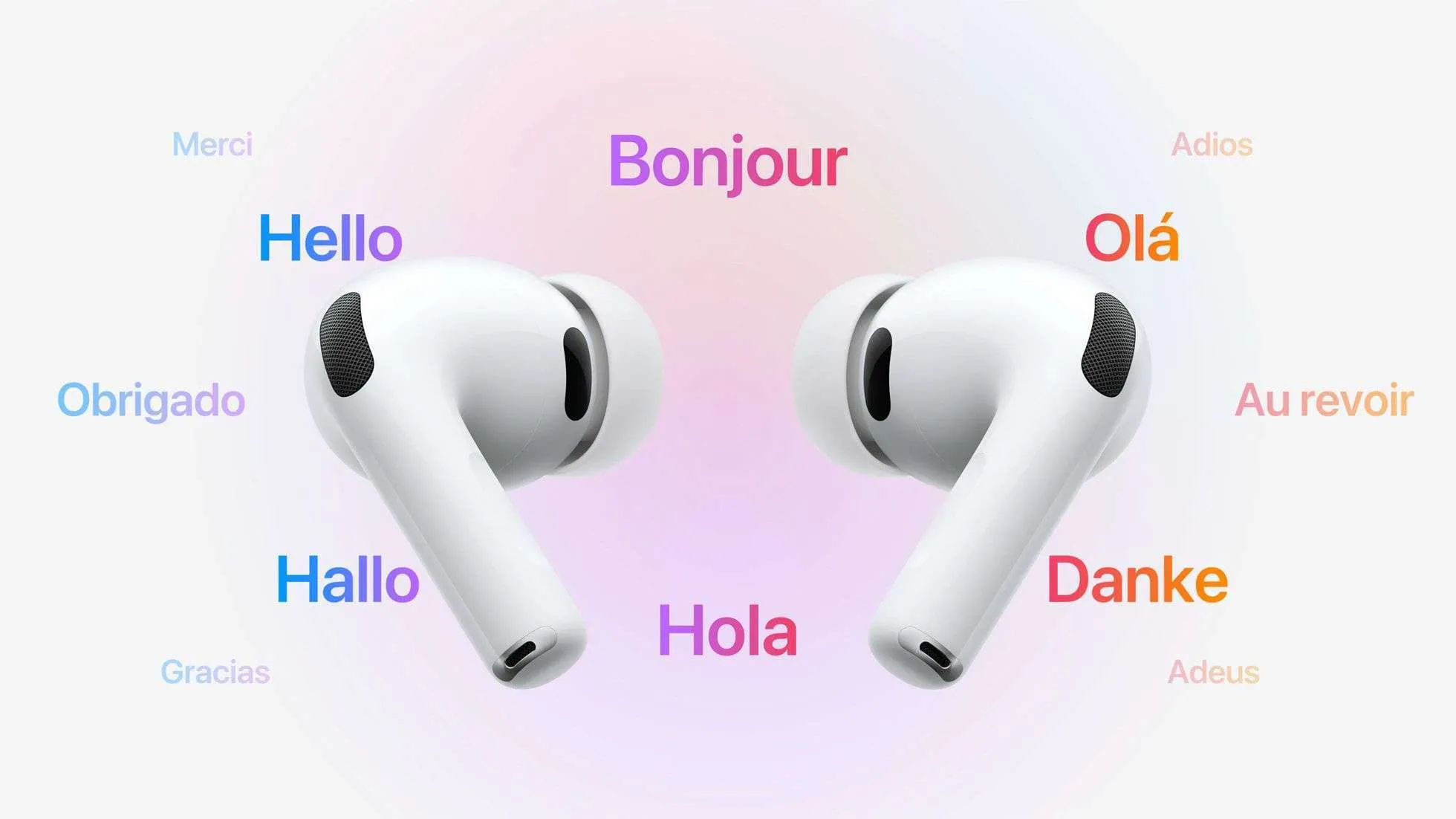
AirPods Live Translation works with AirPods Pro 3, AirPods Pro 2, and AirPods 4 with ANC. Currently, the feature is available in English, French, German, Portuguese, Spanish, Italian, Chinese (Simplified and Traditional Mandarin), Japanese, and Korean.
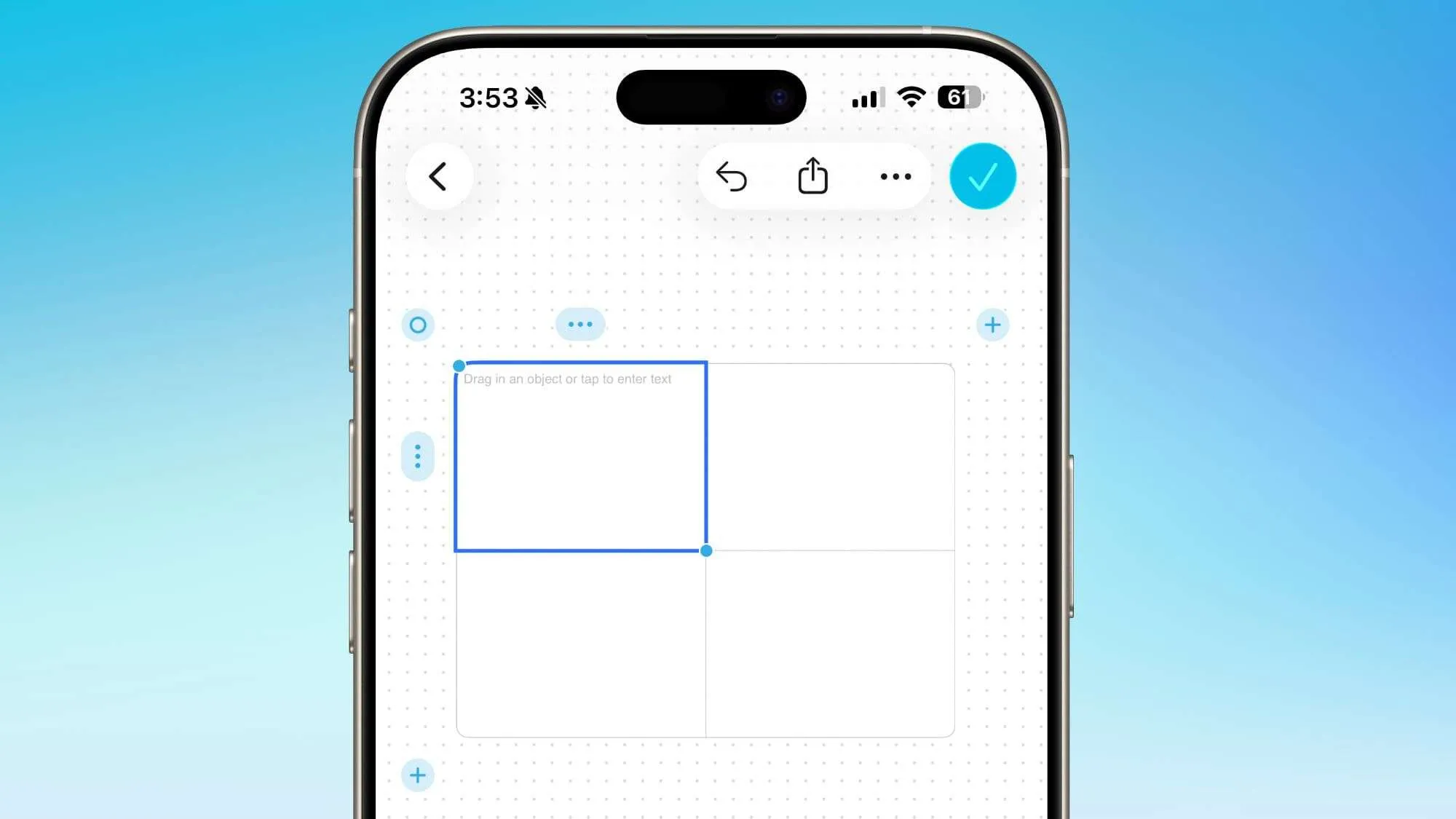
Freeform
The Freeform app now supports tables.
Weather
There is code indicating that the Weather app now supports relative time references for alerts such as “next Friday” or “next Tuesday” regarding upcoming rain or weather conditions.
Apple News
Apple has updated the design of Apple News and added quick access buttons at the top for categories such as Sports, Puzzles, Politics, Business, and Food.
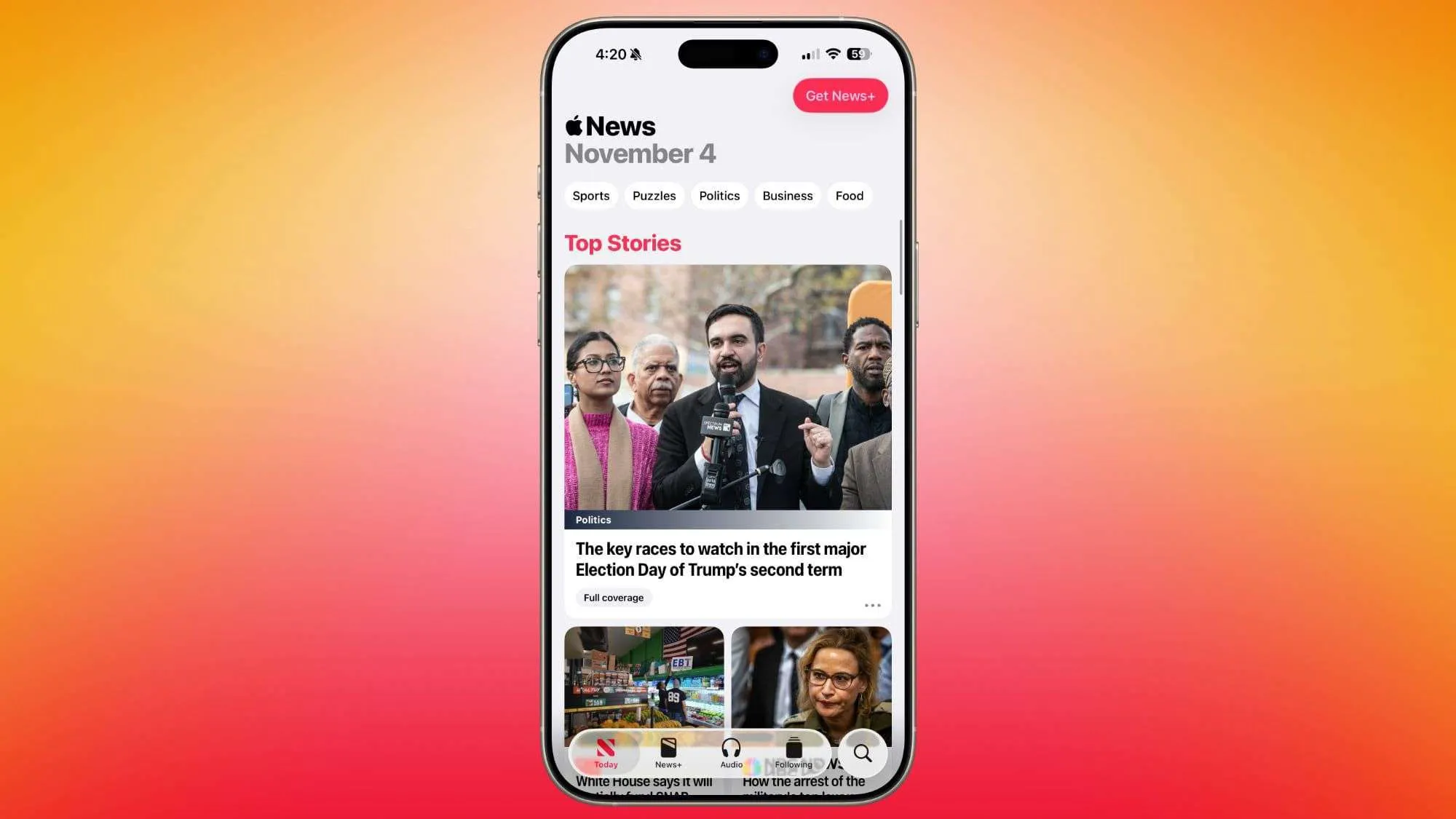
There’s also a separate “Follow” tab, decoupled from the search interface.
Notification Flash
The “Notification Flash” option in the Accessibility settings of the Settings app now allows users to make their screen flash. Previously, this setting was limited to the LED on the back of the iPhone.
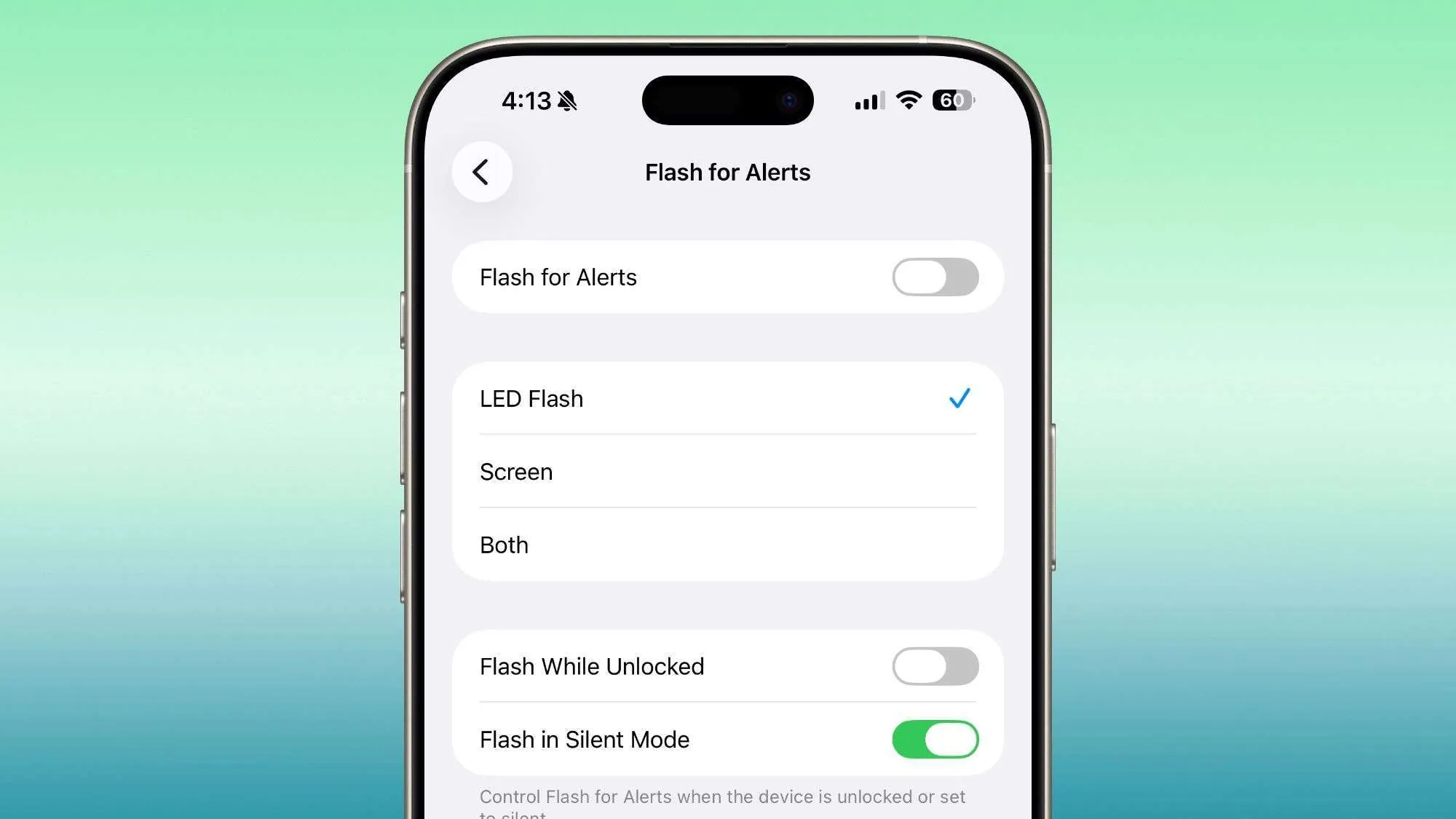
Users can switch between screen flash and simultaneous blinking for incoming notifications.
Enhanced Security Alerts
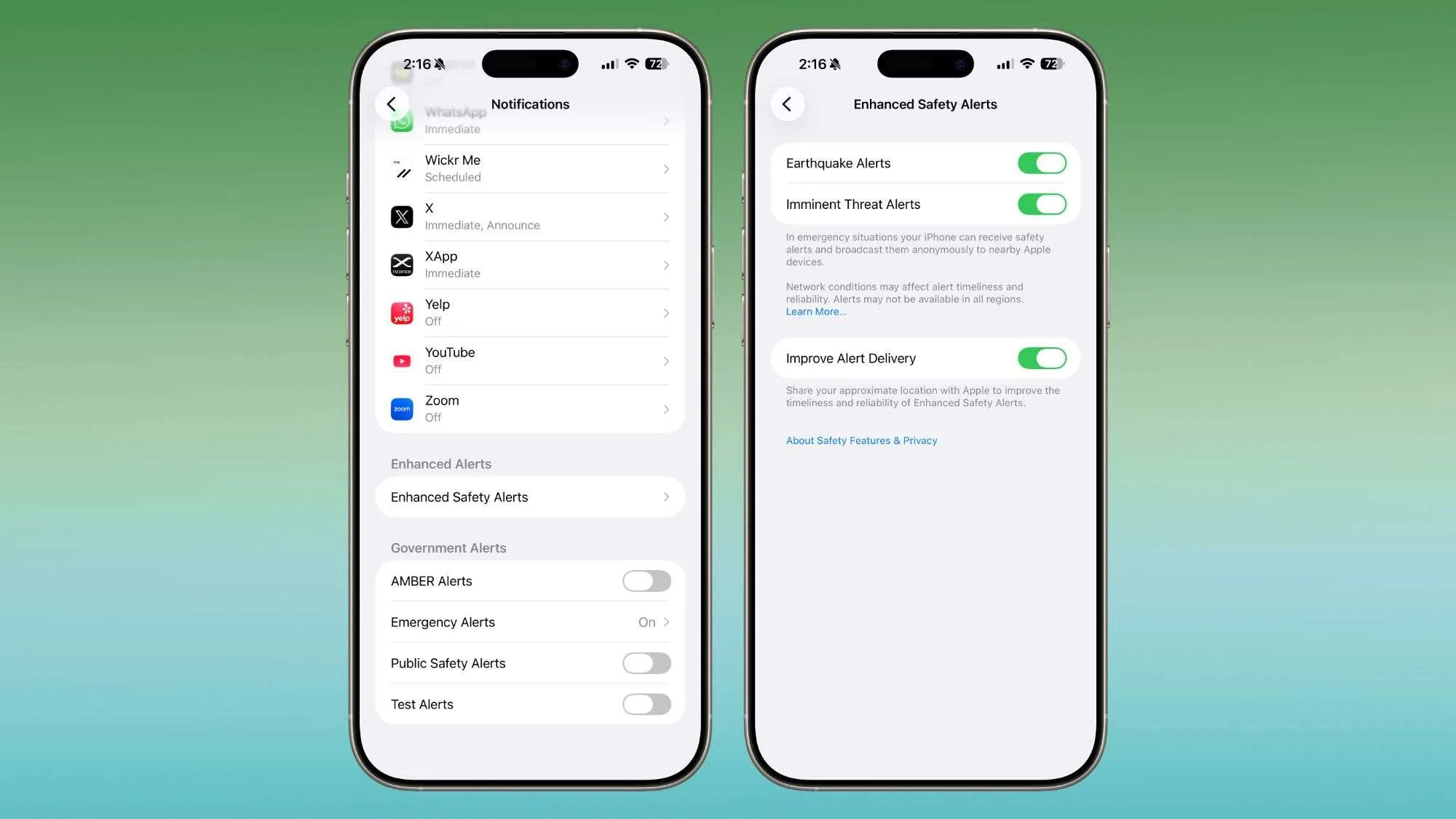
In the Notifications section of the Settings app, there is an Enhanced Security Alerts section that allows you to manage earthquake alerts and warnings of imminent danger, as well as enable improved notification delivery. This feature uses location to improve the reliability of alerts.
Measure App
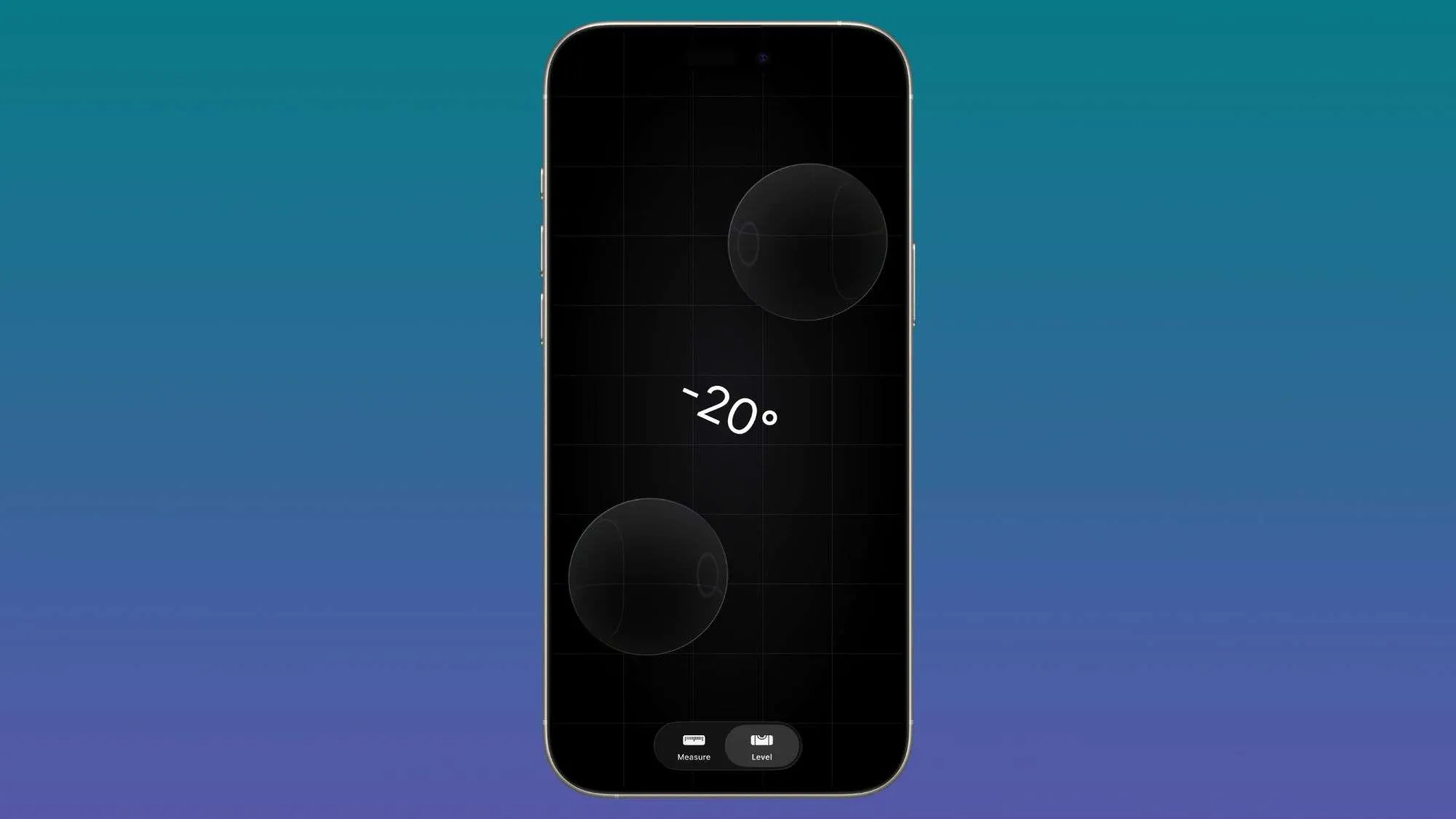
Apple’s Measure app now features a Liquid Glass design for the level, with two Liquid Glass bubbles instead of white circles.
Games App
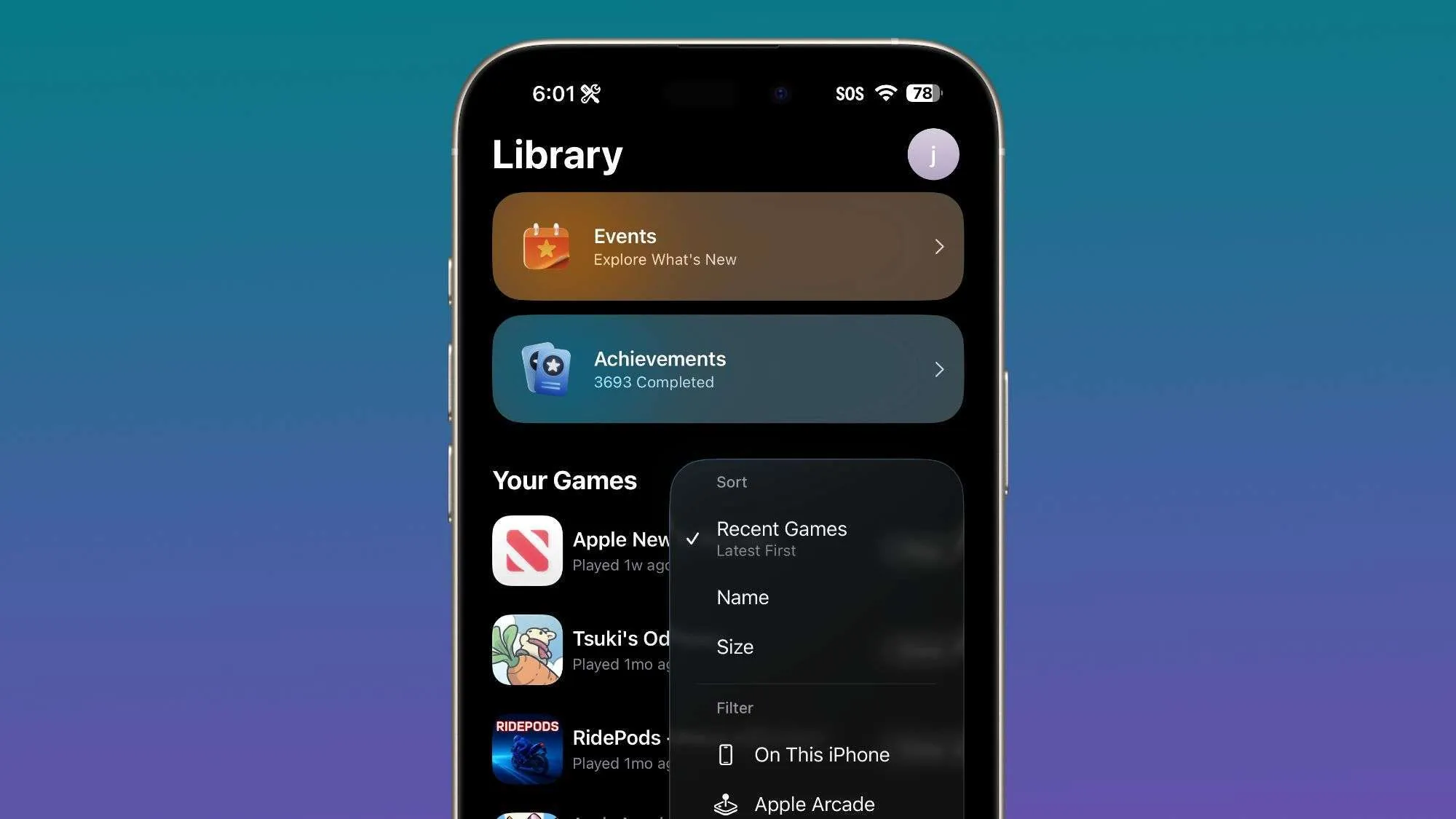
You can now sort games in the Games app library by size, in addition to name and recent play.
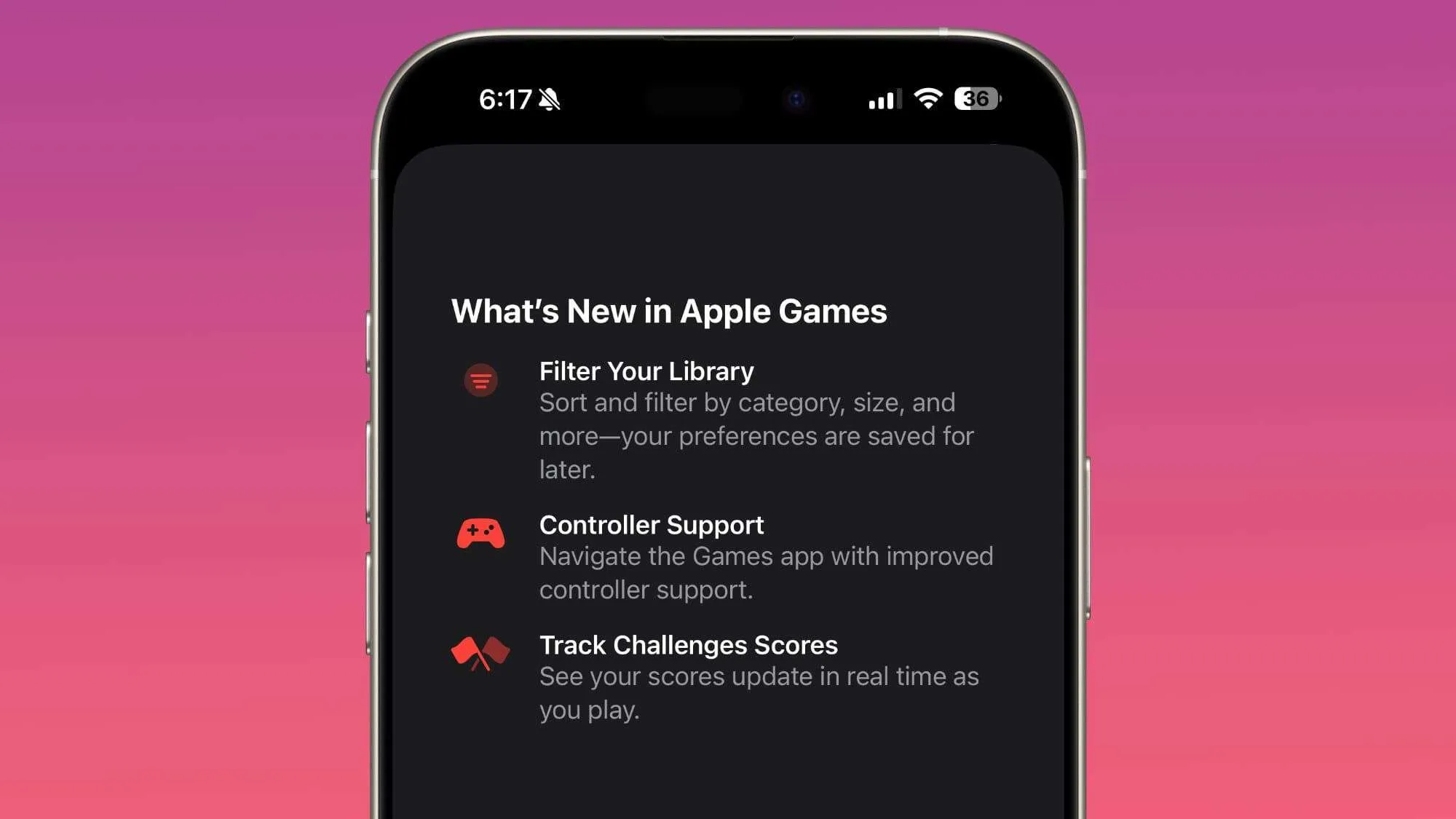
The Games app also supports controller navigation and real-time updates of challenge high scores during gameplay. Game.
iOS 26.2 and CarPlay
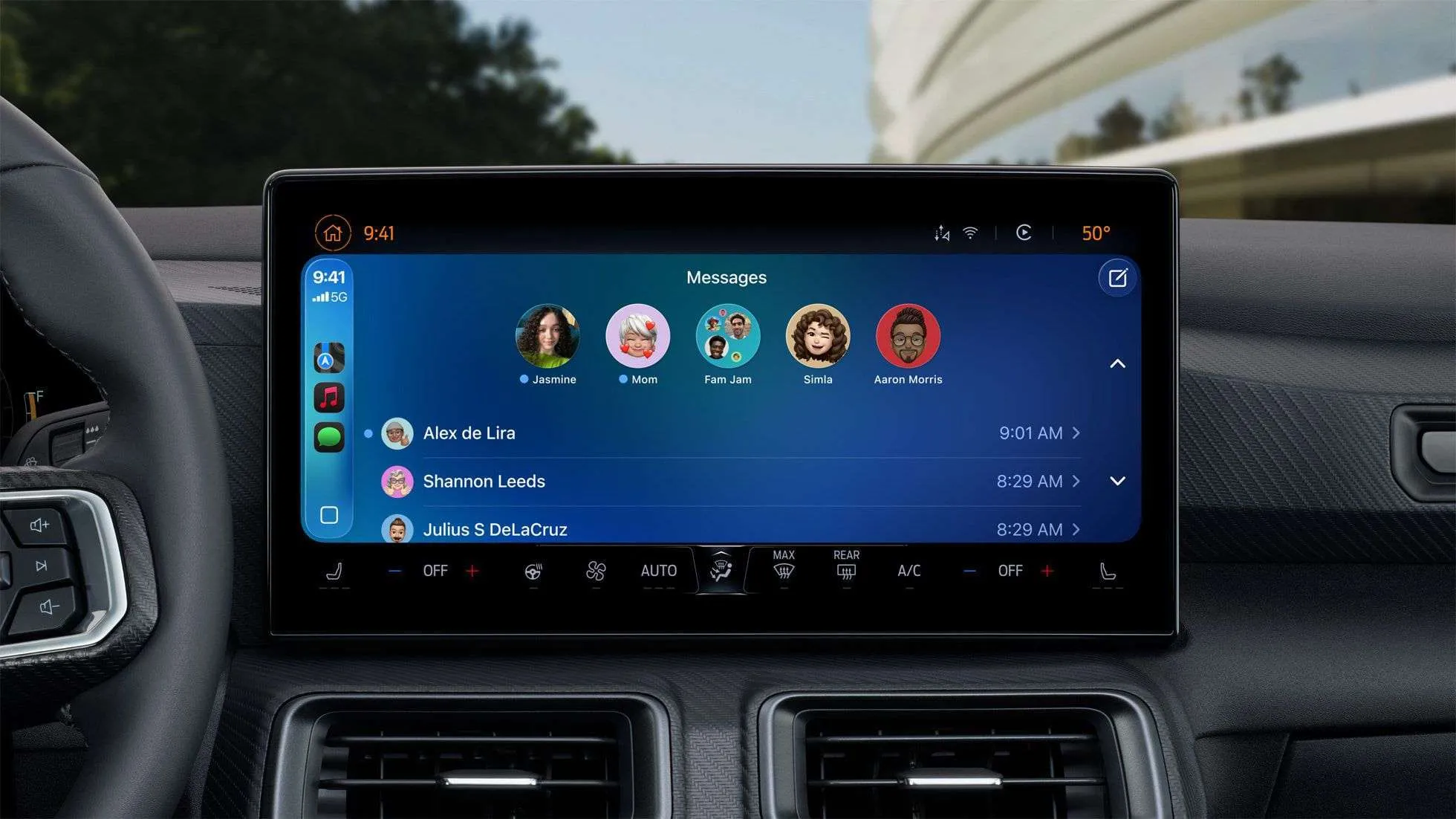
The CarPlay app now offers the option to disable pinned messages in the Messages app for drivers who prefer the classic Messages view that was available before iOS 26.2.
Menu Animations
Pop-up menus that open via a button in the corner now have a faster, more dynamic animation, similar to the one Apple showed at WWDC.
Privacy Policy
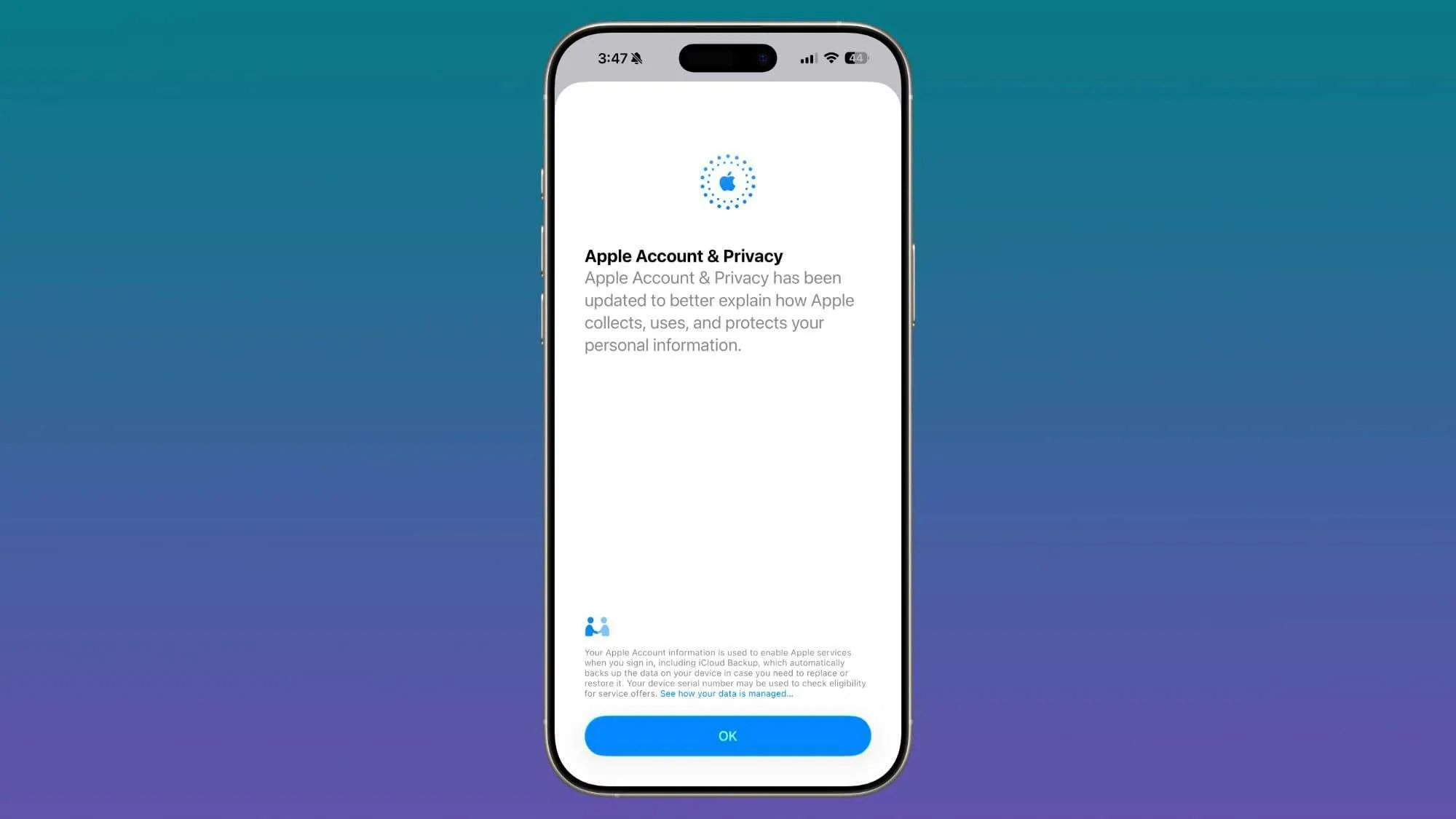
The first time you access your Apple Account after installing iOS 26.2, you will see a notification that Apple’s Privacy Information for Apple Accounts has been updated to better explain how Apple collects and uses personal information. will be.
iPhone Changes in Japan
Siri Replacement
Apple is paving the way for a new option that will allow iPhone users in Japan to choose a different default voice assistant. In the current version of iOS 26, holding the side button only activates Siri, but the beta version contains several indications of a new behavior for the side button.
iPhone users in Japan will soon be able to select a new voice assistant app that is activated via the side button. This allows users to use alternative voice assistants like Gemini or Alexa on their iPhones. However, according to the developer documentation, this feature is only available for Japanese Apple accounts belonging to people residing in Japan.
Search Engine Selection
After installing iOS 26.2, iPhone users in Japan are prompted to select their preferred search engine. The options are Bing, Google, DuckDuckGo, Yahoo Japan, and Ecosia – the same options available worldwide in Safari settings. In most other countries, Google is the default search engine, and no other option is offered when the iPhone is first set up.
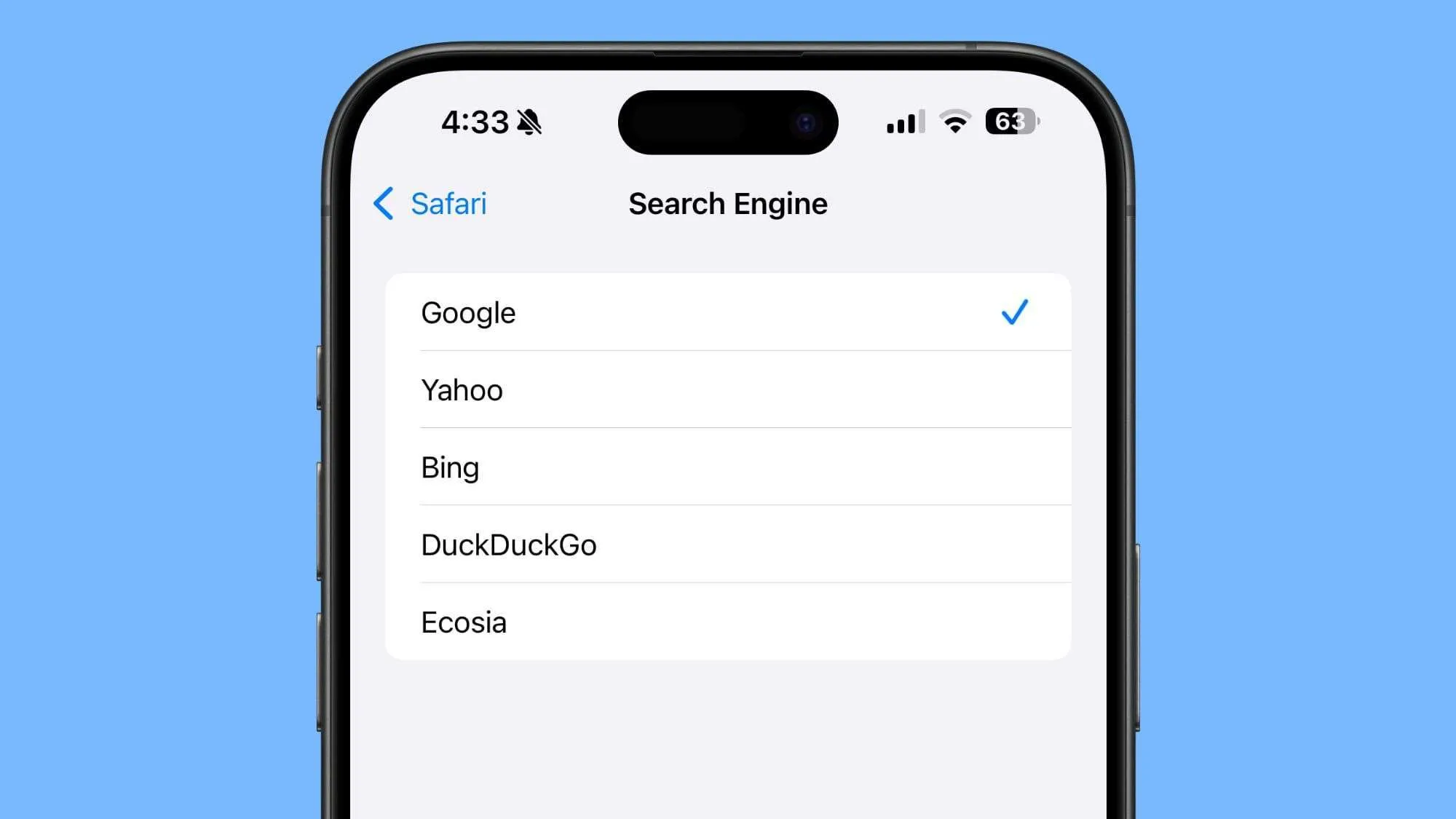
While iPhone users outside of Japan can choose one of the other options, they must go to the Safari section of the Settings app and make the change there.
Third-Party App Stores
iOS 26.2 will allow iPhone users in Japan to install alternative app marketplaces, similar to those in the European Union.
Changes in the Texas App Store
With iOS 26.2, Apple is introducing tools for developers to help them comply with the App Store Accountability Act, which It will come into effect in Texas in 2026. Apple users in Texas must confirm they are at least 18 years old when creating an Apple account, and parents must approve their children’s use of the App Store and in-app purchases.
Apple will share user age range information with developers, and developers must implement systems to notify parents of significant app changes and allow them to revoke a child’s access to an app at any time.
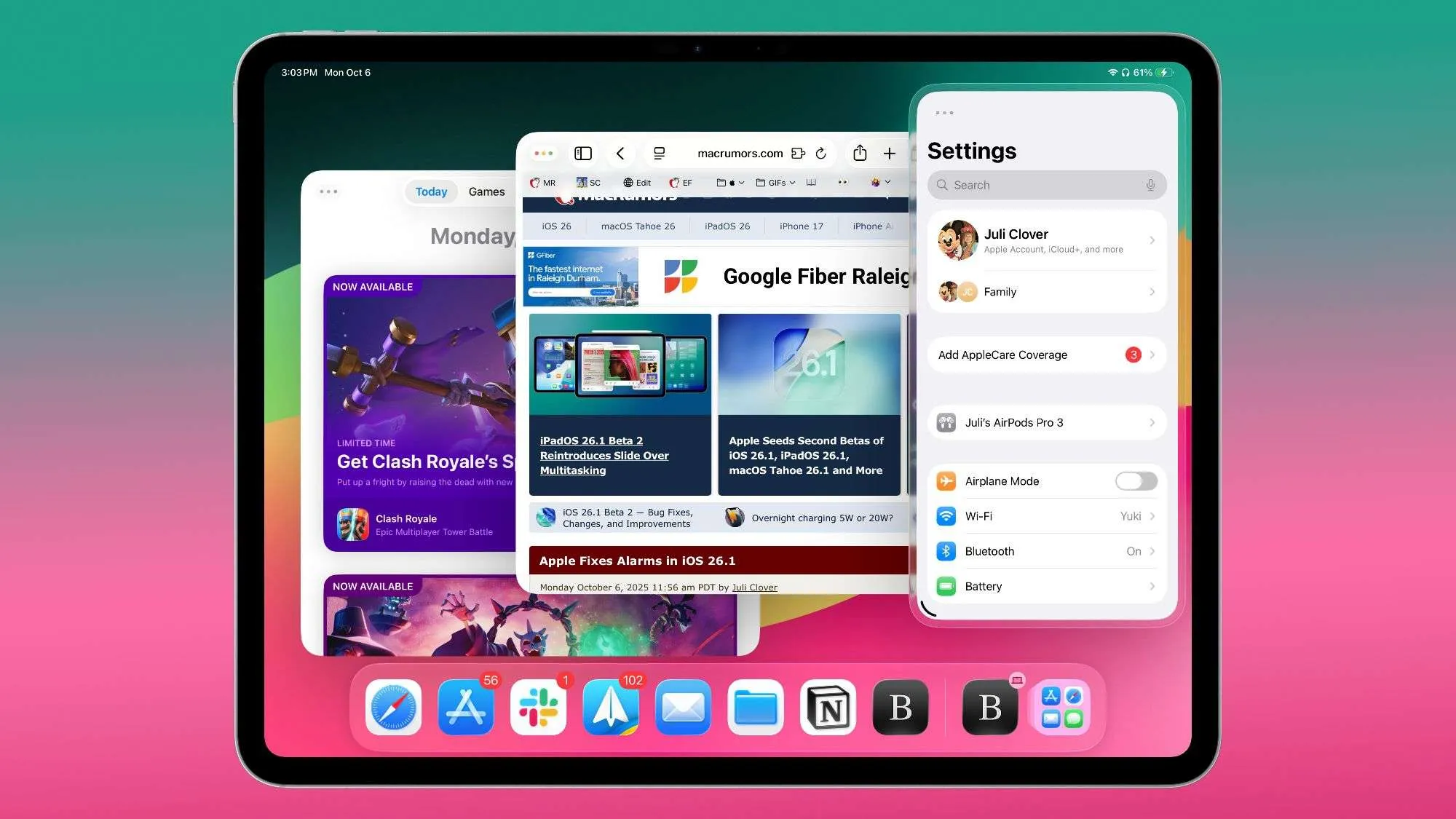
Bonus: iPadOS 26.2 Multitasking
In iPadOS 26.2, Apple expands upon the improved multitasking introduced in iPadOS 26.1. Multitasking. It is now possible to drag and drop apps from the App Library, Dock, and Spotlight. Drop in Slide Over and drag to Tile Views to restore some features that were removed during the transition from iPadOS 18 to iPadOS 26.
Compatibility
iOS 26.2 is available on all iPhones that also support iOS 26.
Release Date
We expect Apple to release iOS 26.2 in December, sometime between December 9th and 16th.


