Spotify updates: Playlist transfer and AI audiobook recaps

Spotify’s latest feature is something third-party providers have been doing for a long time, and in fact, it’s being introduced in partnership with one of those third parties. It’s the ability to directly transfer playlists from other services. The app has also introduced AI-powered audiobook summaries.
Spotify Playlist Transfers from Third Parties
This feature is provided by TuneMyMusic, a service that has long offered playlist transfers between online music streaming services. It’s now essentially integrated into Spotify, but of course only for importing playlists, not for exporting them.
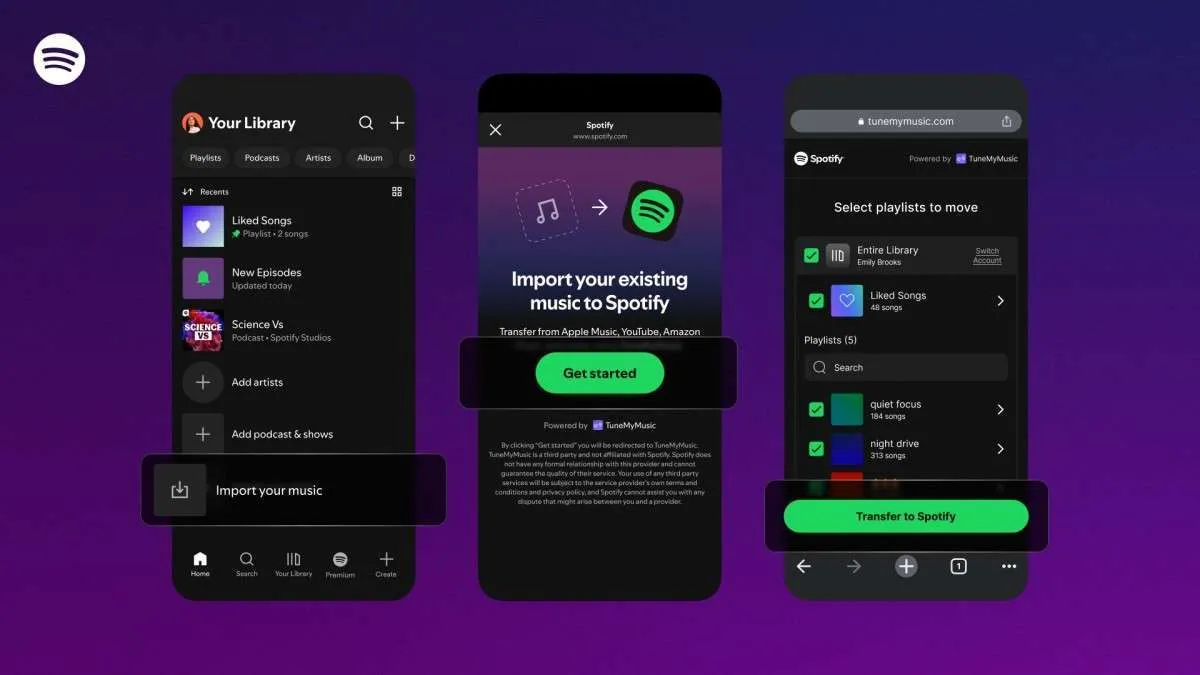
Simply go to “Your Library” in the app on your smartphone, scroll down, and then tap “Import Music.” Follow the instructions to connect to TuneMyMusic. Then select the platform where your playlists are located and the playlists you want to transfer. The transfer will then happen automatically.
There is no limit to the number of playlists you can import or the number of songs per playlist. This feature is expected to be rolled out worldwide in the coming days. So if you don’t see it yet, please be patient – it will be available soon.
Spotify is testing AI-powered audiobook summaries on iOS
Spotify has also announced that AI-powered audiobook summaries are now in beta testing for iOS users. The feature summarizes audiobooks up to the point where users left off, allowing them to quickly resume their listening session.
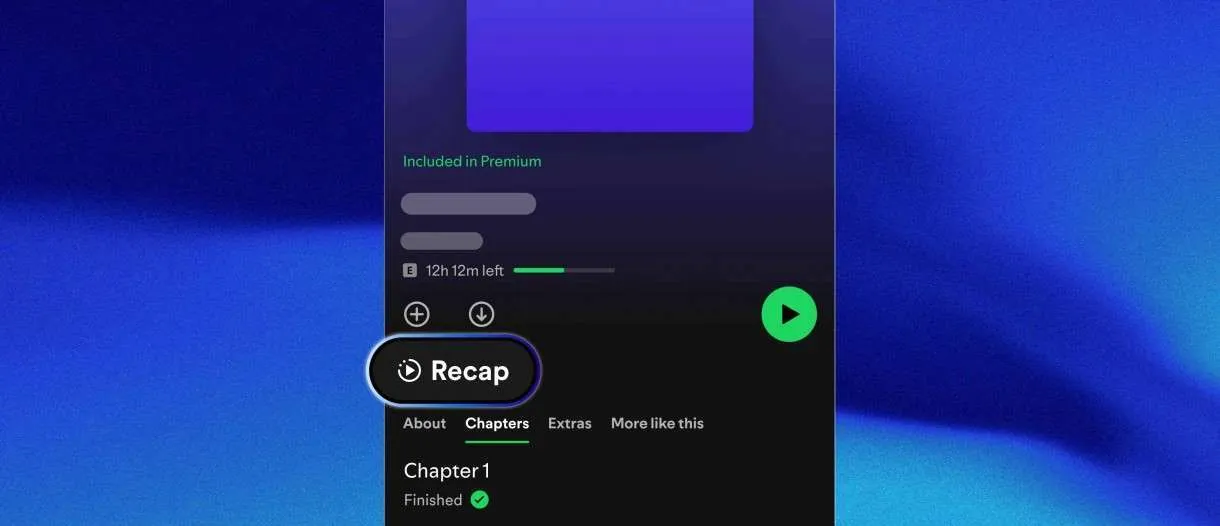
Summaries are currently limited to a small selection of English-language audiobooks, but Spotify has confirmed that the feature will soon be expanded to more titles. The “Summary” button is placed directly above the chapter overview and is only visible if you have listened to a title for at least 15 minutes.
Summaries cover only the portion of the book you have already listened to. Similar to the “Previously on TV” recap feature, summaries allow you to seamlessly return to the story without having to replay it. Summaries are designed to optimize the listening experience and keep you immersed in the story. They are part of our ongoing efforts to make listening to audiobooks smoother, more intuitive, and more user-friendly.
In addition, Spotify has announced updated shuffle settings for Premium users. The “Fewer Repeats” feature ensures that recently played songs are repeated less frequently. The feature can be found in the app settings under the “Playback” menu item.


