Extend iPhone battery life under iOS 26
Apple has made several changes related to iPhone battery life in iOS 26, making it easier to see which apps are draining the battery and helping to extend battery life.

Changes to the design of the battery app
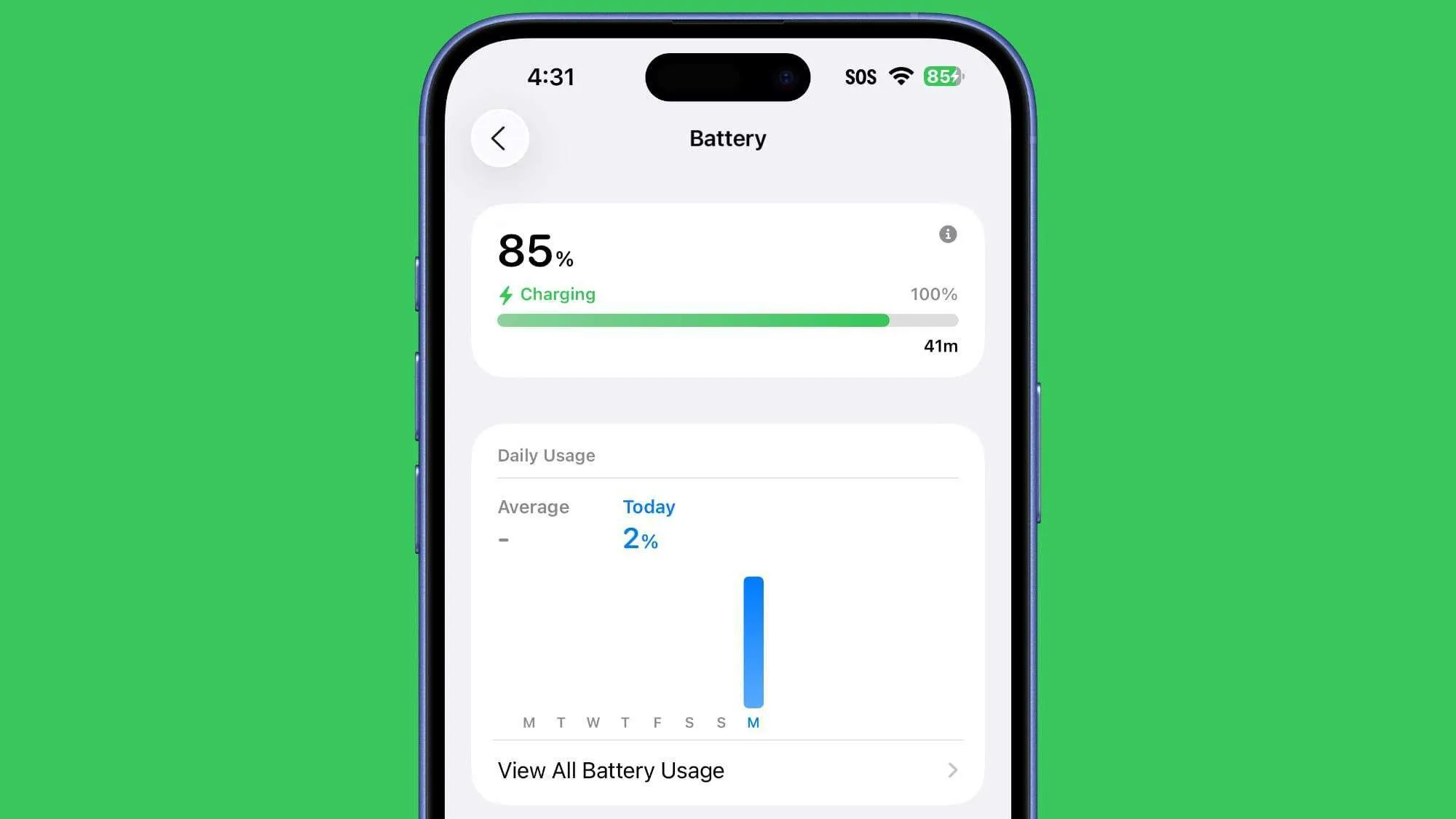
Apple has updated the “Battery” section of the Settings app in iOS 26, and the new design offers more detailed insight into how iPhone usage affects the battery and how much battery different apps consume. consume.
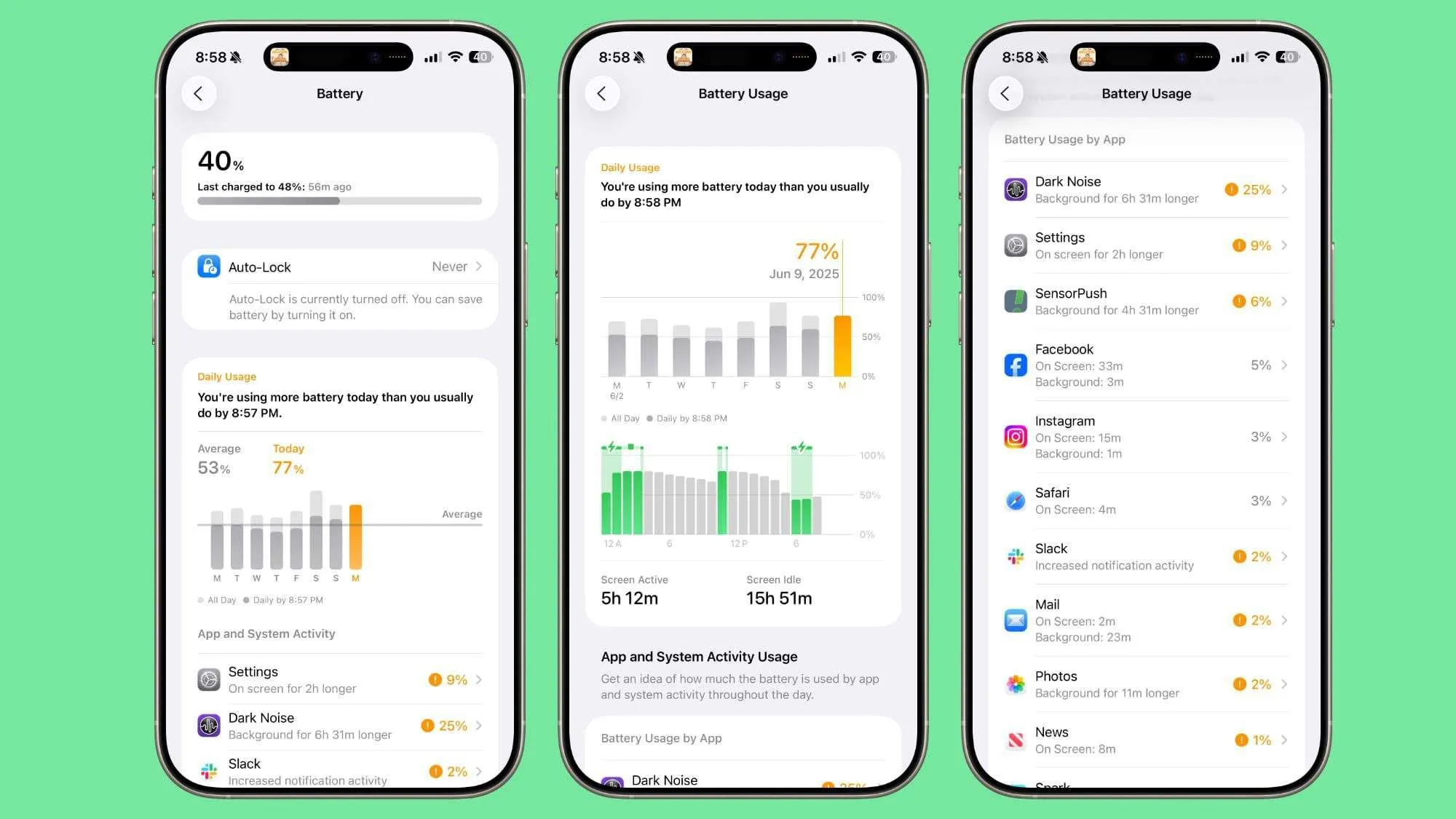
At the top of the battery interface, you’ll find an overview of your current battery level and the last charging time. While your iPhone is charging, you’ll also see how much time remains until the battery is fully charged. Instead of showing battery usage over 24 hours and 10 days, Apple now shows a weekly view of average battery usage, as well as a comparison of your current battery usage compared to your typical average.
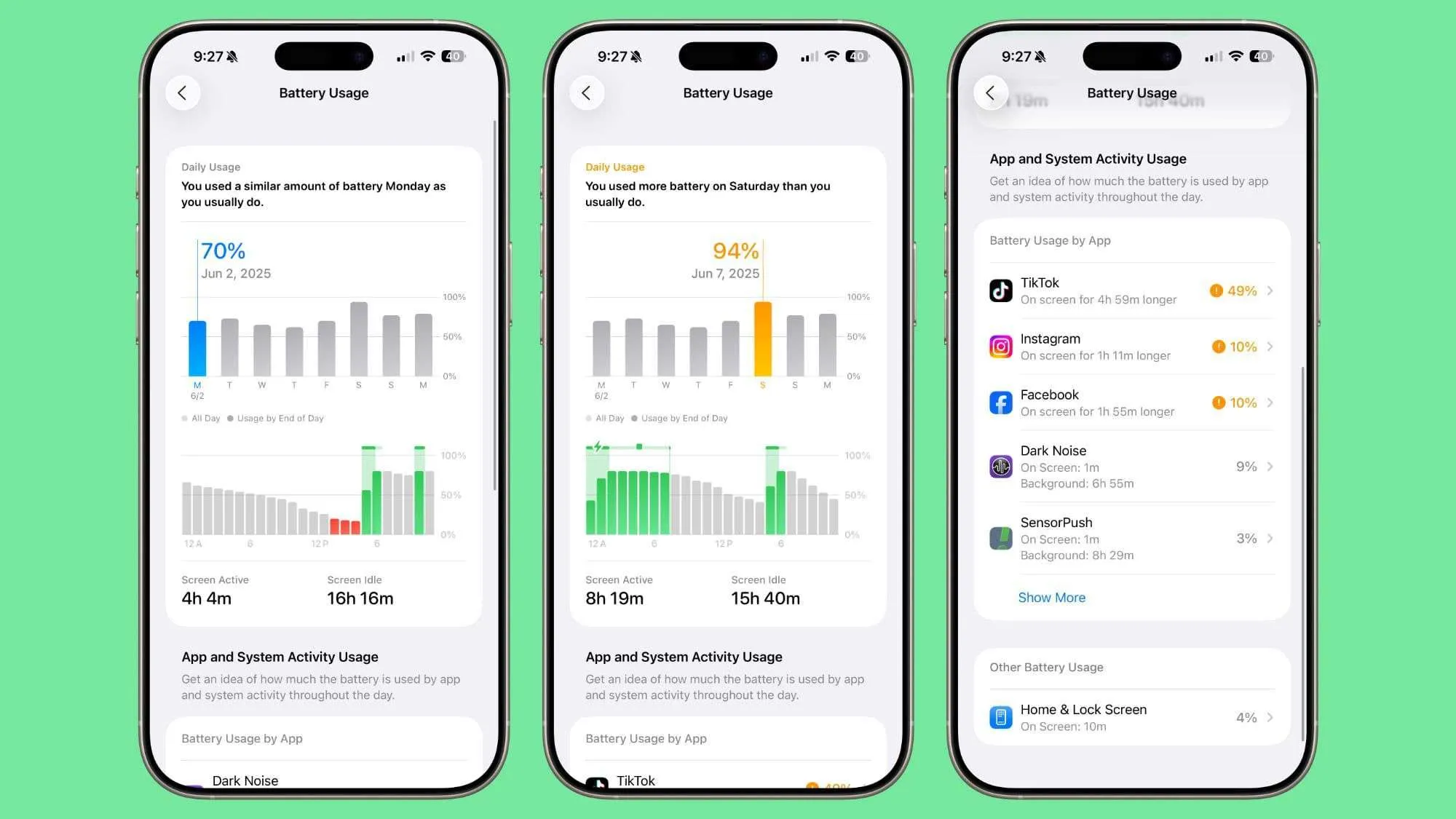
The new comparison feature shows you whether you’re using more, the same, or less battery power than usual. It shows you which apps have used how much battery power, making it easier to see what’s draining your battery. You can sign up for notifications that let you know when your usage is higher than normal.
The apps section provides specific details about the cause of battery usage, showing you if an app was running in the background longer, was on your screen longer, or sent more notifications than normal. Apps with high battery usage are highlighted in orange.
You can scroll through the last 7 days to see how much battery you used on a given day. This displays a breakdown of active usage and idle screen time. It also shows when and for how long you’ve been charging.
There’s also a Battery Health section where you can see charge cycles and maximum capacity, as well as a Charge Limit section where you can limit charging to 80 percent. Apple has also added a new Power Mode option that lets you toggle between Low Power Mode and the new Adaptive Power Mode.
Adaptive Power Mode
Adaptive Power Mode is a new setting that complements Low Power Mode for power management. It’s designed to make small power adjustments that extend battery life during higher-than-normal usage.
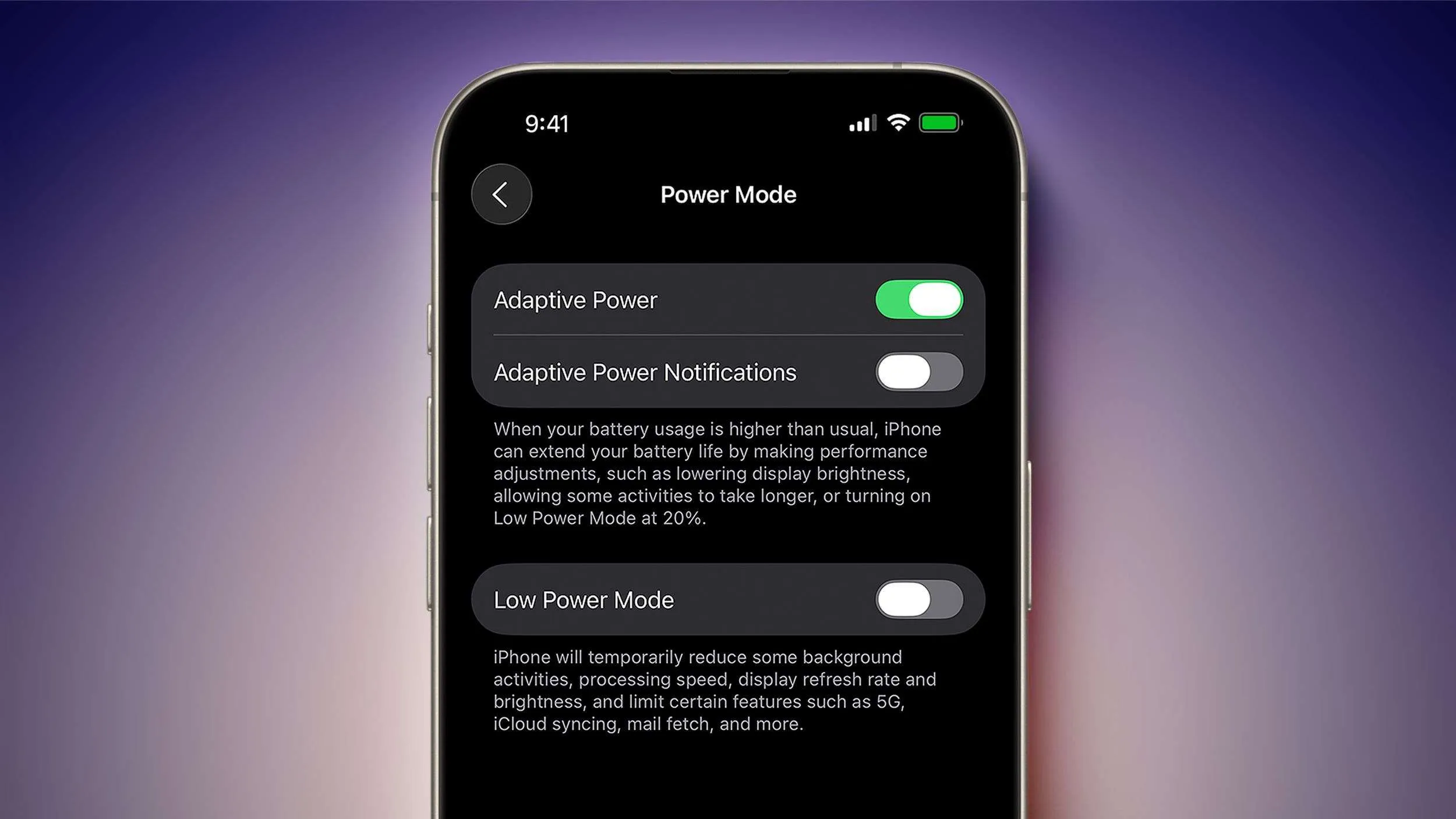
On days when your iPhone needs more power, you can enable Adaptive Power. Apple says the feature makes intelligent adjustments, such as lowering the display brightness, allowing certain activities to last longer, or automatically enabling Low Power Mode at 20 percent.
Adaptive Power Mode is an optional feature found in the Battery section of the Settings app. When you enable this feature, it will automatically activate when your iPhone detects that you’re using unusually high levels of battery power. Since Adaptive Power is based on Apple Intelligence, you need at least an iPhone 15 Pro or newer device.
If you enable Adaptive Power mode notifications, you’ll be notified when your iPhone detects increased usage and activates the Adaptive Power features. If you don’t enable notifications, Adaptive Power will work in the background without notifying you.
Ladezeit
If your iPhone is connected to a charger, you can now tap the display to activate it. This will show how long you have left to wait until your device is fully charged or to the limit you set.
To use this feature, plug in your iPhone or place it on a wireless charger. Tap the off display to wake it up. The remaining time will be displayed above the clock.
Alternatively, you can open the Settings app and go to the Battery section to see the remaining time until a full charge is achieved.
Low Battery Mode Popup
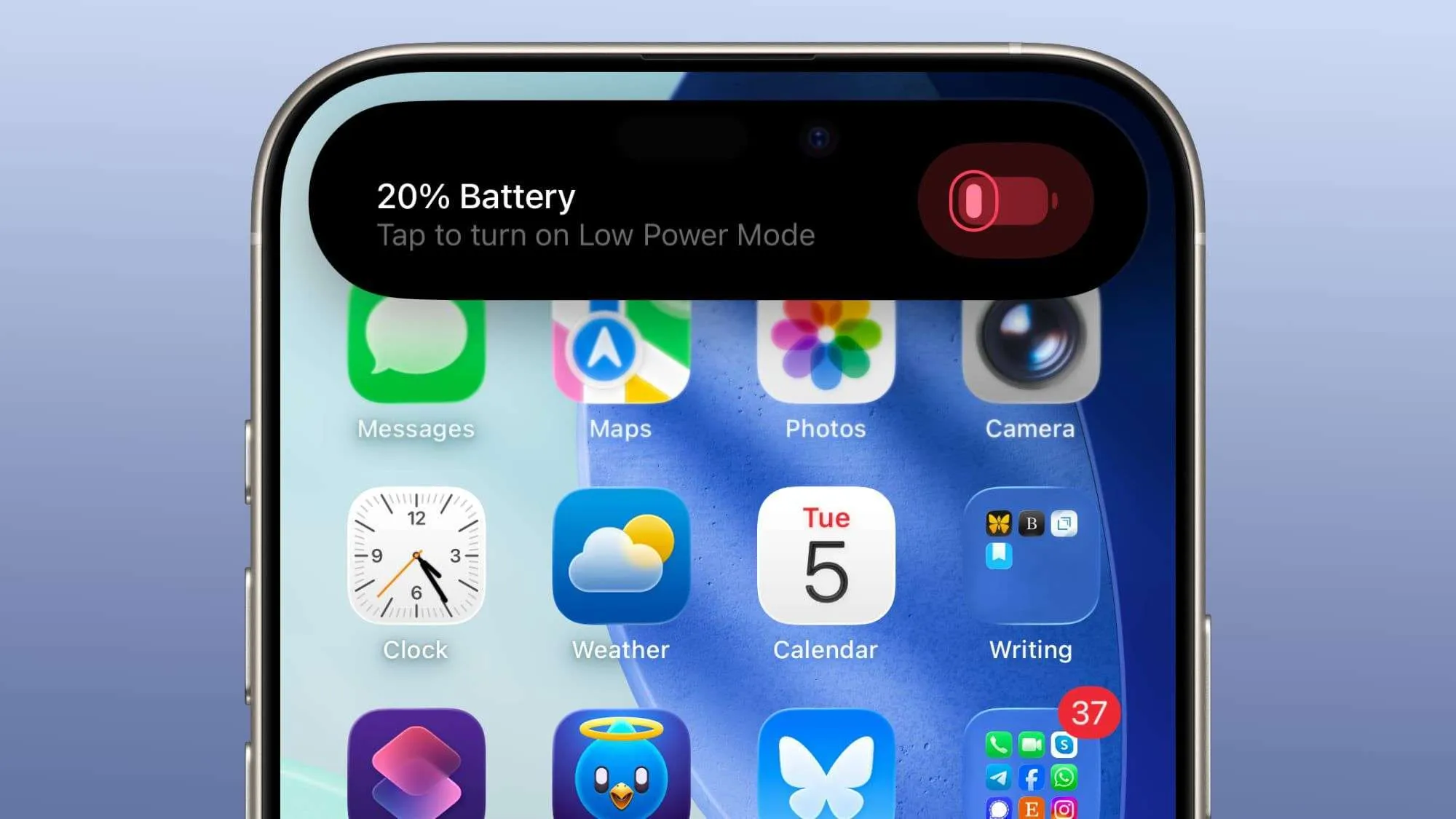
When the battery level drops to 20 percent, a low battery warning will appear on the Dynamic Island. Tapping it will allow you to activate Low Power Mode.
If charging is paused due to optimized charging settings or temperature reasons, the battery icon in the top right corner of the iPhone will appear gray instead of green.


